Soundbar vs Home Theater System: Which Is Better for Your Room?
Your room, budget, installation options, and listening habits all affect the decision.
A soundbar provides a compact way to improve television audio. A traditional home theater system uses separate speakers placed around the room.
Neither option is automatically better for every household. This guide compares their sound, bass, connections, setup, cost, and upgrade potential.
What Is the Difference Between a Soundbar and a Home Theater System?
A soundbar places several speaker drivers inside one narrow enclosure. It normally sits below the television or mounts on the wall.
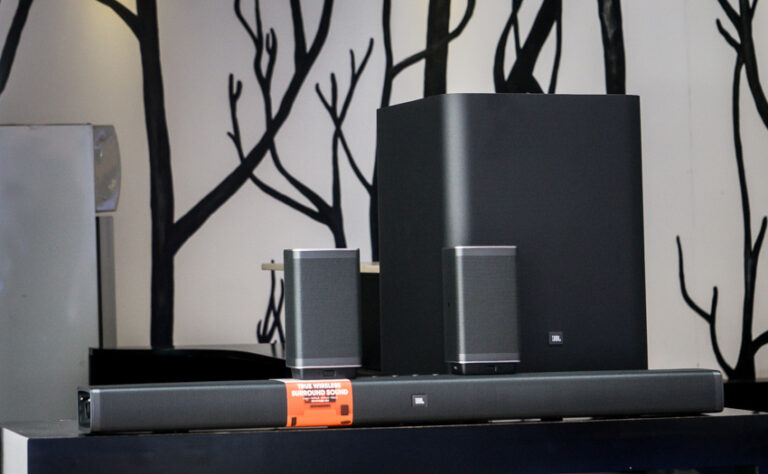
Some soundbars operate alone. Others include a separate subwoofer, rear speakers, or both.
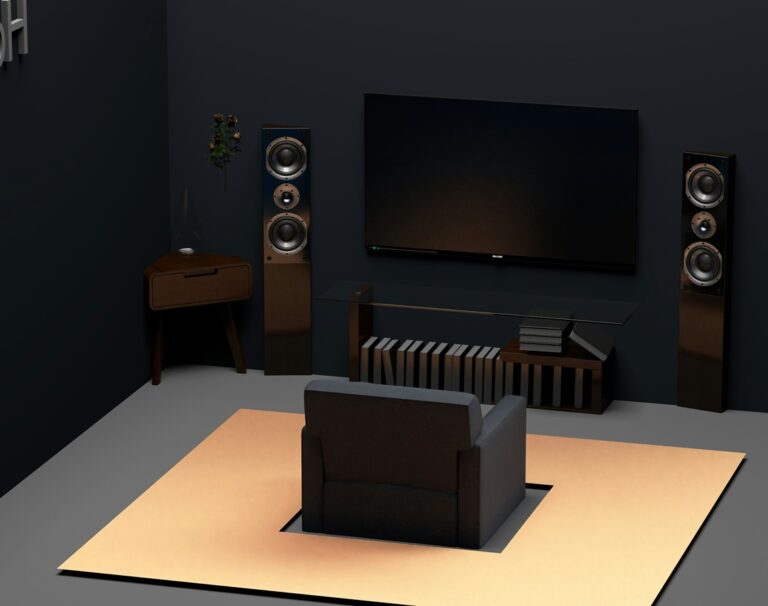
A traditional home theater system uses separate speakers. A common setup includes left, center, right, surround, and bass channels.
Most component systems also use an AV receiver. The receiver processes audio, switches video sources, and powers passive speakers.
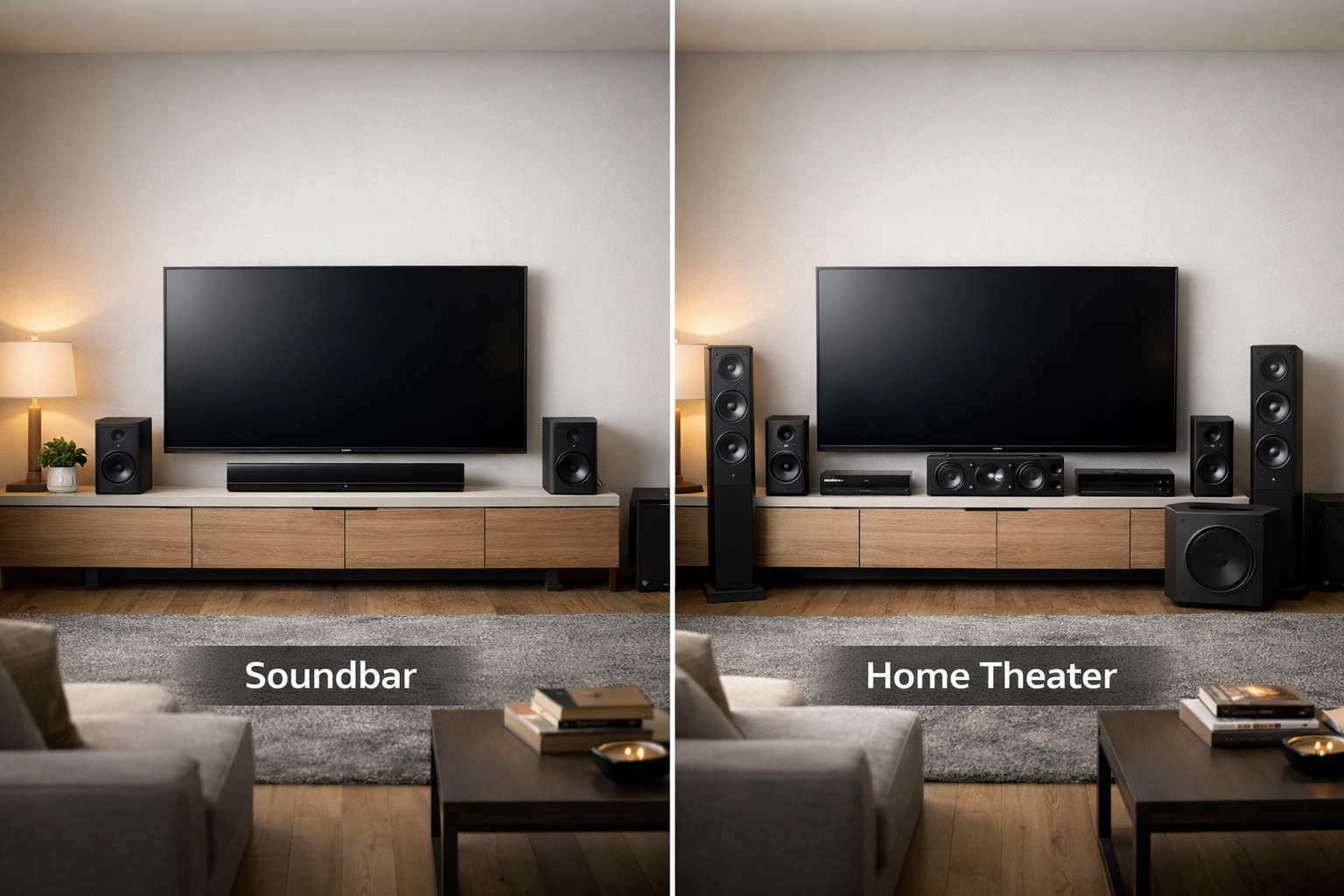
The main difference is physical separation. A soundbar keeps most channels close to the screen. A component system places speakers around the listener.
Soundbar vs Home Theater System: Quick Comparison
| Consideration | Soundbar | Home Theater System |
|---|---|---|
| Installation | Usually simpler | Requires more planning |
| Space | Compact | Needs several speaker positions |
| Surround effects | Virtual or speaker-assisted | Produced by separate channels |
| Bass | Depends on the included subwoofer | Separate subwoofers can be selected |
| Upgrades | Often limited to compatible accessories | Components can usually be replaced separately |
| Cables | Fewer visible connections | More speaker and power cables |
| Control | Often integrated with the television | Usually managed by an AV receiver |
| Best suited to | Simple living-room installations | Flexible or dedicated theater installations |
These are general differences. Individual products can cross these categories. Some soundbar packages include rear speakers and several components.
Advantages of a Soundbar
Simple Installation
A basic soundbar may need only power and one audio connection. Many models connect through an HDMI ARC or eARC port.
This approach avoids running speaker cable around the room. It also reduces the number of components requiring separate setup.
Compact Design
A soundbar uses little floor space. It can work well in apartments, bedrooms, and multipurpose living rooms.
The compact shape also suits rooms where speaker stands are impractical. Wall mounting may keep the area around the television clear.
Convenient Daily Use
Compatible equipment may allow the television remote to control volume and power. Exact behavior depends on both devices and their settings.
Many soundbars also offer Bluetooth, Wi-Fi, or application control. Available features vary by model.
Improved Television Audio
Television cabinets leave limited space for built-in speakers. A soundbar can provide clearer and fuller audio than those speakers.
Models with a dedicated center channel may also improve dialogue placement. Results depend on the product and room.
See our guide to
the advantages of soundbars
for a closer look at this format.
Limitations of a Soundbar
Limited Speaker Separation
Most of a soundbar’s drivers remain close together. This can limit the width and precision of the front soundstage.
Side-firing drivers may use wall reflections to expand the presentation. Their performance depends on the room’s shape and surfaces.
Virtual Surround Varies by Room
A soundbar can process audio to suggest sound from different directions. Some models also use upward-firing drivers.
The result may be convincing in a suitable room. Irregular walls, high ceilings, and open sides can reduce reflected effects.
Restricted Upgrade Options
Many soundbars work only with accessories from the same product family. You may not be able to add any subwoofer or rear speaker.
Replacing the main soundbar may also mean replacing other connected components. Check the upgrade options before buying.
Service Can Affect the Whole System
Several functions are combined inside one enclosure. A fault may therefore affect amplification, processing, and multiple channels.
Advantages of a Home Theater System
Physical Surround Speakers
A component system places surround speakers beside or behind the listeners. This provides clear physical separation between channels.
Sounds can move through the room using dedicated speaker positions. Proper placement remains essential.
Flexible Speaker Selection
You can select speakers based on room size, listening distance, and personal preference. The center speaker and subwoofer can also be chosen separately.
This flexibility makes it easier to improve one part of the system later.
Replaceable Components
A receiver-based system is usually modular. Speakers, subwoofers, and source devices can be replaced individually.
This can extend the useful life of the installation. However, new formats may still require an updated receiver.
More Connection Options
An AV receiver can connect several source devices. These may include game consoles, disc players, streaming devices, and computers.
The receiver can send video to the display and audio to the speakers. The number and capability of its ports vary.
Greater Installation Flexibility
Separate speakers can be positioned for the room and seating arrangement. You can begin with fewer channels and expand later.
For help comparing complete systems, read our
5.1 surround sound system buying guide.
Limitations of a Home Theater System
More Complex Installation
Separate speakers require suitable positions and connections. Speaker distances and channel levels must also be configured.
Cable routing can require extra planning. Permanent in-wall installation may need professional assistance.
More Space
Speakers need room on furniture, stands, walls, or ceilings. The receiver also needs ventilation.
A technically correct layout may not be practical in every living room.
More Decisions
You must check speaker compatibility, receiver channels, connections, and placement. This can be rewarding but requires research.
Potentially Higher Total Cost
A component system can include many separate purchases. Stands, cables, mounts, and installation may add to the total.
An entry-level system is not automatically better than a well-chosen soundbar. Compare complete configurations at a similar total cost.
Soundbar vs Surround Sound
The term “surround sound” can describe several different approaches. Understanding the hardware is more useful than reading the marketing name alone.
Virtual Surround
Virtual processing creates the impression of a wider or more enveloping sound field. It uses fewer physical speaker locations.
The effect varies with the room and listening position. It should not be confused with separate speakers around the audience.
Soundbar with Rear Speakers
Some soundbar systems include wireless rear modules. These create physical sound sources behind or beside the listener.
Such systems sit between a basic soundbar and a receiver-based installation. They provide easier setup but may retain limited upgrade options.
Component Surround System
A component system sends channels to separate speakers around the room. A 5.1 layout commonly includes five conventional channels and one bass channel.
More advanced systems may add rear or height channels. The AV receiver must support the selected configuration.
Dolby Atmos
Both soundbars and component systems can support Dolby Atmos. The label alone does not describe the complete speaker arrangement.
Check whether height effects use virtualization, upward-firing drivers, or overhead speakers. Also look for separate surround speakers.
The source, application, television, connection, and audio device must support the required format. Compatible content is also necessary.
Which Option Provides Clearer Dialogue?
Dialogue clarity depends on more than the number of speakers. Mixing, room acoustics, placement, and listening volume also matter.
A soundbar with a dedicated center channel may anchor voices near the screen. Dialogue enhancement can also help at lower volumes.
A component system uses a separate center speaker. This provides more freedom to choose its size and position.
Whichever system you choose, avoid blocking the center channel. Place it near the screen and direct it toward the seating area.
If voices remain difficult to understand, check the audio mode first. Excessive bass or surround levels can also mask dialogue.
Which Option Provides Better Bass?
A soundbar without a subwoofer has limited space for deep bass. Larger drivers require more enclosure volume.
A soundbar package with a separate subwoofer can provide a stronger low-frequency foundation. Performance varies between packages.
A component system allows you to choose a subwoofer independently. You can select its size and capabilities for the room.
Subwoofer placement matters in both systems. Bass can change greatly between different locations.
Do not place the subwoofer inside closed furniture. This may cause vibration, noise, or poor performance.
Our guide explains
why a good subwoofer matters
and what to consider before buying one.
Which Option Is Better for Your Room?
Room size alone does not determine the answer. Layout and available speaker positions can be more important.
Small or Multipurpose Room
A soundbar is often practical where floor space is limited. It also preserves a simple appearance.
A compact component system can still work. Choose it only when proper speaker placement is possible.
Medium Living Room
Either option may be suitable. A soundbar package with rear speakers can provide a useful compromise.
A receiver-based system offers more flexibility. It also requires room for speakers and cables.
Large or Open Room
A larger space does not automatically rule out a soundbar. Output capability and listening distance must still be considered.
Open sides may reduce reflected effects from some soundbars. Separate speakers provide greater control over physical placement.
Dedicated Home Theater
A component system is often the more flexible choice for a dedicated room. It supports planned speaker positions and future upgrades.
A premium soundbar may still suit users who prioritize simple operation. The final decision depends on installation goals.
Connections and Compatibility
Check the television and audio system before making a purchase. Matching connectors do not always support the same features.
HDMI ARC and eARC
ARC allows a television to send audio through a compatible HDMI connection. eARC can support additional audio capabilities on compatible equipment.
Both devices must use the correct labeled ports. Settings may also need to be enabled.
Optical Audio
An optical connection can carry stereo and selected compressed surround formats. It does not provide every feature available through newer HDMI connections.
It can still be useful with older televisions or simple audio systems.
Source Connections
Some soundbars provide one or more HDMI inputs. Others depend mainly on the television for source switching.
AV receivers usually provide more source inputs. Confirm their supported resolution, refresh rate, and HDR capabilities.
Control Compatibility
HDMI-CEC may allow one remote to control several devices. Manufacturers may use different names for this feature.
Operation varies between product combinations. Confirm compatibility rather than assuming every function will work.
Does Wireless Surround Sound Mean No Cables?
“Wireless” usually refers to the audio signal. Speakers may still require electrical power.
A wireless subwoofer needs a power outlet. Rear speakers may need individual outlets or connect to a powered receiver module.
Check the complete installation diagram before buying. Consider outlet locations and visible power cords.
Wireless connections can reduce long audio cables. They do not always create a completely cable-free room.
Compare the Total Cost
Avoid using fixed price categories. Audio prices change by region, features, and product generation.
Instead, compare the complete installed cost of each option.
Possible Soundbar Costs
- Main soundbar
- Separate subwoofer
- Compatible rear speakers
- Wall mount
- Suitable HDMI cable
Possible Home Theater Costs
- AV receiver
- Front and center speakers
- Surround speakers
- Subwoofer
- Speaker wire
- Stands or wall mounts
- Professional installation when required
A soundbar is not always the cheaper option. Adding a subwoofer and rear speakers can raise its total cost.
A component system can also begin with fewer speakers. Additional channels may be added later when the receiver supports them.
Should You Choose a Soundbar or Home Theater System?
Choose a Soundbar If:
- You want a simple installation.
- You have limited space for speakers.
- You prefer fewer visible cables.
- You mainly want clearer television sound.
- You do not expect extensive future upgrades.
Soundbar with Rear Speakers If:
- You want physical surround effects without an AV receiver.
- You can provide power near the rear speakers.
- You accept the manufacturer’s accessory system.
- You prefer a mostly integrated package.
Home Theater System If:
- You want separate speakers around the room.
- You can plan suitable speaker positions.
- You need several source connections.
- You want to replace components individually.
- You expect to expand the system later.
Sound System Buying Checklist
- Identify the main listening position.
- Measure the room and television area.
- Decide whether rear speakers are practical.
- Check available electrical outlets.
- Confirm HDMI ARC or eARC compatibility.
- List all source devices.
- Check supported audio formats.
- Decide whether a subwoofer is required.
- Compare the total installed cost.
- Review upgrade and accessory restrictions.
- Check return and warranty terms.
- Listen before buying when possible.
Frequently Asked Questions
Is a soundbar better than a home theater system?
A soundbar is better for simple installation and limited space. A component system offers more placement and upgrade flexibility.
Can a soundbar produce real surround sound?
Some soundbar packages use separate rear speakers. Basic models usually rely on processing and reflected sound for surround effects.
Is a 5.1 system better than a soundbar?
A correctly placed 5.1 system provides separate physical surround channels. A soundbar may be easier to install and use.
Do I need a subwoofer with a soundbar?
Not always. A subwoofer is useful when you want deeper bass. It may also reduce low-frequency demands on the soundbar.
Can a soundbar support Dolby Atmos?
Yes. Atmos soundbars may use virtualization, upward-firing drivers, or separate speakers. Check the actual channel configuration.
Does a home theater system need an AV receiver?
Passive component speakers normally require an AV receiver or amplifier. Some active speaker systems include their own amplification.
Are wireless home theater speakers completely wireless?
Usually not. Wireless speakers often need power cables. Some rear speakers also connect to a separate powered module.
Can I add rear speakers to any soundbar?
No. Most soundbars accept only specific compatible accessories. Check the manufacturer’s documentation before purchasing.
Which option is better for music?
The answer depends on the individual products and speaker placement. Separate stereo speakers often provide greater physical separation.
Final Thoughts
A soundbar is a practical choice for simple television audio. It needs little space and usually requires fewer connections.
A home theater system provides separate speaker positions and greater flexibility. It can also support gradual component upgrades.
Choose from the room outward. Check speaker positions, connections, cables, and total cost before comparing optional features.