Advantages of Soundbars: Benefits, Limitations and Buying Tips
A soundbar is one of the simplest ways to improve television audio without installing a complete speaker system.
It places several speaker drivers inside one compact enclosure.
Most models also include amplification and audio processing.
The main advantages of soundbars are simple installation, compact dimensions, and convenient control.
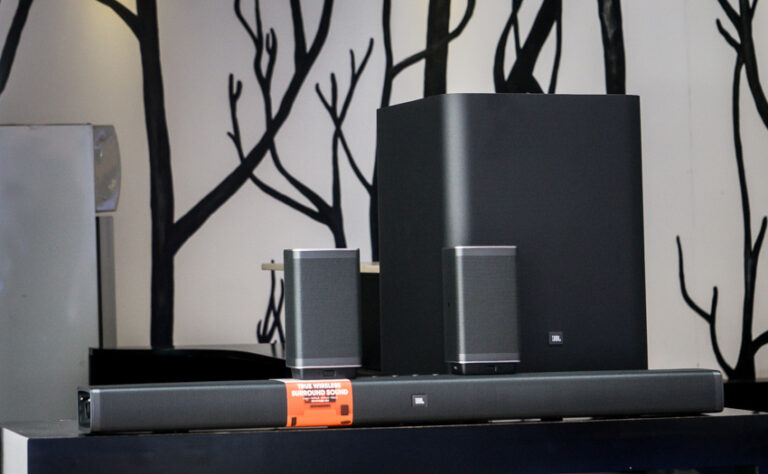
Many models can also connect to a wireless subwoofer or rear speakers.
Some support Dolby Atmos through upward-firing drivers or virtual processing.
A soundbar is not automatically the right choice for every room.
It usually offers less flexibility than an AV receiver and separate speakers.
This guide explains the benefits, limitations, connections, channel labels, and features you should compare.
What Is a Soundbar?
A soundbar is a long speaker enclosure designed primarily for television audio.
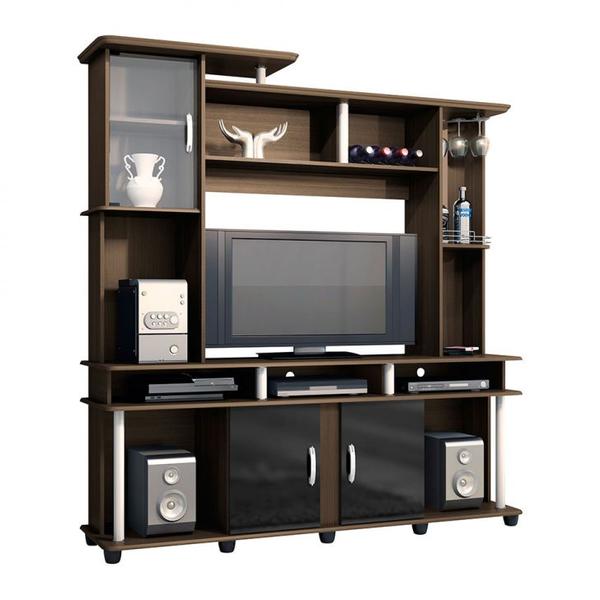
It normally sits on a media cabinet or mounts below the screen.
A basic soundbar may contain left and right speaker channels.
More advanced models can add a center channel, side-firing speakers, or upward-firing drivers.
Some packages also include a separate subwoofer and rear speakers.
Most consumer soundbars are active products.
Their amplifiers and audio processing are built into the enclosure.
You do not normally need a separate amplifier or AV receiver.
A soundbar occupies the middle ground between television speakers and a traditional home theater.
It offers a larger sound presentation without requiring several separate front speakers.
How Does a Soundbar Work?
A soundbar receives audio from the television or another source.
Common connections include HDMI ARC, HDMI eARC, optical audio, Bluetooth, and Wi-Fi.
Internal processing separates the signal among the available speaker drivers.
A model with a center channel can direct much of the dialogue to the middle of the bar.
Left and right channels provide width for music and effects.
Some soundbars use side-facing drivers and wall reflections to widen the presentation.
Others use digital processing to create virtual surround effects.
Systems with physical rear speakers can place effects behind or beside the listener.
A separate subwoofer handles frequencies that are difficult for a slim soundbar to reproduce.
This can add depth to films, games, and music.
Main Advantages of Soundbars
Simple Installation
A powered soundbar may require only electricity and one HDMI cable.
This is much simpler than connecting an AV receiver and several passive speakers.
HDMI ARC or eARC can return television audio through the same HDMI connection.
Compatible HDMI-CEC functions may also let the television remote control soundbar volume and power.
Compact Design
A soundbar takes up less room than separate front-left, center, and front-right speakers.
It can fit below a television without requiring speaker stands or a large equipment rack.
This makes soundbars useful in apartments, bedrooms, and shared living rooms.
They are also practical where interior simplicity is important.
Reduced Cable Clutter
A basic system may have only an HDMI cable and power cord.
A wireless subwoofer reduces the need for a long audio cable across the room.
Wireless does not mean cable-free.
The subwoofer and rear speakers usually need electrical power.
Some surround packages also use speaker cables connected to a wireless receiver module.
Built-In Amplification
Most soundbars contain amplifiers matched to their internal drivers.
This removes the need to compare external amplifier power and speaker impedance.
The manufacturer can coordinate the amplifiers, crossovers, processing, and protection.
This helps create a complete system inside a compact enclosure.
Convenient Daily Operation
A soundbar can switch on with the television when HDMI-CEC works correctly.
Volume can often be controlled through the TV remote.
Some models also provide an app, voice control, automatic input selection, or room calibration.
The available features vary between products.
Expandable Sound
Selected soundbars support an optional subwoofer or compatible rear speakers.
This lets you begin with one compact unit and expand the system later.
Expansion usually requires products from the same brand and compatible series.
Check availability before buying the main soundbar.
Music Streaming
Bluetooth allows direct playback from a phone, tablet, or computer.
Wi-Fi models may support network streaming, multi-room audio, or direct integration with music services.
This allows the soundbar to serve as a general music system when the television is off.
Sound quality for stereo music depends on the soundbar’s width, tuning, drivers, and processing.
Soundbars and Dialogue Clarity
Television dialogue may be difficult to understand through small built-in speakers.
Voices can compete with music, effects, and room reflections.
A soundbar can improve clarity by placing larger or better-positioned drivers near the screen.
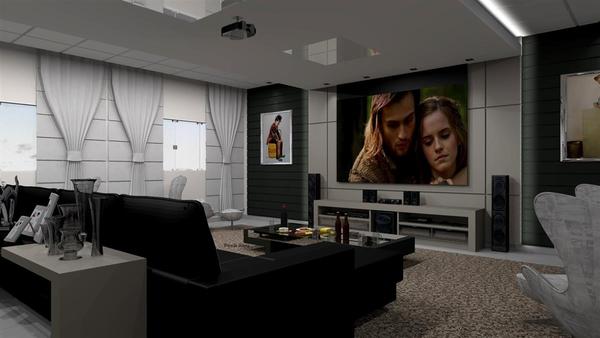
A model with a physical center channel can keep voices focused near the picture.
Many products also provide a dialogue, voice, or speech-enhancement mode.
This processing may emphasize vocal frequencies or adjust the balance between dialogue and effects.
These modes can help, but they cannot repair every poorly mixed program.
Results also depend on hearing, room acoustics, seating distance, and background noise.
Before buying, check whether dialogue adjustment is independent from general treble control.
A dedicated center-level adjustment provides more flexibility on some multichannel models.
Understanding Soundbar Channel Numbers
Soundbars are commonly described with numbers such as 2.0, 2.1, 3.1, or 5.1.2.
These labels describe the intended channel configuration.
- 2.0: left and right channels without a separate subwoofer.
- 2.1: left and right channels plus a subwoofer channel.
- 3.0: left, center, and right channels without a separate subwoofer.
- 3.1: left, center, and right channels plus a subwoofer.
- 5.1: front, center, surround, and subwoofer channels.
- 5.1.2: a 5.1 layout with two additional height channels.
- 7.1.4: seven ear-level channels, a subwoofer channel, and four height channels.
The label does not always tell you how many separate speaker cabinets are included.
A soundbar may reproduce some channels through virtual processing or side-firing drivers.
The “.1” refers to the low-frequency effects channel.
It does not necessarily mean that a separate subwoofer is included in every package.
Confirm the contents before buying.
A higher channel count does not guarantee better sound.
Driver quality, processing, placement, room acoustics, and source content also matter.
What Is a Dolby Atmos Soundbar?
Dolby Atmos can add a sense of sound above the listener.
Soundbars provide these effects in different ways.
Upward-Firing Drivers
Some soundbars direct sound toward the ceiling.
The reflected sound then reaches the listening area from above.
These drivers need a clear path to the ceiling.
Do not place an upward-firing soundbar inside a closed cabinet.
A flat and moderately reflective ceiling generally provides more predictable results than a high, angled, or heavily absorbent one.
Virtual Height Processing
Compact models may create virtual height effects without dedicated upward-firing drivers.
Digital processing uses the available speakers to produce a greater sense of space.
Virtual processing can improve immersion, but it is not identical to physical overhead speakers.
The result varies with the soundbar, room, content, and listening position.
Atmos Content and Connections
The soundbar, source device, application, and content must all support the required audio format.
Some streaming services may reserve Dolby Atmos for particular plans or titles.
The television must also pass a compatible signal to the soundbar.
HDMI eARC provides wider audio-format support than standard ARC.
However, some compressed Atmos formats can work through ARC.

Powered vs Passive Soundbars
Powered Soundbars
A powered soundbar contains amplification and audio processing.
This is the format most people mean when discussing a soundbar for television.
It connects directly to the television or source equipment.
It may also communicate wirelessly with a matching subwoofer and surround speakers.
A powered model is the simplest option when you want a self-contained system.
No separate receiver is normally required.
Passive Soundbars
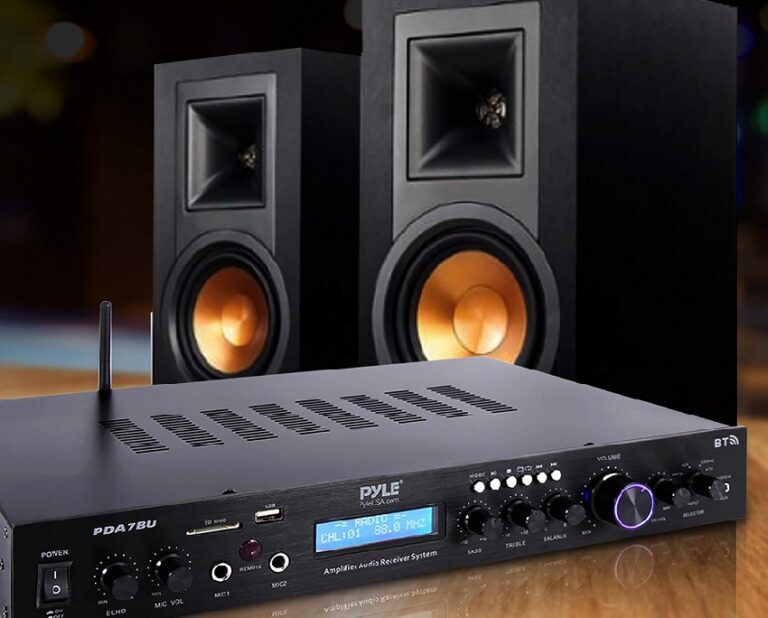
A passive soundbar contains speaker drivers but no suitable built-in amplification.
It connects to an external amplifier or AV receiver through speaker cables.
Some passive models combine the left, center, and right speakers inside one cabinet.
They save space while preserving the processing and upgrade options of a receiver-based system.
A passive soundbar is more suitable for custom installations.
It is less convenient for someone seeking a simple television upgrade.
Soundbar Connections Explained
HDMI eARC
HDMI eARC can send television audio to the soundbar through one HDMI cable.
It supports a wider range of high-bitrate and uncompressed formats than standard ARC.
Both the television and soundbar must support eARC.
Connect them through the ports specifically labeled eARC.
HDMI ARC
ARC also sends audio from the television to the soundbar.
It is widely available but has lower audio bandwidth than eARC.
ARC is sufficient for many stereo and compressed surround formats.
Actual format support depends on both devices.
HDMI Inputs
Some soundbars include HDMI inputs for a console, disc player, or streaming device.
The soundbar extracts the audio and passes video to the TV.
Check video pass-through carefully.
Older or basic models may limit resolution, HDR formats, refresh rates, or gaming features.
Optical Audio
Optical audio is a useful alternative when HDMI ARC is unavailable or unreliable.
It can carry stereo PCM and selected compressed surround formats.
Optical does not support the same high-bandwidth formats as eARC.
It may also provide less reliable control through the television remote.
Bluetooth and Wi-Fi
Bluetooth is convenient for direct music playback.
Wi-Fi may provide network streaming, multi-room features, and app control.
Generic Bluetooth is not always the best connection for television sound.
Audio delay and limited control can create problems on some combinations of devices.
Do You Need a Subwoofer or Rear Speakers?
Separate Subwoofer
A slim enclosure has limited space for deep-bass drivers.
A separate subwoofer can add extension and output for movies, games, and music.
The subwoofer may connect wirelessly to the soundbar.
It still needs access to an electrical outlet.
Placement can significantly affect bass response.
A subwoofer is useful but not mandatory.
Apartment residents and moderate-volume listeners may prefer a single soundbar with capable built-in bass.
Rear Surround Speakers
Rear speakers place surround effects beside or behind the listening area.
They usually create a more convincing wraparound effect than front-only virtual processing.
Wireless rear speakers normally require power.
Some use batteries, while others plug into outlets or connect to a separate amplifier module.
Not every soundbar can add rear speakers later.
Compatible accessories may also be discontinued before the main soundbar stops working.
Consider future expansion before choosing an ecosystem.
The original
JBL Bar 5.1
is an example of a soundbar system with detachable battery-powered surround speakers.
Disadvantages and Limitations of Soundbars
Limited Stereo Separation
The left and right drivers sit within one enclosure.
Their physical separation is therefore limited by the width of the soundbar.
Digital processing can widen the presentation.
However, separate speakers can normally be positioned farther apart for a broader stereo image.
Virtual Surround Has Limits
Front-only soundbars may use wall reflections and processing to simulate rear effects.
Results depend on room shape, wall positions, furniture, and seating.
A physical rear speaker can reproduce sound from behind the listener.
A front soundbar cannot duplicate that placement in every room.
Restricted Upgrade Options
A conventional receiver-based system lets you replace individual speakers, amplifiers, and sources.
A powered soundbar is a more integrated product.
Expansion is often limited to compatible accessories from one manufacturer.
You may not be able to combine a soundbar with an unrelated subwoofer or surround speaker.
Dependence on Software
Some features rely on applications, accounts, network services, or firmware.
Long-term functionality can depend on manufacturer support.
Basic HDMI and optical inputs provide useful alternatives if network services change.
Check whether the soundbar can be configured without a permanent online account.
Limited Repairability
Amplifiers, processors, radios, and speakers are integrated into one enclosure.
A single electronic failure may affect the complete unit.
Not Ideal for Every Large Room
A compact soundbar may struggle to provide even coverage in a wide or deep room.
A larger system with separate speakers provides more placement flexibility.
Possible HDMI Compatibility Problems
ARC, eARC, HDMI-CEC, and format support must work across several devices.
An incompatible setting can cause silence, delayed audio, or unreliable volume control.
If this happens, use our guide to getting
TV sound through a home cinema system.
How to Choose the Right Soundbar
Check the Available Space
Measure the width and height of the intended location.
Make sure the soundbar will not block the bottom of the screen or the television’s remote sensor.
Also check its depth.
A large model may not sit safely on a narrow media cabinet.
Check the TV Connections
Identify whether the television provides eARC, ARC, optical audio, or another compatible output.
Check format support on both products.
If you use external players, decide whether they will connect to the TV or soundbar.
Verify video pass-through before routing a game console through the bar.
Consider Dialogue Needs
For frequent television and movie viewing, consider a model with a dedicated center channel.
Dialogue adjustment or a clear voice mode may also be useful.
Decide Whether You Need a Subwoofer
A separate subwoofer can provide deeper and more powerful bass.
A single-unit soundbar is simpler and may be more considerate in a shared building.
Decide Whether You Need Rear Speakers
Physical rear speakers are useful when surround immersion is a priority.
A front-only model is easier to install and requires fewer outlets.
Evaluate Dolby Atmos Realistically
Check whether height effects come from dedicated upward-firing drivers or virtual processing.
Consider the ceiling, room shape, and seating position.
Review Music Features
Check Bluetooth, Wi-Fi, supported streaming services, AirPlay, Chromecast, or other required platforms.
Confirm whether these functions work without the television.
Do Not Choose by Wattage Alone
Manufacturers may measure power under different conditions.
A larger number does not guarantee clearer dialogue or more balanced sound.
Speaker configuration, maximum clean output, processing, and subwoofer capability provide more useful context.
Check the Complete Package
Confirm whether the advertised price includes the subwoofer and rear speakers.
Product photographs may show optional accessories.
Consider the Alternative
A soundbar prioritizes convenience and compact installation.
An AV receiver with separate speakers offers greater positioning and upgrade flexibility.
Our
soundbar vs home theater system guide
compares these approaches in more detail.
Soundbar Placement and Setup Tips

- Place the soundbar close to the television.
- Keep the front grille and speaker openings unobstructed.
- Do not block the television screen or infrared sensor.
- Keep upward-firing drivers clear of shelves and cabinets.
- Leave a clear path for side-firing drivers where possible.
- Use the television’s labeled ARC or eARC HDMI port.
- Enable HDMI-CEC if you want control through the TV remote.
- Select external audio output in the television settings.
- Run the soundbar’s room calibration if available.
- Adjust dialogue, bass, and surround levels with familiar content.
Do not place the wireless subwoofer only where it looks convenient.
Test several practical positions and listen from the main seating area.
If audio arrives before or after the picture, check the television and soundbar for synchronization controls.
Avoid applying delay in more than one device unless necessary.
Frequently Asked Questions About Soundbars
What are the main advantages of a soundbar?
The main advantages are compact design, simple installation, built-in amplification, reduced wiring, and convenient television control.
Some models also support a subwoofer, rear speakers, and Dolby Atmos.
Is a soundbar better than TV speakers?
It often provides greater output, wider sound, and clearer dialogue.
Results depend on the television and soundbar.
A very basic model may provide only a modest improvement.
Is a soundbar as good as separate speakers?
A soundbar can offer impressive performance with less equipment.
Separate speakers generally provide greater placement freedom, stereo separation, upgrade options, and surround precision.
Does a soundbar need an amplifier?
Most consumer soundbars have built-in amplification.
A passive soundbar requires an external amplifier or AV receiver.
Does a soundbar need a subwoofer?
No.
A single soundbar may be sufficient for dialogue and moderate listening.
A separate subwoofer adds deeper bass and greater low-frequency output.
Do I need rear speakers with a soundbar?
No.
A front-only soundbar can improve television sound.
Rear speakers provide more convincing physical surround effects when the system supports them.
Is HDMI eARC better than optical audio?
eARC supports a wider range of high-bandwidth formats and convenient control features.
Optical remains a useful alternative for stereo and selected compressed surround formats.
Can I connect a soundbar with Bluetooth?
Many soundbars support Bluetooth for music.
Some TVs can also send audio through Bluetooth, but synchronization and format support may be more limited than HDMI.
Does Dolby Atmos require rear speakers?
No.
A soundbar can reproduce virtual or upward-firing Atmos effects without rear speakers.
Compatible rear speakers can improve the surrounding presentation.
Can any subwoofer work with any soundbar?
Usually not.
Powered soundbars commonly require a specific compatible wireless subwoofer.
A standard subwoofer can be used only when the soundbar provides a suitable output.
How wide should a soundbar be?
It does not have to match the television exactly.
Choose a size that fits safely, provides the required speaker configuration, and does not block the screen or remote sensor.
Is a soundbar worth buying?
It can be worthwhile when you want better television audio without the space, wiring, or complexity of a separate speaker system.
The improvement depends on choosing a suitable model.
Final Thoughts
The main advantage of a soundbar is convenience.
It combines speakers, amplification, and processing in a compact product that can connect directly to a television.
A center channel can improve dialogue.
A separate subwoofer can add bass, while rear speakers can provide physical surround effects.
Dolby Atmos models may add height through upward-firing drivers or virtual processing.
The trade-offs include limited stereo separation, fewer upgrade options, and dependence on compatible accessories.
A soundbar also cannot reproduce physical rear sound without separate rear speakers.
Choose according to the room, television connections, dialogue needs, desired bass, and expansion plans.
Do not rely only on channel labels, wattage, or the Dolby Atmos logo.