Home Theater Lighting: Design, Fixtures and Control
Good home theater lighting makes the room safe and comfortable without distracting from the screen.
It should support viewing, cleaning, social use, and movement between seats.
A single bright ceiling fixture rarely provides enough control. Most rooms benefit from several lighting zones with independent dimming.
This guide explains how to plan ceiling lights, sconces, LED strips, step lighting, bias lighting, and control scenes. It also covers glare, color temperature, flicker, and common installation mistakes.
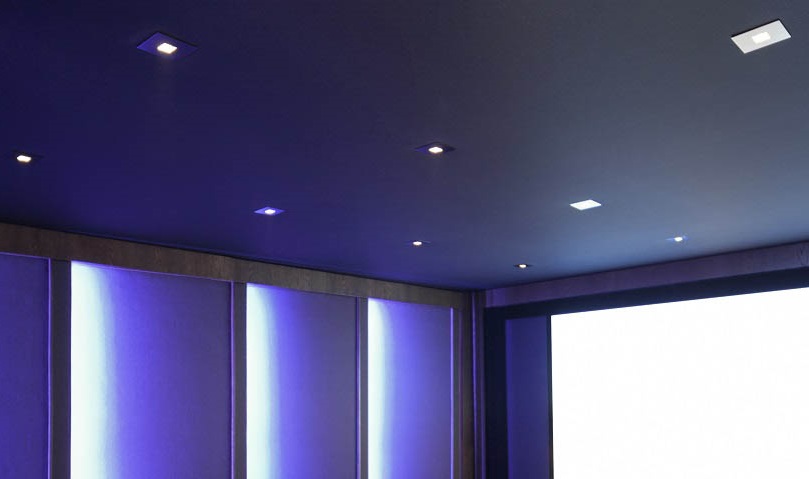
Why Home Theater Lighting Matters
Lighting affects the picture, room appearance, and everyday usability. Poorly positioned fixtures can create glare or illuminate the screen.
A practical lighting plan can:
- Provide safe movement through the room
- Make steps and aisles easier to see
- Help viewers find seats and controls
- Reduce reflections near the screen
- Support cleaning and equipment maintenance
- Create a comfortable atmosphere before viewing
Complete darkness is not necessary for every use. The goal is controlled light with the right intensity and direction.
Projectors are especially sensitive to unwanted room light. Light reaching the screen can reduce perceived contrast.
Plan the Room Before Choosing Fixtures
Begin with a room drawing. Show the screen, seats, doors, steps, equipment, and projector location.
Mark:
- The screen surface
- The main viewing direction
- Every seating row
- Aisles and steps
- Doors and their opening direction
- The projector beam
- Speaker and acoustic-panel locations
- Windows and other daylight sources
- Switch and keypad positions
Fixture locations should be checked from every seat. A light hidden from the front row may remain visible from a raised rear row.
Plan lighting with the furniture and equipment. Our
home theater design guide
covers the complete room layout.
Create Separate Home Theater Lighting Layers
Lighting layers allow the room to support different activities. Each layer should have a clear purpose.
General Lighting
General lighting illuminates the room for cleaning, setup, and maintenance. Ceiling fixtures commonly provide this layer.
Ambient Lighting
Ambient light creates a softer atmosphere before and after viewing. Wall sconces and indirect cove lighting are common choices.
Path Lighting
Path lighting helps viewers move through the room. It should illuminate steps and aisles without reaching the screen.
Accent Lighting
Accent lighting highlights architectural features, shelves, curtains, or wall treatments. It should remain secondary to the picture.
Task Lighting
Task lighting may be useful near equipment or a bar area. It can remain off during normal viewing.
Place these layers on separate controls when possible. This provides more useful combinations than one master dimmer.
Ceiling and Recessed Lighting
Ceiling lights provide useful general illumination. They are normally dimmed or switched off during a movie.
Recessed fixtures create a clean appearance. Their beam direction and location require careful planning.
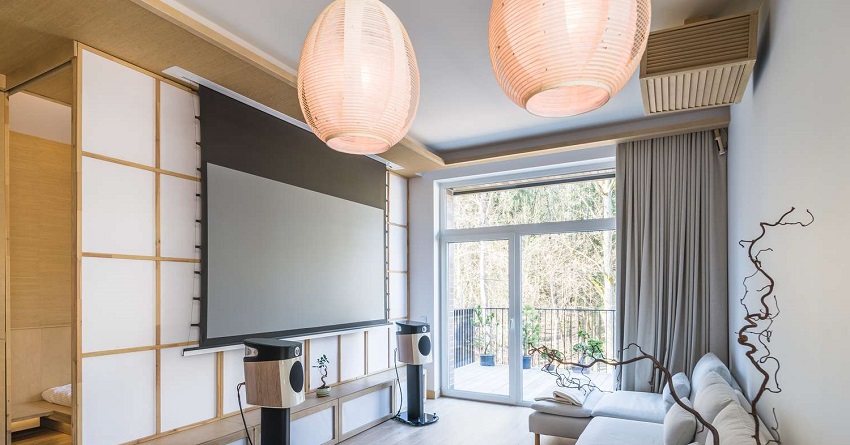
Avoid Lighting the Screen
Do not place a bright downlight directly in front of the screen. Its beam may illuminate the image or create reflections.
Fixtures above the seating area are often less distracting. Shielded or directional designs provide additional control.
Divide the Ceiling into Zones
Front and rear ceiling lights can use separate controls. This allows the rear zone to remain dim while the screen area stays dark.
A larger room may use:
- A front ceiling zone
- A seating zone
- A rear entry zone
- A separate cleaning scene
Consider the Projector
A surface fixture or pendant must not block the projector beam. Check the entire light path before installation.
Bright fixtures near the projector can also create visible reflections or illuminate airborne dust.
Check Ceiling Construction
Recessed products require suitable ceiling depth. Insulation and fire-rating requirements may also affect fixture selection.
Use fixtures approved for the installation conditions. Follow local electrical and building requirements.
Home Theater Wall Sconces
Wall sconces can provide soft ambient light and architectural detail. They are useful in both dedicated theaters and media rooms.
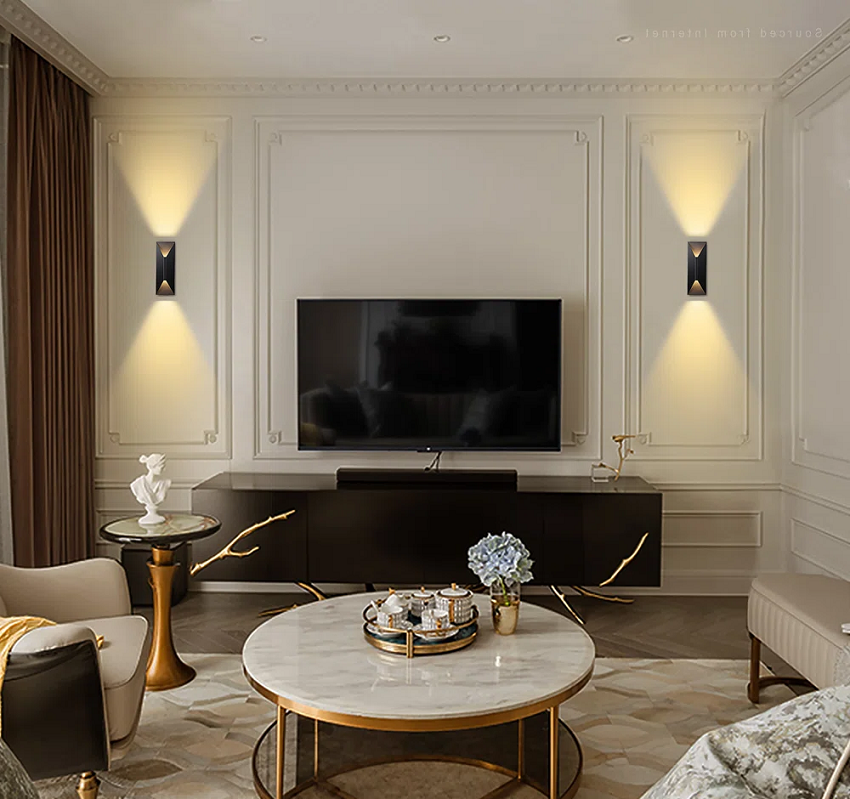
Choose fixtures that direct light toward the wall, ceiling, or floor. Avoid exposed bulbs facing the seating area.
Before installation, check:
- Reflections visible on the screen
- Light shining into viewers’ eyes
- Conflicts with surround speakers
- Conflicts with acoustic panels
- Clearance around doors and curtains
Sconces beside the screen may remain distracting at low brightness. A position farther behind the screen plane is often easier to control.
Place sconces symmetrically when the room design calls for it. Acoustic and practical requirements should still take priority.
LED Strip and Cove Lighting
LED strips can create indirect light along coves, risers, shelves, and furniture. The strip itself should normally remain hidden.
A visible row of LED points can be distracting. A diffuser can create a smoother line of light.
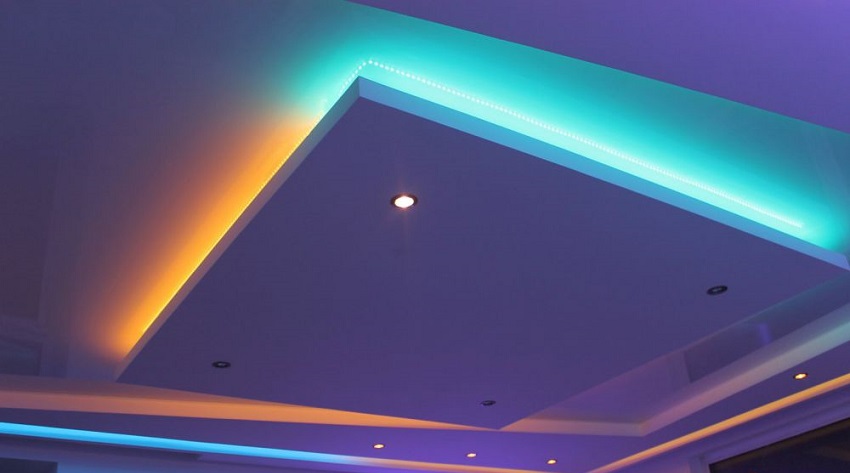
Suitable LED Strip Locations
- Ceiling coves
- Wall recesses
- Under a seating riser edge
- Along selected aisle boundaries
- Behind shelves or media furniture
Choose the Correct LED System
Check the strip voltage, power supply, control method, and maximum run length. Long installations may need power from more than one point.
A suitable channel can support the strip and help manage heat. The driver also needs ventilation and service access.
Use Color Carefully
RGB or RGBW lighting can create decorative scenes. Strong colors may affect perceived image color and visual comfort.
Use subtle settings during viewing. Animated effects are usually better reserved for parties or pre-show scenes.
Bias Lighting Behind a Television
Bias lighting is a controlled light placed behind a television. It illuminates the wall without shining toward the viewer.
This is different from decorative RGB lighting. Accurate bias lighting should appear neutral and should not alter perceived screen color.
The wall behind the television should have a neutral appearance. Strong wall colors can tint the reflected light.
Bias Lighting Placement
Position the light so the source is not visible from the seats. The illumination should spread evenly around the television.
Avoid excessive brightness. The wall should not compete with the picture.
Bias Lighting and Projectors
Bias lighting is mainly associated with direct-view displays. Light near a projection screen can reduce image contrast.
Do not copy a television setup directly into a projector room. Test any low-level light before making it permanent.
Home Theater Step and Path Lighting
Low-level lighting can make risers, steps, and aisles easier to navigate. It should remain subtle during viewing.
Possible fixtures include:
- Recessed step lights
- Low-output wall lights
- Shielded LED strips
- Under-seat lighting
- Riser-edge lighting
Direct the light toward the floor. Avoid a visible source at seated eye level.
Illuminating the vertical face of a step can make its edge easier to recognize. The exact design must follow applicable safety requirements.
Keep the Light Continuous When Needed
Path lights may remain at a very low level during a movie. They can become brighter when playback pauses or the door opens.
Do not depend entirely on a phone application. A physical control should remain available.
Coordinate path lighting with the
home theater seating layout.
Aisles and steps should be planned before wiring begins.
Fiber-Optic Star Ceilings
A fiber-optic ceiling creates small points of light above the room. The main illuminator can be located away from the visible ceiling.
Star ceilings are primarily decorative. They do not replace general or path lighting.
Consider:
- Ceiling access
- Panel depth
- Location of the illuminator
- Maintenance access
- Interaction with acoustic treatment
- Reflection from the screen
The points should remain dim during viewing. Bright animation can draw attention away from the picture.
Color Temperature and Color Quality
Color temperature describes the appearance of white light. It is measured in Kelvin.
- 2700K: warm white
- 3000K: warm-neutral white
- 3500K to 4000K: more neutral appearance
- 5000K and above: cooler daylight-like appearance
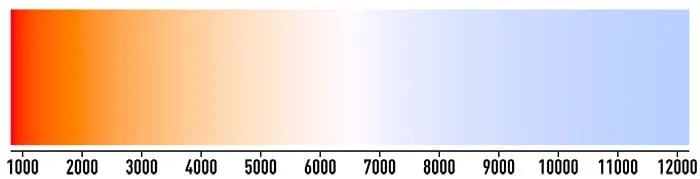
Warm white light often suits a dedicated theater. It can create a comfortable atmosphere before viewing.
Color temperature is still a design choice. A modern multipurpose room may use a more neutral white during cleaning or social use.
Color Rendering
Color rendering affects how surfaces and furnishings appear. It matters when the room contains artwork, wood, or decorative fabric.
For most viewing scenes, low brightness and controlled direction matter more than dramatic color effects.
Keep Fixtures Consistent
Different white tones in one scene can make the room look mismatched. Choose compatible fixtures for zones used together.
LED products can vary even when they list the same color temperature. Test samples before a large installation.
Dimmers and LED Compatibility
Dimming is one of the most useful home theater lighting features. It allows a gradual transition between full room light and viewing conditions.
Not every LED lamp works correctly with every dimmer. An incompatible combination may:
- Flicker
- Buzz
- Switch off at low levels
- Turn on at different brightness levels
- Provide a limited dimming range
Check Compatibility Lists
Review the fixture, driver, and dimmer documentation. Use combinations tested or approved by their manufacturers.
Check minimum and maximum loads. This can matter when one zone contains only a few efficient LED fixtures.
Test the Lowest Setting
A lamp described as dimmable may not dim low enough for a theater. Test its performance near the minimum level.
Look for flicker with both stationary and moving eyes. Also listen for driver or dimmer noise.
Use Smooth Transitions
A gradual fade can feel more comfortable than an immediate change. It also allows viewers’ eyes to adjust.
Home Theater Lighting Zones and Scenes
A lighting zone is a group of fixtures controlled together. Scenes combine preset levels from several zones.
Useful zones may include:
- Front ceiling lights
- Rear ceiling lights
- Wall sconces
- Cove lighting
- Step and aisle lights
- Equipment-area lighting
Example Lighting Scenes
| Scene | Typical behavior |
|---|---|
| Cleaning | General lighting at a practical level |
| Welcome | Ceiling, wall, and accent zones illuminated |
| Preview | Ceiling lights reduced and wall lighting dimmed |
| Movie | Screen area dark with subtle path lighting |
| Pause | Path and selected rear lights raised gently |
| Exit | Aisle and general lighting raised gradually |
Exact levels should be adjusted in the finished room. Wall color, fixtures, and screen type affect perceived brightness.
Smart Home Theater Lighting
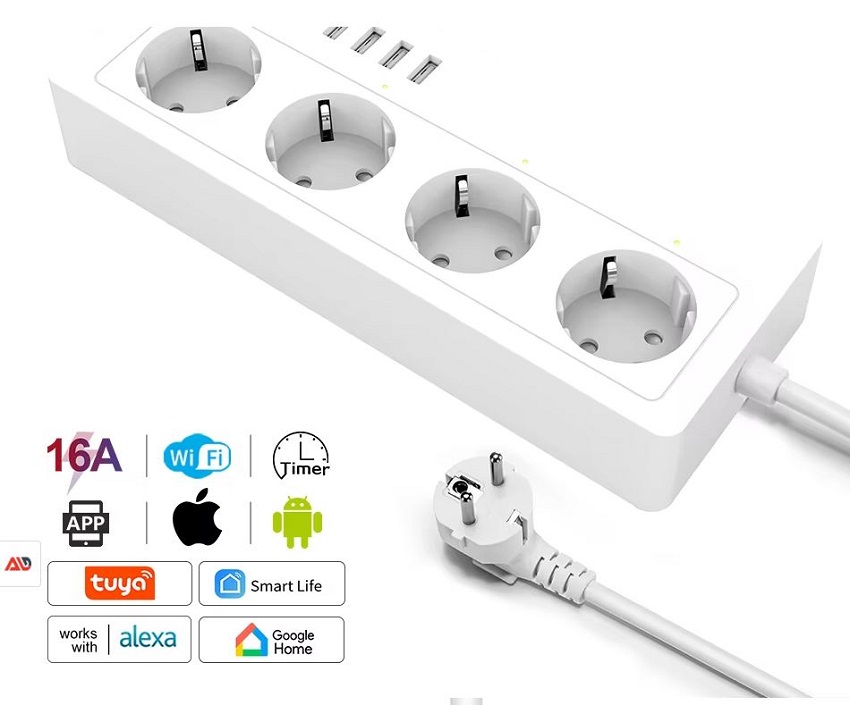
Smart controls can activate several lighting zones with one command. They may also coordinate lights with shades and AV equipment.
Useful control options include:
- A wall keypad
- A handheld remote
- An automation controller
- A mobile application
- A compatible voice assistant
- Door or occupancy sensors
Automation should not remove basic manual control. The lights must remain usable when the network or application is unavailable.
Avoid Accidental Changes
A motion sensor may switch lights on during a movie. Use occupancy automation carefully inside the viewing room.
Sensors can work better at the entrance or equipment area. Their behavior should match the selected scene.
Check Wireless Coverage
A theater may contain dense walls, metal equipment racks, and acoustic materials. Test wireless controls before finishing construction.
Our
smart home lighting guide
explains protocols, switches, bulbs, and automation options.
Lighting for a Projector-Based Home Theater
A projector image depends on light reflected from the screen. Unwanted room light can therefore reduce perceived contrast.
Keep direct light away from the screen. Use shielded fixtures and low-level lighting behind the main viewing direction.
Dark, low-reflectance surfaces near the screen can help. Glossy walls and ceilings may reflect both fixture light and the projected image.
Consider blackout window treatments where daylight cannot otherwise be controlled. Our guide to
off-white blackout curtains
explains how fabric color can affect light blocking.
Do not place hanging fixtures inside the projector beam. Confirm the lens position and full image path first.
Lighting for a TV-Based Media Room
A television produces its own light. It can tolerate more ambient illumination than many projector installations.
Reflections remain important. Windows and visible bulbs may appear on a glossy screen.
Place lights where their reflections are not visible from the seats. Adjustable shades can control daylight during daytime viewing.
Bias lighting behind the television may improve visual comfort for some viewers. Keep it neutral and subtle.
A multipurpose room can use brighter social and reading scenes. Save lower levels for films and television.
Installation and Electrical Safety
Permanent lighting installation must follow applicable electrical and building requirements. Use qualified assistance where required.
Important considerations include:
- Correct circuit capacity
- Approved wiring methods
- Fixture and driver ventilation
- Ceiling insulation clearance
- Suitable dimmer load ratings
- Accessible power supplies
- Approved step and riser construction
Do not bury an LED driver where it cannot be serviced. Do not cover equipment that requires ventilation.
Use only lighting products approved for their location. Damp areas and floor-level installations may have additional requirements.
Turn off the correct electrical circuit before permitted maintenance. Confirm that power is absent using an appropriate method.
Common Home Theater Lighting Mistakes
Using One Bright Ceiling Fixture
One fixture provides little control. Several zones support more activities and better viewing conditions.
Placing Lights Near the Screen
Direct light can reduce contrast or create visible reflections. Check fixture beams before installation.
Leaving Bulbs Visible
A visible light source can remain distracting at low output. Use shielding, recesses, or indirect placement.
Ignoring Raised Seating
A fixture may be hidden from one row but visible from another. Check every seating height.
Choosing Incompatible LED Products
An LED lamp, driver, and dimmer must work together. Otherwise, low-level flicker or buzzing may occur.
Using Excessive RGB Effects
Strong or moving colors draw attention from the screen. Use decorative effects selectively.
Confusing Bias and Decorative Lighting
Bias lighting should be neutral and controlled. Decorative RGB lighting serves a different purpose.
Forgetting Manual Controls
Applications and automation can fail. Install an obvious physical control near the entrance.
Ignoring Steps and Aisles
A dark theater still needs a safe walking route. Plan low-level path lighting before building risers.
Using Reflective Finishes
Glossy fixtures and surfaces can reflect light or the screen image. Matte finishes are often less distracting.
Home Theater Lighting Checklist
- Draw the screen, seating, doors, and aisles.
- Mark the projector beam where applicable.
- Plan general, ambient, path, and accent layers.
- Keep direct light away from the screen.
- Check reflections from every seat.
- Place lighting zones on separate controls.
- Choose compatible LED drivers and dimmers.
- Test the lowest dimming level.
- Provide physical controls near the entrance.
- Keep path lighting subtle and directional.
- Plan window treatments.
- Provide access to drivers and controllers.
- Follow local electrical requirements.
- Test every scene after the room is complete.
Frequently Asked Questions
What lighting is best for a home theater?
The best plan usually combines dimmable general lighting with ambient and path lighting. Each layer should use separate controls.
Should a home theater be completely dark?
Not always. Projectors benefit from strong light control. Low-level path lighting may remain useful for safe movement.
Where should home theater lights be placed?
Place fixtures away from the screen and viewers’ sightlines. Ceiling, wall, and path lights should support separate zones.
What color temperature is best?
Warm white light often creates a comfortable theater atmosphere. The final choice should match the room’s finishes and purpose.
Are LED strips suitable for a home theater?
Yes. Hide the individual LEDs and control their brightness. Avoid strong animated effects during viewing.
What is bias lighting?
Bias lighting is neutral light placed behind a television. It illuminates the wall without shining toward the audience.
Can bias lighting be used behind a projector screen?
It is usually less suitable for projection. Light near the screen can reduce perceived contrast. Test the effect carefully.
Why do my LED lights flicker when dimmed?
The lamp, driver, or dimmer may be incompatible. Check approved combinations and the required load range.
Should step lights remain on during a movie?
They may remain at a very low level when needed. The source should not be visible or illuminate the screen.
Do I need smart lighting?
No. Conventional dimmers and separate switches can work well. Smart control mainly adds scenes, coordination, and remote operation.
Can home theater lights use motion sensors?
Yes, but use them carefully. A sensor should not activate bright lights when viewers move during a film.
Final Thoughts
Home theater lighting should support the room without competing with the picture. Fixture direction and control are more important than decorative complexity.
Divide the lights into useful zones. Provide dimmable ceiling, ambient, and path lighting where appropriate.
Check LED and dimmer compatibility before installation. Test glare and reflections from every seat.
Finally, preserve simple manual control. A well-designed theater should remain safe and easy to use without an application.