Smart Home Lighting Guide: Bulbs, Switches and Automation
1. What Is Smart Home Lighting?
Smart home lighting includes connected bulbs, switches, dimmers, lamps, LED strips, sensors, relays, and controllers that can be operated manually or automatically.
Depending on the system, lighting may be controlled through:
- A conventional wall switch
- A smart wall switch or dimmer
- A wireless button or remote
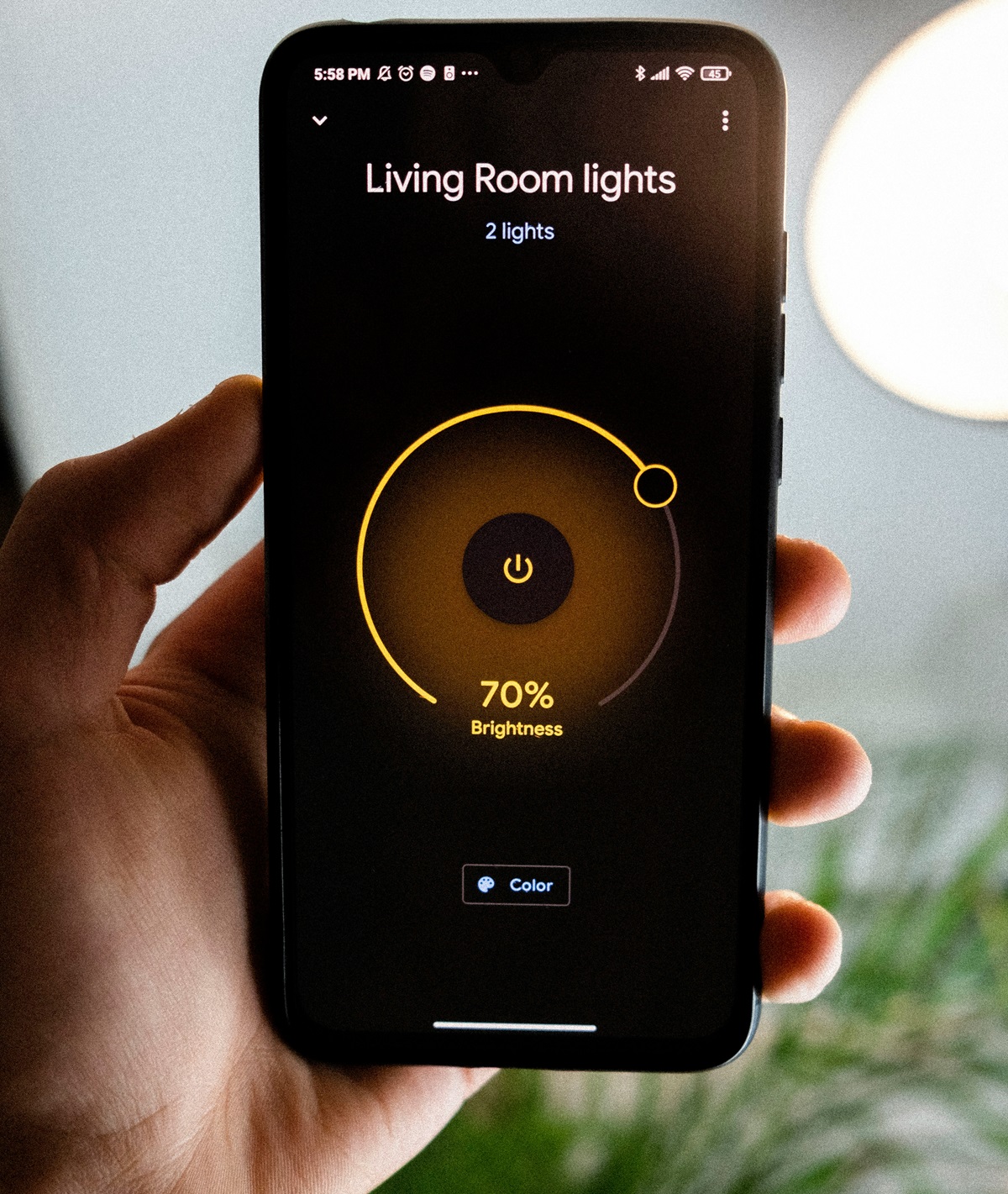
- A mobile application
- A voice assistant
- A motion or presence sensor
- A schedule
- A broader home-automation platform
Connected lighting becomes most useful when controls work together. For example, a hallway light can turn on at low brightness when movement is detected at night while still remaining available from a normal wall control.
A smartphone application should be an additional control method rather than the only way to operate essential household lights.
2. What Can Smart Lighting Do?
A practical smart lighting system can provide several benefits without making everyday operation complicated.
Adjustable brightness
Dimming allows one fixture or lighting group to support several activities. A living room may need brighter light for cleaning and softer illumination for watching television or relaxing.
Adjustable white light
Some smart bulbs and fixtures can change from warmer to cooler white light. This can help the same room support relaxation, reading, cooking, or desk work.
Automatic operation
Sensors and schedules can turn lights on when they are needed and switch them off when a room is no longer occupied.
Scenes
A scene controls several lights together. One command can adjust ceiling lights, lamps, and LED strips for reading, dining, entertaining, or watching a movie.
Remote control
Compatible systems may allow lights to be checked or controlled while you are away from home. Remote access depends on the selected platform, network, and account configuration.
Accessibility
Voice control, wireless buttons, automated pathways, and conveniently positioned controls can make lighting easier to use for people with limited mobility.
Smart lighting does not automatically reduce electricity consumption. Savings depend on lamp efficiency, brightness, schedules, occupancy detection, and whether automation prevents lights from operating unnecessarily.
3. Smart Bulbs vs Smart Switches
One of the most important decisions is whether to make individual bulbs smart or control conventional lamps with a connected switch or dimmer.
Smart bulbs
A smart bulb contains its own wireless control electronics. It can be installed in a compatible fixture without replacing the wall switch.
Smart bulbs are useful for:
- Table and floor lamps
- Bedside lighting
- Adjustable white light
- Colored accent lighting
- Individual control of separate bulbs
- Rental homes where electrical changes are not permitted
A smart bulb usually needs continuous electrical power to remain connected. If someone turns off its conventional wall switch, application, voice, and automation controls may stop working.
A wireless button, smart remote, or switch designed to control the bulb can help preserve familiar manual operation.
Smart switches and dimmers
A smart wall switch controls the lighting circuit rather than an individual bulb. It is often a better solution for ceiling fixtures or groups of ordinary dimmable lamps.
Smart switches are useful for:
- Main ceiling lights
- Kitchens and dining areas
- Hallways and entrances
- Rooms with several bulbs on one circuit
- Permanent smart-home installations
- Households that prefer familiar wall controls
Switch compatibility depends on the electrical installation, wiring arrangement, load type, minimum load, lamp type, and local requirements. Some devices require a neutral conductor, while others are designed for installations without one.
Electrical work should comply with local regulations and be completed by a qualified electrician when required. Do not assume that a smart switch can directly replace every conventional switch.
Smart relays
A smart relay can sometimes be installed behind an existing switch or near a fixture. This may preserve the appearance of the original wall controls while adding connected operation.
Relays still need to match the wiring, available enclosure space, electrical load, and local installation requirements.
Which option is better?
Many homes benefit from a mixed approach:
- Smart switches for general ceiling lighting
- Smart bulbs for lamps and adjustable white light
- LED strips for indirect accent lighting
- Sensors for hallways, closets, and utility areas
- Wireless buttons for convenient scene control
4. Understand Smart Lighting Connectivity
Smart lighting products can communicate using different network technologies. The connection method affects range, response time, setup, compatibility, and what happens when the internet is unavailable.
Wi-Fi
Wi-Fi lighting usually connects directly to the home network. This can make a small installation straightforward because a separate bridge may not be required.
Before adding many Wi-Fi lights, consider network coverage, router capacity, account requirements, and whether local control remains available during an internet outage.
If devices respond slowly or disconnect in distant rooms, see our guide to improving Wi-Fi coverage in large homes.
Zigbee
Zigbee is commonly used by hub-based smart lighting systems. Compatible powered devices may form a mesh network that passes messages between devices.
A bridge or coordinator is normally needed to connect the Zigbee network with an application or wider smart-home platform.
Thread
This low-power, IP-based mesh protocol connects compatible devices through a Border Router, which links them to the wider home network. That function may already be built into a compatible smart speaker, display, television, router, or home controller, so check your existing equipment before buying a separate device.
Bluetooth
Bluetooth may be used for initial setup, direct local control, or smaller lighting installations. Range and remote-access capabilities depend on the particular product and system design.
Proprietary connections
Some lighting ecosystems use their own bridges, protocols, or extensions. These can provide useful advanced features, but they may also increase dependence on a particular manufacturer.
5. Matter and Thread in Smart Lighting
Matter and Thread are related but are not the same technology.
- Matter is an application standard designed to improve interoperability between compatible smart-home products and platforms.
- Thread is a network protocol that can carry communications between compatible devices.
A Matter product may communicate over Thread, Wi-Fi, or Ethernet depending on the device type and design.
The presence of a Matter logo does not necessarily mean that every manufacturer-specific feature will appear in every platform. Basic functions may be available broadly, while advanced effects, entertainment synchronization, firmware tools, or specialized scenes may remain inside the manufacturer’s application.
Before purchasing a Matter-compatible light, switch, or sensor, check:
- Which smart-home platforms support the device
- Whether a compatible controller is required
- Whether a Thread Border Router is required
- Which functions are exposed through Matter
- Which features require the manufacturer’s application
- Whether local control remains available without internet access
- How firmware updates are delivered
Buy for the features confirmed by the current product documentation rather than relying only on future compatibility promises.
6. How to Plan a Smart Home Lighting System
Start with the activities in each room rather than choosing products first.
List the lighting zones
A room may contain several independent lighting zones:
- Ceiling fixtures
- Wall lights
- Table and floor lamps
- Under-cabinet lighting
- Display-shelf lighting
- Television bias lighting
- Pathway or night lighting
Decide which zones need dimming, adjustable white light, color, sensors, schedules, or simple on-and-off control.
Choose the primary platform
Select the main application or home-automation platform before buying devices. Confirm that the planned bulbs, switches, sensors, buttons, and controllers work together.
Avoid creating several unrelated systems unless each provides a clear benefit and you are comfortable maintaining multiple applications and accounts.
Preserve manual controls
Every frequently used room should have a clear physical method of operating its primary lighting.
Guests should not need to install an application or remember a voice command to turn on a bathroom or hallway light.
Begin with one room
Starting with one room makes it easier to test reliability, brightness, color quality, sensor positioning, and control preferences before expanding the system.
Check bulb and fixture compatibility
Before installing a smart bulb, confirm:
- Socket type
- Voltage and electrical compatibility
- Fixture size
- Permitted orientation
- Whether the fixture is enclosed
- Whether an existing wall dimmer is compatible
- Whether the bulb is approved for damp or outdoor locations
Do not place a smart bulb on an incompatible conventional dimmer. Follow the bulb and fixture manufacturers’ instructions.
7. Useful Smart Lighting Automations
The most effective automations solve repetitive problems without making the home unpredictable.
Motion-activated lighting
Motion sensors can work well in hallways, entrances, utility rooms, bathrooms, and closets.
Configure an appropriate timeout so that lights do not switch off while someone is still using the room. A presence sensor may be more suitable than a basic motion detector in spaces where people remain relatively still.
Low-brightness nighttime lighting
A nighttime automation can activate pathway, hallway, or bathroom lighting at a reduced level. This provides visibility without turning on bright overhead fixtures.
Morning lighting
Compatible bedroom lights can increase gradually before or around a wake-up time. This should complement rather than replace any alarm or accessibility device a person relies upon.
Evening scene
An evening scene can dim ceiling lights and activate warmer lamps or indirect lighting. This creates a calmer environment without requiring several separate adjustments.
Work and reading scenes
A work scene can increase task lighting near a desk or reading chair while keeping unrelated accent lights at a lower level.
Movie scene
A movie scene can dim ceiling fixtures, turn off lights reflected in the display, and activate subtle bias or pathway lighting.
For equipment, placement, and room-planning advice, see our complete home theater setup guide.
Leaving-home automation
A leaving-home routine can switch off selected lights when the home is unoccupied. Consider how the system determines occupancy and how family members can override the automation.
Arrival lighting
Entrance or hallway lighting can activate when someone arrives after dark. Avoid automations that depend on a single phone when several people use the home.
Daylight-based automation
Compatible systems can adjust electric lighting according to time, sunrise and sunset, or measured daylight. Allow manual adjustment when weather or personal preferences make the automatic level unsuitable.
8. Smart Lighting Design Principles
Good smart lighting starts with ordinary lighting design. Connectivity cannot correct poor fixture placement, glare, inadequate task lighting, or an unsuitable color appearance.
Use layered lighting
A balanced room often combines:
- Ambient lighting: general illumination for moving around the room.
- Task lighting: focused light for cooking, reading, grooming, or working.
- Accent lighting: light used to emphasize shelves, artwork, furniture, or architectural details.
Avoid glare
Position bright lamps and LED strips where the light source does not shine directly into the eyes. Reflected or diffused light often creates a more comfortable result than exposed high-brightness LEDs.
Conceal LED strips
LED strips generally look more finished when individual light points are not directly visible.
They can be placed:
- Under kitchen cabinets
- Behind a television
- Behind furniture
- Inside shelving
- Within a suitable profile and diffuser
- Above cabinets or within ceiling details
Use strips, power supplies, connectors, and mounting channels suitable for the installation. Do not conceal power supplies where ventilation or future access is inadequate.
Choose a suitable white-light appearance
Warm white light is commonly used in living rooms and bedrooms, while a more neutral appearance may be preferred for kitchens, offices, bathrooms, and task areas.
Exact preferences vary, so test the light in the room before buying a large number of matching products. Wall colors, daylight, furniture, and finishes all influence how the light appears.
Use colored lighting selectively
Colored light works best as an accent. Saturated color across every surface can be visually tiring and may make furniture, food, clothing, and skin tones appear unnatural.
9. Room-by-Room Smart Lighting Guide
Living room
A living room often benefits from several independent layers:
- Dimmable general lighting
- Table or floor lamps for evening use
- A reading light
- Subtle television bias lighting
- Separate conversation, reading, and movie scenes
Keep at least one convenient physical control near the main entrance.
Bedroom
Useful bedroom features include:
- Warm bedside lighting
- Separate controls on both sides of the bed
- A gradual morning scene
- Low-brightness nighttime lighting
- A single control that switches off all bedroom lights
Avoid indicator lights or bright controls that become distracting in a dark room.
Kitchen
A kitchen needs reliable task lighting in addition to decorative effects.
- Bright general illumination
- Under-cabinet lighting for worktops
- Separate island or dining lighting
- Scenes for cooking, dining, and nighttime use
- Physical controls that work immediately
Do not rely on colored accent lighting as the primary light for food preparation. For broader planning ideas, see our guide to functional kitchen design.
Bathroom
Bathroom lighting must be suitable for the location and installed according to applicable electrical and moisture requirements.
Useful features may include:
- Bright mirror lighting
- General ceiling lighting
- Low-level nighttime illumination
- Occupancy detection with a suitable timeout
Do not install ordinary indoor smart bulbs, strips, switches, or power supplies in wet or restricted zones unless they are specifically approved for that location.
Hallway and stairs
Motion or presence detection can be particularly effective in circulation areas. Use enough light for safe movement and avoid very short timers that leave occupants in darkness.
Walk-in closet
A door sensor, motion sensor, or presence sensor can operate closet lighting automatically. Place sensors where hanging clothes and open cabinet doors will not block detection.
For storage layout and lighting placement, see our walk-in closet design guide.
Home office
Combine general illumination with an adjustable task light. Position fixtures to reduce screen glare and strong shadows across the desk.
Outdoor areas
Outdoor products must be approved for the expected exposure and installation conditions.
Useful outdoor applications include:
- Entrance lighting
- Path and step lighting
- Motion-activated lighting
- Patio and seating-area scenes
- Scheduled landscape lighting
Outdoor lighting should be positioned carefully to avoid unnecessary glare into windows, neighboring properties, or the night sky. For ideas on combining lighting with patios, paths, seating, planting, and other outdoor features, see our backyard design guide.
10. Reliability, Privacy, and Security
Lighting is a basic household function, so reliability should be considered before adding advanced automation.
Check offline behavior
Find out what happens if the internet connection, cloud service, hub, or home network becomes unavailable.
Important lights should remain operable from a physical switch or local control whenever practical.
Protect accounts
Use unique passwords and enable additional account security when the platform offers it. Keep applications, controllers, bridges, and device firmware updated.
Review permissions
Check which household members and third-party services can access the lighting system. Remove unused integrations and old user accounts.
Choose supported products
Before buying, consider whether firmware updates, replacement controls, technical support, and compatible accessories are likely to remain available.
Document the system
Keep a record of device names, room assignments, hubs, controllers, and reset procedures. Clear documentation makes troubleshooting and future changes easier.
11. Common Smart Lighting Mistakes
- Buying too many devices at once: test one room before expanding.
- Depending entirely on a smartphone: provide clear physical controls.
- Turning off smart bulbs at ordinary switches: the bulbs may lose connected control.
- Installing incompatible smart dimmers: verify wiring, electrical load, and lamp compatibility.
- Mixing several unrelated ecosystems: control and maintenance can become unnecessarily complicated.
- Assuming Matter exposes every feature: confirm platform support for the functions you need.
- Ignoring network coverage: weak connectivity can cause slow or unreliable responses.
- Automating every light: use automation only when it improves a recurring task.
- Using sensors with unsuitable timeouts: lights may switch off while a room is still occupied.
- Ignoring fixture ratings: bulbs and strips must suit enclosed, damp, or outdoor locations.
- Using excessive colored lighting: strong RGB effects can overwhelm an ordinary living space.
- Failing to plan for outages: important lighting should remain easy to operate manually.
Frequently Asked Questions
Do smart lights work without Wi-Fi?
It depends on the system. Some products connect directly through Wi-Fi, while others use Zigbee, Thread, Bluetooth, a bridge, or another local network. Physical or local controls may continue working without internet access, but remote and cloud-dependent functions may not.
Do smart lights work when the internet is down?
Some local controls and automations may continue working, while cloud-dependent features can become unavailable. Check the offline behavior of the specific bulbs, switches, hub, and platform.
Are smart bulbs worth buying?
Smart bulbs are useful for lamps, adjustable white light, colored accents, individual control, and installations where electrical wiring cannot be changed. A smart switch may be more practical for a group of ceiling lights.
Are smart switches better than smart bulbs?
Neither option is universally better. Smart switches preserve familiar wall control and can operate several ordinary bulbs. Smart bulbs are easier to install and offer individual brightness, color-temperature, or color control.
Do smart switches require a neutral wire?
Some do and some do not. Compatibility depends on the product, wiring arrangement, load, and local electrical requirements. Have the installation assessed by a qualified electrician when necessary.
Do I need a smart-home hub?
Not always. Some devices connect directly to Wi-Fi, while Zigbee and certain other systems normally use a bridge or hub. Matter-over-Thread products require access to a compatible Matter controller and Thread Border Router.
Can different smart lighting brands work together?
Sometimes. Compatibility depends on the devices, protocols, platform, and functions required. Matter can improve basic interoperability for compatible products, but manufacturer-specific features may still require the original application.
Can smart bulbs be used with a normal dimmer?
Only when the bulb manufacturer explicitly supports that configuration. Many smart bulbs require constant full power and are not compatible with an ordinary wall dimmer.
Where should I begin with smart lighting?
Start with one room where connected control solves a clear problem. A hallway, bedroom, living room, or kitchen can provide a useful first project without requiring the entire home to be changed.
Final Smart Home Lighting Checklist
- Identify the activities and lighting zones in each room.
- Choose smart bulbs, switches, or a combination.
- Confirm electrical and fixture compatibility.
- Select a primary smart-home platform.
- Check whether a hub, controller, or Thread Border Router is required.
- Confirm which features work through Matter or another integration.
- Keep convenient physical controls available.
- Test network coverage and offline operation.
- Begin with one room before expanding.
- Add sensors and automations only when they solve a real problem.
- Keep firmware and applications updated.
- Document devices, rooms, controls, and reset procedures.
The best smart home lighting system is not the one with the greatest number of connected devices. It is a reliable system that provides comfortable light, works naturally with physical controls, and simplifies everyday routines.