Home Theater TV Buying Guide: Size, Display Type and Features
A good home theater TV should provide convincing contrast, accurate color, suitable brightness, and enough screen size for an immersive viewing experience. Resolution is important, but it is only one part of picture quality.
The best television for a home theater depends on room lighting, viewing distance, screen size, preferred content, gaming requirements, audio connections, and budget. A display that performs well in a dark cinema room may not be the most practical choice for a bright multipurpose living room.
This guide explains how to compare TV display technologies, select screen size, understand HDR and HDMI features, evaluate smart platforms, and plan installation within a complete home theater.
1. What Matters Most in a Home Theater TV?
Television specifications can be difficult to compare because manufacturers emphasize different measurements and use their own marketing terms.
For home theater use, prioritize:
- Screen size appropriate for the room
- Strong contrast and black-level performance
- Sufficient brightness for the viewing environment
- Accurate color and natural image processing
- Useful HDR support
- Good motion handling
- Wide enough viewing angles for the seating arrangement
- Enough HDMI inputs for the connected equipment
- eARC for compatible external audio systems
- Low input lag and suitable gaming features when required
Do not select a TV from one headline specification. A display with extremely high advertised brightness may still have weak black levels, distracting blooming, poor viewing angles, or inaccurate picture modes.
Consider how the TV will be used
A movie-focused display in a dark room has different priorities from a family television used for news, sports, gaming, and daytime viewing.
- Movies in a dark room: prioritize black levels, contrast, HDR performance, and accurate color.
- Bright living room: prioritize brightness and reflection handling.
- Sports: prioritize motion handling, brightness, and viewing angles.
- Gaming: prioritize input lag, refresh rate, VRR, and compatible HDMI inputs.
- Large seating area: prioritize viewing-angle consistency.
2. Choose the Right Home Theater TV Size
Screen size has a major influence on immersion. A high-quality television can still feel underwhelming when it is too small for the seating distance.
At the same time, an excessively large screen can be uncomfortable if viewers must move their heads constantly or if lower-resolution content reveals distracting imperfections.
Measure the viewing distance
Measure from the main seating position to the planned screen location. Then compare several screen sizes within the available wall width and budget.
There is no single viewing-distance rule that suits every person and type of content. Some viewers prefer a wider, cinema-like image, while others prefer a more relaxed viewing angle.
Visualize the screen before buying
Use removable painter’s tape to mark the proposed dimensions on the wall. Sit in every important viewing position and check:
- Whether the screen feels large enough
- Whether the image area is comfortable to scan
- Whether the screen fits between speakers or furniture
- Whether doors and cabinets remain accessible
- Whether outside seats have a usable viewing angle
Remember that TV size is measured diagonally
A television’s advertised size refers to the diagonal screen measurement, not its width. Check the complete product dimensions, including the stand, before ordering.
Allow additional space for wall mounting, cable connections, ventilation, a center speaker, or a soundbar.
3. OLED vs Mini-LED and Conventional LED TVs
Modern televisions use several display and backlight technologies. Each has advantages and tradeoffs.
OLED
OLED televisions control light at the individual-pixel level. A pixel can switch off completely, producing deep black levels and strong contrast without a conventional backlight.
Potential advantages include:
- Deep black levels
- Strong contrast in dark rooms
- Minimal blooming around bright objects
- Wide viewing angles on many models
- Fast pixel response
- Thin panel designs
Potential considerations include:
- Brightness varies between models and picture modes
- Automatic brightness controls may operate during demanding content
- Long-term static-image retention remains a consideration
- Large sizes may carry a premium price
Modern OLED televisions include protective features, but viewers who display static logos, dashboards, news graphics, or game interfaces for very long periods should still consider their usage pattern.
Mini-LED LCD
A Mini-LED television is an LCD TV that uses many small backlight LEDs and local-dimming zones.
Potential advantages include:
- High brightness
- Strong performance in rooms with ambient light
- Effective HDR highlights on capable models
- Wide range of sizes and prices
- No OLED-style pixel wear mechanism
Potential considerations include:
- Bright objects can create halos or blooming against dark backgrounds
- Black levels vary with the local-dimming system
- Viewing angles may be narrower on some panel types
- Local-dimming behavior can change between picture modes
The number of dimming zones alone does not determine picture quality. Processing, panel characteristics, algorithm behavior, and zone control also matter.
Conventional LED LCD
Standard LED-backlit LCD televisions remain widely available and can provide good value for general viewing.
Entry-level models may have lower brightness, less precise local dimming, narrower viewing angles, or fewer gaming features. However, they can still work well when expectations and room conditions match the product.
MicroLED
MicroLED is a self-emissive display technology with potential advantages in brightness, contrast, and durability. However, availability, sizes, installation, and pricing differ greatly from ordinary consumer televisions.
It should not be treated as a mainstream default choice without checking actual products available in your market.
4. Is 4K Resolution Enough?
For most home theater TV installations, 4K UHD is the practical standard. It offers enough resolution for large screens at ordinary home viewing distances and is widely supported by streaming services, discs, game consoles, and other sources.
4K television
A 4K TV has enough pixel resolution to display compatible Ultra HD content in detail. Final image quality also depends on contrast, processing, source quality, compression, and viewing distance.
8K television
An 8K TV contains more pixels, but resolution alone does not guarantee a better picture. Consider:
- Availability of native 8K content
- Screen size and seating distance
- Upscaling quality
- Brightness and contrast
- HDMI and source compatibility
- Price compared with a higher-quality 4K model
For many buyers, spending the same budget on a better 4K display with stronger contrast and HDR performance provides more visible benefit than choosing 8K resolution alone.
Upscaling
Most content is not delivered at the television’s native panel resolution. The TV must scale lower-resolution broadcasts, discs, and streams to fill the screen.
Good processing can reduce visible artifacts and preserve detail, but it cannot restore information that is absent from a heavily compressed or low-resolution source.
5. Compare HDR Support and Real Performance
High dynamic range, or HDR, is intended to reproduce a wider range between dark and bright image areas while supporting richer color information.
A TV may list several HDR formats, but effective HDR also requires sufficient brightness, contrast, color performance, and suitable tone mapping.
HDR10
HDR10 is a widely supported HDR format used by many televisions, streaming services, discs, and source devices.
Dolby Vision
Dolby Vision uses dynamic information that allows compatible content to adapt image mapping by scene or frame according to the playback system.
To receive the intended result, the content, service or disc, player, connection path, and television must support the required format.
HDR10+
HDR10+ is another dynamic HDR format. Support varies between television manufacturers, streaming services, players, and content.
HLG
Hybrid Log-Gamma, or HLG, is an HDR format associated with compatible broadcast and live-production workflows. Availability depends on the region and content provider.
Do not compare format logos alone
A television with several HDR logos may still deliver unimpressive HDR if it lacks brightness, contrast, or color capability.
Look for independent measurements and real-content testing rather than relying solely on manufacturer demonstrations.
6. Refresh Rate and Motion Handling
Refresh rate describes how often the display can update the image. It matters for gaming and can also affect how a TV handles sports and film motion.
Native panel refresh rate
Check the actual native refresh capability rather than only a branded motion number. Manufacturer-specific motion indexes are not directly comparable.
Film motion
Films are commonly produced at lower frame rates than sports or games. Motion interpolation can create extra frames to make movement appear smoother, but it may also produce an artificial video-like appearance.
A good television should allow motion processing to be adjusted or disabled according to preference.
Sports
For sports, consider panel response, motion processing, brightness, uniformity, and whether the image remains consistent from side seats.
A high refresh rate does not correct a poor broadcast or heavily compressed stream.
7. Gaming Features to Check
A home theater TV used with a modern console or gaming PC may require different features from a television used only for movies.
Input lag
Input lag is the delay between a control input and the resulting image change. A suitable game mode reduces unnecessary video processing to improve responsiveness.
Variable Refresh Rate
VRR allows a compatible television to adjust its refresh timing to the frame delivery of a compatible game source. This can reduce visible tearing and uneven motion.
Auto Low Latency Mode
ALLM allows compatible equipment to request a low-latency mode automatically when interactive content is detected.
High-frame-rate support
If you want to play at 4K and a high frame rate, check:
- Which HDMI inputs support the required signal
- Whether VRR works at the desired resolution
- Whether HDR remains available in that mode
- Whether the console, PC, receiver, and cables are compatible
- Whether the television reduces picture quality in game mode
Do not assume that every HDMI port supports every gaming feature.
PC use
For PC gaming, also consider chroma support, text clarity, supported resolutions, overscan settings, and whether the television handles unusual aspect ratios appropriately.
8. HDMI Inputs, eARC, and Connected Equipment
Count the number of devices that will connect to the TV before buying:
- Game consoles
- Streaming devices
- Blu-ray or Ultra HD Blu-ray players
- Home theater computers
- Cable or satellite receivers
- Soundbars or AV receivers
Check features by input
HDMI version numbers alone can be misleading because supported features may vary between televisions and individual ports.
Check whether the required inputs support:
- The desired resolution and refresh rate
- HDR formats
- VRR
- ALLM
- eARC
- Required color and audio formats
HDMI eARC
Enhanced Audio Return Channel, or eARC, sends compatible audio from the television to a soundbar or AV receiver through an HDMI connection.
This is useful for sound from built-in TV applications and devices connected directly to the television.
Check compatibility across the TV, audio system, source, application, and audio format. A format logo on one device does not guarantee that the entire connection path supports it.
External AV receiver
If sources connect through an AV receiver, the receiver must pass the required resolution, refresh rate, HDR, and gaming features to the television.
Our home theater setup guide explains receivers, speakers, sources, HDMI connections, and calibration in more detail.
9. Smart TV Platforms and Streaming
A smart TV platform provides applications, content recommendations, settings, voice functions, and connections with other devices.
When comparing smart platforms, consider:
- Availability of the services you use
- Interface speed and clarity
- Frequency of software updates
- Advertisement and recommendation controls
- Privacy settings
- Account requirements
- Voice-control preferences
- Accessibility features
- Support for casting or screen sharing
The smart platform should not be the only reason to choose a television. A separate streaming device can often replace or supplement built-in applications, while panel performance cannot be upgraded as easily.
Wi-Fi or Ethernet
Wi-Fi is convenient, but Ethernet can provide a stable connection when the television and home network support it.
Actual streaming quality depends on internet service, network conditions, application compression, subscription tier, source quality, and the TV’s processing.
Long-term application support
Application availability can change during the life of a television. External streaming devices can provide an alternative when a built-in platform becomes slow or loses access to a service.
10. Built-In TV Sound or External Audio?
Thin televisions have limited internal volume for speakers. Built-in sound may be sufficient for news and casual viewing, but an external audio system can improve dialogue, bass, soundstage width, and immersion.
Soundbar
A soundbar provides a relatively simple upgrade with fewer visible cables and speakers. Some systems include a subwoofer and optional rear speakers.
AV receiver and separate speakers
A receiver-based system offers greater flexibility in speaker selection, placement, channel count, and future upgrades.
Check placement
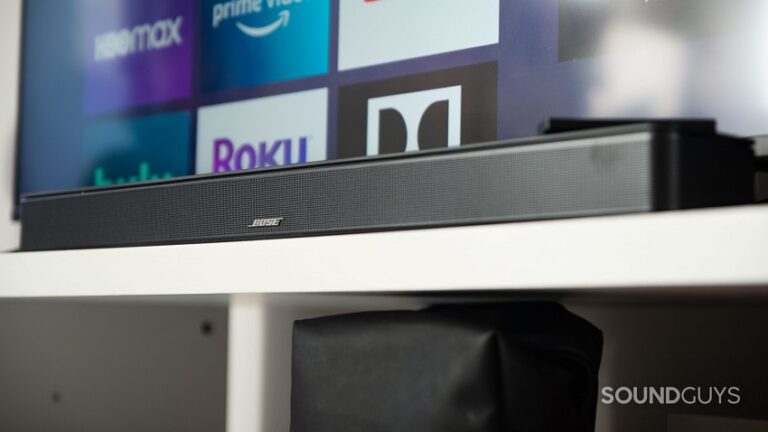
Before choosing a TV stand or wall mount, leave enough room for the center speaker or soundbar. The television should not block speaker drivers, and the audio system should not cover the bottom of the image.
If you are deciding between audio approaches, compare the options in our soundbar vs home theater system guide.
11. Match the TV to Room Lighting
Room lighting influences which television characteristics matter most.
Dark room
In a dark room, black levels, shadow detail, blooming, screen uniformity, and low-brightness performance become easier to notice.
Bright room
A bright room may require greater screen brightness and effective reflection handling. A glossy screen can preserve image clarity but may show strong reflections, while more aggressive anti-reflection treatments can alter how the image looks.
Control direct reflections
Avoid placing the television opposite an uncovered window when possible. Curtains, blinds, and repositioned lamps may improve visibility more effectively than increasing screen brightness continuously.
Viewing angles
If viewers sit across a wide sofa or several rows, check whether color, brightness, and contrast remain consistent from side positions.
A television that looks excellent from the center may appear less impressive from a large angle.
12. Plan Installation and Wall Mounting
The television should be installed at a comfortable viewing height and supported by furniture or a mounting system suitable for its size and weight.
Wall mounting
Before mounting, check:
- Wall construction
- Television weight
- Mount weight rating
- Mounting-hole pattern
- Fixed, tilting, or articulating design
- Required cable access
- Ventilation clearance
- Access to HDMI and power connections
Use suitable fixings for the wall structure and follow the television and mount manufacturers’ instructions. Professional installation may be appropriate for very large or heavy displays.
TV stand
Check the complete width and depth of the television feet. Some large TVs use feet positioned near the outer edges, requiring wider furniture than a central pedestal design.
The stand should support the television’s weight and remain stable. Secure the TV against tipping where appropriate, particularly in homes with children or pets.
Do not hide all connections permanently
HDMI cables, power connections, and external devices may need to be replaced or serviced. Plan cable management that remains accessible.
Coordinate the complete room
Screen height, wall finishes, seating, lighting, speakers, and cabinetry should be planned together. See our home theater design guide for room layout, acoustics, lighting, and interior-planning advice.
13. Compare Energy Consumption
Larger and brighter televisions can consume more electricity, particularly when operated for many hours or used in high-brightness modes.
When comparing models, check:
- Official energy-label information
- Estimated annual energy use
- Screen size
- Power use in standard and HDR modes where available
- Automatic brightness features
- Standby and networked-standby behavior
Eco modes can reduce consumption, but they may also change brightness and picture processing. Select settings that provide an acceptable balance between picture quality and energy use.
Automatic brightness control can be useful in a changing room environment, but very aggressive dimming may make some content look too dark.
14. Home Theater TV Buying Checklist
Before ordering a television, confirm:
- The screen size fits the room and viewing distance.
- The complete television dimensions fit the wall or furniture.
- The stand or mount supports the TV’s weight.
- The display technology suits the room lighting and usage.
- Brightness, contrast, and black levels meet your priorities.
- The TV supports the HDR formats used by your content.
- Viewing angles suit the seating arrangement.
- There are enough HDMI inputs.
- The required HDMI features are available on the correct ports.
- eARC is supported if required by the audio system.
- Gaming features match the console or PC.
- The smart platform supports the applications you use.
- External audio fits below or around the screen.
- Power and signal connections remain accessible.
- Energy consumption is acceptable for the expected usage.
- Warranty, delivery, return, and installation conditions are clear.
Frequently Asked Questions
What is the best TV for a home theater?
The best choice depends on room lighting, screen size, viewing distance, seating width, preferred content, gaming requirements, and budget. For dark-room movies, contrast and black levels are especially important. A bright multipurpose room may require stronger brightness and reflection handling.
Is OLED better than Mini-LED for home theater?
OLED usually offers deeper blacks and less blooming, while capable Mini-LED TVs can provide greater brightness. The better option depends on the room, usage, available sizes, and individual model performance.
How large should a home theater TV be?
Choose a size that creates the preferred viewing angle without making the image uncomfortable. Mark the dimensions on the wall and test the proposed size from every important seating position.
Is 4K enough for a large television?
For most home viewing distances and screen sizes, 4K provides sufficient resolution. Contrast, HDR, processing, source quality, and compression can have a greater effect on the visible image than moving from 4K to 8K alone.
Is an 8K TV worth buying?
It depends on screen size, viewing distance, native-content availability, upscaling quality, and price. Many buyers receive more benefit from a higher-quality 4K television at the same budget.
Does every home theater TV need Dolby Vision?
No single HDR format is mandatory for every buyer. Check the formats used by your streaming services, discs, consoles, and players. The television’s actual HDR performance remains important regardless of the supported logos.
How many HDMI inputs do I need?
Count every planned device and leave room for possible expansion. If you use an AV receiver, some sources may connect through the receiver instead of directly to the TV.
What is eARC used for?
eARC carries compatible audio from the television to a soundbar or AV receiver over HDMI. It is useful for built-in streaming applications and devices connected directly to the TV.
Do I need a 120 Hz TV?
A higher native refresh rate can benefit compatible gaming and may provide more flexibility for motion handling. It is not essential for every viewer, particularly when the TV is used mainly for ordinary films and television programs.
Should I use the TV’s built-in smart apps?
Built-in applications are convenient. A separate streaming device can provide an alternative interface, additional features, or longer-term application support.
Should a TV be professionally calibrated?
Professional calibration is optional. Begin with an accurate cinema, filmmaker, or similarly named picture mode where available and disable unnecessary processing. Enthusiasts who want more precise results may benefit from professional measurement and calibration.
Final Thoughts
The best home theater TV is not necessarily the model with the highest resolution, largest brightness claim, or longest feature list.
Start with screen size, room lighting, viewing distance, contrast, and HDR performance. Then confirm that the television provides the HDMI, audio, streaming, and gaming features required by the rest of the system.
A carefully selected and correctly positioned 4K television can provide an excellent home cinema experience without relying on short-lived technology claims or features you may never use.