Home Theater PC
A Home Theater PC, or HTPC, is a computer designed to work with a television, projector, or home cinema system.
Unlike a simple streaming box, a Home Theater PC can combine local media playback, streaming, large storage libraries, gaming, web browsing, music, and other PC functions in one flexible system.
The ideal HTPC does not need to be extremely powerful. For most users, the priorities are quiet operation, reliable video playback, correct audio output, enough storage, and simple control from the sofa.
This guide explains how to build a Home Theater PC, which components matter most, what software you can use, and how to configure the system for movies, music, streaming, and gaming.
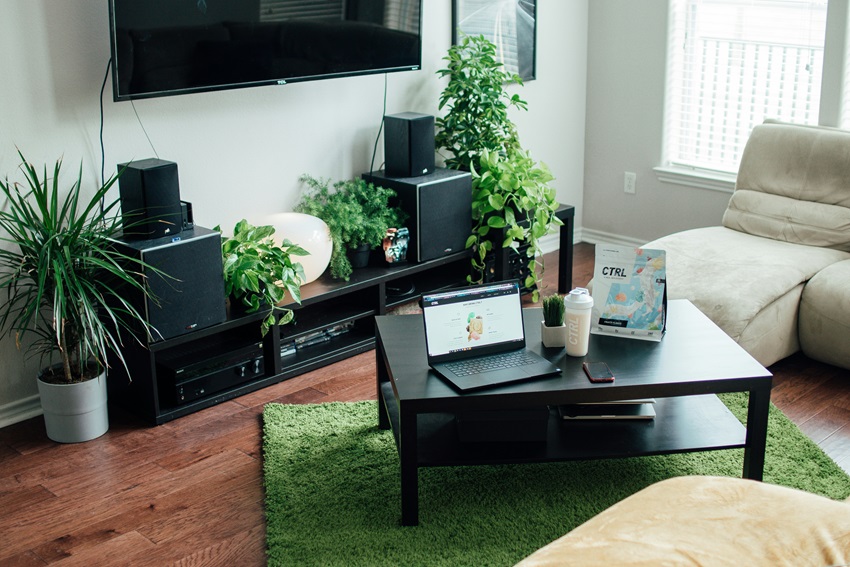
What Is a Home Theater PC?
A Home Theater PC is a computer connected to a TV, projector, AV receiver, or home cinema system and configured primarily for entertainment.
It can be used to:
- play locally stored movies and TV shows
- stream online video
- manage a digital music library
- play PC games
- run media-center software
- access files stored on a NAS or home server
- browse the web on a large display
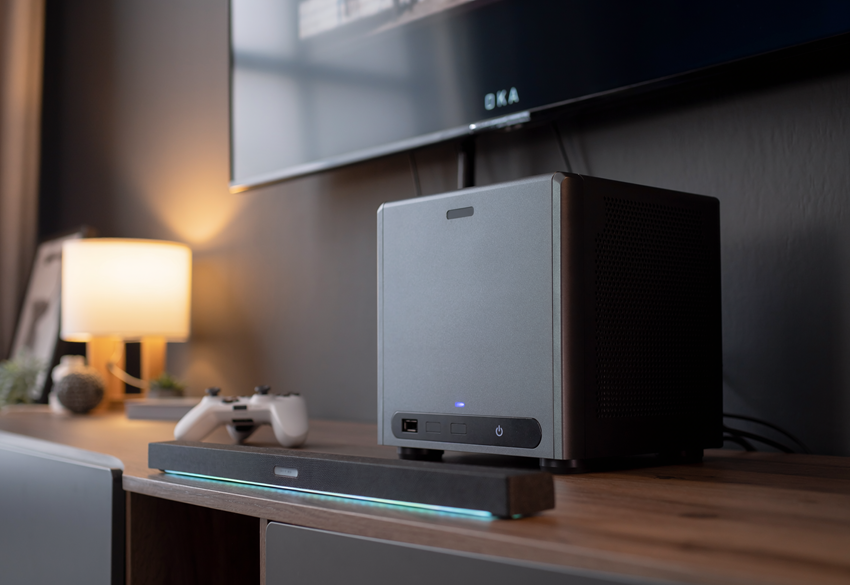
An HTPC can be a custom-built desktop, a compact Mini-ITX system, or a suitable mini PC.
The main difference from an ordinary desktop is the way the computer is optimized for living-room use. Important qualities include low noise, simple controls, reliable HDMI output, and an interface that is easy to operate from a sofa.
Benefits of a Home Theater PC
Flexible Media Playback
A properly configured HTPC can support a wide range of media files, codecs, subtitles, audio formats, and playback applications.
This flexibility can be particularly useful for people with large personal media collections.
Expandable Storage
Unlike many compact streaming devices, a PC can use internal drives, external USB storage, and network-attached storage.
Upgradeable Hardware
Depending on the case and motherboard, you may be able to upgrade:
- storage
- memory
- graphics
- networking
- cooling
Living-Room Gaming
A Home Theater PC can also function as a living-room gaming computer if its hardware provides enough processing and graphics performance.
One Device for Several Tasks
A single system can combine local playback, streaming, music, gaming, and regular PC applications.
The trade-off is that an HTPC normally requires more setup and maintenance than a dedicated streaming box.
Essential Components for a Home Theater PC
Case
The case determines how large the system can be and which components will fit inside it.
Common HTPC formats include:
- Mini-ITX systems
- Micro-ATX systems
- compact desktop cases
- mini PCs
For living-room use, consider:
- ventilation
- fan size and noise
- graphics-card clearance
- storage capacity
- the appearance of the case
- available space inside the TV furniture
Processor
For media playback, a modern and efficient processor is usually more useful than a very high-power desktop CPU.
Choose a processor that can comfortably handle:
- the operating system
- hardware-accelerated video decoding
- streaming applications
- media-library management
- normal background tasks
If gaming, video editing, or media-server work is also important, additional CPU performance may be worthwhile.
Motherboard
Check that the motherboard provides the connections and expansion options you need.
Useful features may include:
- HDMI or DisplayPort
- Gigabit or faster Ethernet
- Wi-Fi
- Bluetooth
- M.2 SSD slots
- enough SATA connectors for storage
- USB ports for external drives and accessories
Memory
A basic media-focused HTPC usually needs only a modest amount of RAM.
More memory becomes useful if the system also handles:
- gaming
- heavy multitasking
- virtual machines
- media-server tasks
- creative software
Power Supply
Choose a reliable power supply with enough capacity for the installed components.
Efficiency and quiet fan operation are important in a living-room system because unnecessary heat often leads to additional cooling noise.
Cooling
Quiet cooling is one of the most important parts of a successful HTPC build.
A large heatsink and properly positioned low-speed fans can often cool the system with less noise than several small, fast-spinning fans. Make sure that furniture around the computer does not block the case vents. In a small room, an HTPC, projector and other home theater equipment can also add to the overall heat load. If additional room cooling is needed, see our guide to choosing a portable air conditioner.
Do You Need a Dedicated Graphics Card for an HTPC?
Not necessarily. Modern integrated graphics can be sufficient for many media-playback systems, depending on the processor, operating system, display requirements, codecs, and software.
Integrated Graphics May Be Enough If You:
- mostly watch movies and streaming video
- do not play demanding PC games
- want lower power consumption
- want a smaller and quieter system
A Dedicated GPU May Be Useful If You:
- play demanding PC games
- need advanced rendering or video-processing features
- use multiple high-resolution displays
- need display capabilities unavailable from the integrated graphics
Before buying a graphics card, check the exact resolution, refresh rate, HDR, codec, and HDMI requirements of your television or projector.
There is little benefit in installing a powerful GPU if the system will only be used for ordinary video playback.
Storage Options for a Home Theater PC
SSD for the Operating System
An SSD is a good choice for:
- the operating system
- applications
- media-center software
- frequently accessed files
An SSD provides fast startup, silent operation, and quick application loading.
Hard Drives for Large Media Libraries
Traditional hard drives can still provide an economical way to store large movie and music collections.
However, mechanical drives generate more noise, heat, and vibration than SSDs. If possible, use suitable mounting hardware to reduce vibration inside the case.
External Storage
External USB drives can provide a simple way to expand storage without replacing the case or motherboard.
Check that the connection is fast enough for the media files you plan to play. Also avoid placing noisy mechanical drives too close to the seating area.
Network-Attached Storage
A NAS can keep media storage separate from the HTPC.
This arrangement provides several advantages:
- media can be shared between multiple devices
- the HTPC can remain compact
- large hard drives can be located away from the living room
- storage can be expanded independently
For large, high-bitrate media files, wired Ethernet is usually the most predictable connection between the HTPC and network storage.
Remember that storage and backup are not the same thing. Important personal files should have a separate backup rather than existing on only one drive or device.
Home Theater PC Software Options
Kodi
Kodi
is a media-center application for organizing and playing local media.
It supports features such as:
- movie and TV libraries
- music playback
- subtitles
- customizable skins
- remote-control interfaces
Plex
Plex Media Server
uses a server-and-client model.
It can be useful when you want to maintain a central personal media library and access it from multiple compatible devices.
Jellyfin
Jellyfin
is an open-source media-server platform for organizing and streaming a personal media library.
It may appeal to users who want greater control over their own server environment.
Emby
Emby provides another server-and-client approach to organizing and accessing personal media.
Steam Big Picture
For gaming, Steam’s TV-oriented interface can make a PC easier to control with a gamepad from the sofa.
Choosing an Operating System
Both Windows and Linux can work well for a Home Theater PC.
Windows generally offers broad compatibility with commercial PC applications, streaming services, and games.
Linux can provide a lightweight and customizable environment, particularly for users who are comfortable configuring their own system.
Before choosing an operating system, check compatibility with the media software, streaming services, audio formats, HDR features, and games you intend to use.
How to Set Up a Home Theater PC
Step 1: Connect the HTPC to the Display
For most setups, HDMI is the simplest connection because it can carry both video and multichannel audio.
Make sure the HDMI output and cable support the resolution and refresh rate you intend to use.
Step 2: Set the Correct Display Resolution
Configure the operating system to match the native resolution of your TV or projector.
Also check the refresh rate. Higher refresh rates may be useful for desktop use and gaming when both the computer and display support them.
Step 3: Install Media Software
Choose the application that fits your intended use.
For example:
- Kodi for a local media-center interface
- Plex for a server-based library
- Jellyfin for a self-hosted media system
- Steam for PC gaming
Step 4: Organize the Media Library
Create a logical folder structure for movies, TV shows, music, and other content.
Consistent file naming can help media software identify titles and metadata correctly.
Step 5: Configure Network Access
If your media is stored on another computer or NAS, connect the HTPC to the network and test playback before finalizing the installation.
Wired Ethernet can be preferable for large local media files because it avoids some of the variability of wireless connections.
Step 6: Configure Automatic Startup
If the computer will primarily function as a media center, you can configure the preferred application to open automatically after the operating system starts.
This creates a more convenient living-room experience and reduces the need to navigate a normal desktop interface.
Step 7: Test the Complete System
Before placing the computer permanently inside TV furniture, test:
- video playback
- audio output
- network performance
- remote controls
- system temperature
- fan noise
Configure HTPC Audio for a Home Theater System
An HTPC can send audio directly to a TV, soundbar, or AV receiver, depending on the equipment and connection layout.
Using an AV Receiver
A common connection arrangement is:
HTPC → HDMI → AV receiver → HDMI → TV or projector
This allows the receiver to handle compatible multichannel audio formats while forwarding the video signal to the display.
Using the TV as the HDMI Hub
Another possible arrangement is:
HTPC → TV → HDMI ARC/eARC → sound system
Whether all audio formats are available depends on the television, audio equipment, connection type, operating system, and playback software.
Audio Passthrough
Some media applications can send a compatible encoded audio stream directly to an AV receiver for decoding.
When configuring passthrough, verify:
- which formats the receiver supports
- which formats the playback software supports
- which HDMI path is being used
- whether the operating system is configured correctly
For additional connection guidance, see our article explaining
how to get TV sound through a home cinema system.
Optimize Home Theater PC Video Output
Use Hardware Video Decoding
Most modern media applications can use supported GPU hardware to decode video more efficiently.
Hardware acceleration can reduce CPU load, heat, and fan noise.
Check HDR Configuration
HDR playback depends on several parts of the system:
- the media file or streaming service
- the playback software
- the processor or GPU
- the operating system
- the HDMI connection
- the TV or projector
Do not enable HDR only because the setting is available. Confirm that the complete playback chain supports it correctly.
Match the Refresh Rate When Useful
Some media-center applications can switch the display refresh rate to better match the video being played.
This can help reduce motion judder when the source frame rate and display output are mismatched.
Avoid Unnecessary Image Processing
If the television already performs good scaling and image processing, applying excessive processing in both the PC and TV can sometimes produce undesirable results.
Test the available settings and choose the simplest configuration that looks correct on your display.
Check Projector Compatibility
If the HTPC is connected to a projector, resolution is only one part of the setup. HDR performance, refresh rate, HDMI bandwidth, throw distance, and display settings may also affect the result.
Our
true 4K projector buying guide
explains the main projector specifications in more detail.
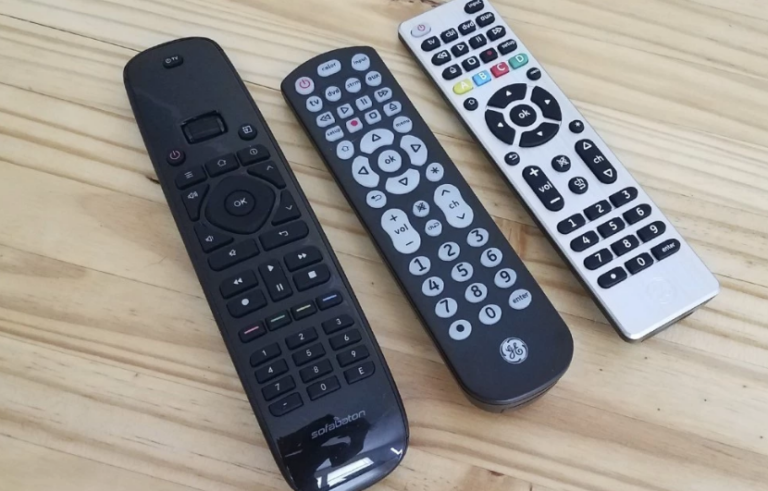
Remote Controls and Sofa-Friendly Input
A Home Theater PC should be convenient to control from normal seating distance.
Useful control options include:
- Bluetooth remote controls
- infrared PC remotes
- compact wireless keyboards
- keyboard-and-touchpad combinations
- game controllers
- compatible smartphone remote apps
Choose the Interface Before Finishing the Build
A normal desktop interface can be difficult to use on a television from several meters away.
If the HTPC will mainly be used as a media center, configure applications to open in a full-screen, remote-friendly interface.
Keep a Backup Control Method
Even if you normally use a remote control, keeping a compact keyboard nearby can make software updates, troubleshooting, and text entry much easier.
Popular Home Theater PC Use Cases
Local Movie Library
An HTPC is particularly useful for people with a large collection of local video files.
Media-center software can organize titles with:
- cover artwork
- descriptions
- cast information
- subtitles
- watch status
Streaming
A PC can access browser-based and compatible desktop streaming services.
However, the availability of high resolution, HDR, surround audio, and copy-protected content can vary between services, browsers, applications, operating systems, and hardware.
Gaming
With suitable graphics hardware, an HTPC can double as a living-room gaming computer.
A wireless controller and TV-friendly game interface can make the experience closer to using a console.
Music Playback
A Home Theater PC can manage a large digital music library and send audio to an AV receiver, DAC, or other compatible audio equipment.
Home Media Server
The same computer can sometimes act as both the media player and the server.
However, separating storage and playback can reduce living-room noise and simplify upgrades in more complex installations.
Web Browsing and General PC Use
An HTPC can also provide access to websites, communication tools, and regular desktop software on a large screen.
For comfortable general use, make sure the interface scaling and text size are appropriate for the viewing distance.
Common Home Theater PC Building Mistakes
Buying More Hardware Than You Need
A media-only system usually does not need gaming-class hardware.
Extra performance can increase cost, heat, power consumption, and cooling noise without improving ordinary movie playback.
Ignoring Noise
A fast computer can become distracting during quiet movie scenes if its fans and hard drives are loud.
Consider using:
- efficient components
- larger low-speed fans
- a quiet CPU cooler
- SSDs where practical
- vibration-reducing drive mounts
Using a Case With Poor Airflow
A compact case needs enough ventilation to keep its components cool at low fan speeds.
Do not place the computer inside a closed cabinet unless the furniture provides adequate airflow.
Forgetting HDMI Capabilities
Check the actual video and audio capabilities of the motherboard or graphics card before buying the system.
An HDMI connector alone does not guarantee support for every resolution, refresh rate, HDR format, or audio feature.
Relying Only on Wi-Fi for Large Local Files
Good Wi-Fi can work well, but network performance varies with distance, interference, building materials, and other connected devices.
Where convenient, Ethernet provides a more predictable connection between an HTPC and NAS.
Building Before Choosing the Software
Decide how you want to use the system before choosing the hardware.
A simple Kodi box, gaming HTPC, and large media server may require very different components.
Ignoring Everyday Controls
A powerful computer is not enjoyable to use if every basic action requires a full-size keyboard and mouse.
Plan the remote control, full-screen interface, automatic startup, and text-entry method before completing the installation.
Frequently Asked Questions
Is an HTPC better than a streaming box?
Not for everyone. An HTPC offers greater flexibility, storage options, and PC functionality, while a streaming box is usually smaller, simpler, quieter, and easier to maintain.
Choose an HTPC when you need flexibility that a normal streaming device cannot provide.
Do I need a dedicated GPU for an HTPC?
Not necessarily. Integrated graphics can handle many media-playback tasks.
A dedicated graphics card becomes more useful for gaming or when you need display and video capabilities unavailable from the integrated GPU.
How much RAM does an HTPC need?
A basic media system does not require a large amount of memory. More RAM is useful when the HTPC is also used for gaming, server tasks, virtual machines, or heavier multitasking.
Should I use Windows or Linux?
Both can work. Windows generally offers broad software and gaming compatibility, while Linux can provide a lightweight and customizable media-focused environment.
The best choice depends on the applications, games, streaming services, and hardware features you plan to use.
Can a Home Theater PC play 4K video?
Yes, provided the processor or GPU, playback software, operating system, HDMI connection, and display all support the required resolution, codec, refresh rate, and video format.
Can an HTPC play Dolby Atmos?
It can in a compatible configuration. The media, playback software, operating system, HDMI path, and AV receiver or soundbar must all support the appropriate format.
Can I use a mini PC as an HTPC?
Yes. A suitable mini PC can be an excellent HTPC when compact size and quiet operation are priorities.
Before buying one, check its HDMI capabilities, hardware video decoding, networking, storage expansion, and audio support.
Is an HTPC good for gaming?
Yes, if it has sufficient CPU and graphics performance.
A gaming-focused HTPC may require a larger case, stronger power supply, and more capable cooling than a media-only system.
Does an HTPC need an internet connection?
An internet connection is needed for online streaming, software updates, metadata downloads, and other online services.
However, an HTPC can play compatible locally stored media without an active internet connection.
Final Thoughts
A Home Theater PC is most useful when you want more flexibility than a conventional streaming box can provide.
For a media-focused HTPC, prioritize quiet operation, reliable hardware video decoding, suitable HDMI output, SSD storage for the operating system, and stable networking. A dedicated graphics card is optional unless gaming or demanding graphics workloads are part of the plan.
Choose the software and intended use before buying the hardware. A compact media player, a gaming HTPC, and a large home media server have different requirements.
When the components, software, audio configuration, video settings, and control interface are matched correctly, a Home Theater PC can become a flexible central hub for movies, music, games, and personal media.