What Is Home Automation and How Does It Work?
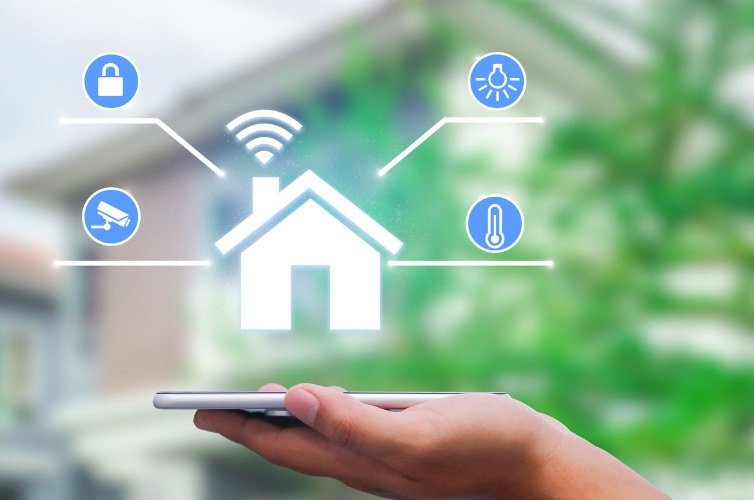
What is home automation? It is the use of connected devices, sensors, controllers, and software to monitor or operate household functions manually, remotely, or automatically.
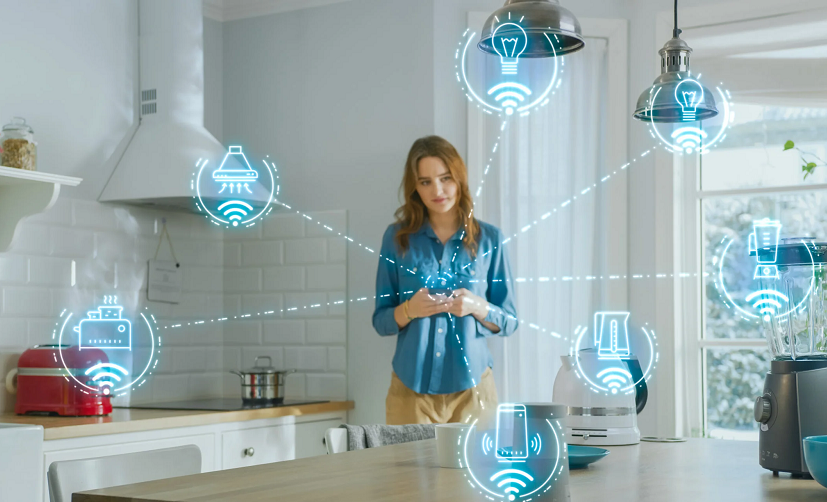
A home automation system can control lighting, heating, cooling, window coverings, appliances, entertainment equipment, locks, cameras, and other compatible devices. Actions may be triggered by a schedule, sensor, button, application, voice command, or change in household conditions.
The goal is not to make every object connected. Useful automation should simplify a repeated task, remain reliable, and preserve clear physical controls for essential household functions.
This beginner’s guide explains how home automation works, which components are required, what can be automated, how Matter and other connection technologies fit together, and how to plan a secure system.
1. What Is Home Automation?
Home automation allows compatible household devices and systems to respond to controls, schedules, sensor readings, and programmed conditions.
A basic system might turn an entrance light on at sunset. A more advanced system could coordinate lighting, heating, blinds, security sensors, and entertainment equipment.
Home automation can involve:
- Remote control from an application
- Physical buttons and smart switches
- Voice commands
- Time-based schedules
- Motion and presence detection
- Temperature and humidity sensors
- Door and window sensors
- Location-based triggers
- Actions involving several devices
Remote control and automation are related but not identical. Turning a lamp on from a phone is remote control. Configuring it to turn on automatically when someone enters after dark is automation.
2. Home Automation vs Smart Home
The terms are often used interchangeably, but they can describe slightly different ideas.
- A smart device is an individual connected product, such as a bulb, plug, thermostat, or lock.
- A smart home contains one or more connected devices or systems.
- Home automation coordinates controls and triggers so that devices can perform actions without repeated manual commands.
A home containing several smart bulbs controlled separately from different applications is connected, but it may not be well automated.
A simpler home with a few sensors and carefully designed routines may provide more useful automation than one containing dozens of unrelated devices.
3. How Home Automation Works
A home automation process normally follows a simple sequence:
- A user, schedule, or sensor creates a trigger.
- A controller or device evaluates the trigger and any conditions.
- A command is sent to one or more compatible devices.
- The devices perform the requested action.
- The system may report the resulting status.
Trigger
A trigger starts the automation. Examples include:
- A scheduled time
- Sunrise or sunset
- Motion being detected
- A door opening
- A temperature threshold
- A physical button press
- A household member arriving or leaving
Conditions
A condition determines whether the automation should run.
For example, a hallway light might turn on when motion is detected only if:
- It is after sunset
- The current light level is low
- The household is occupied
- The light is not already on
Action
The action is what happens after the trigger and conditions are evaluated. It might turn on a light, adjust a thermostat, close a blind, send an alert, or activate several devices together.
Routine, scene, or automation?
Platforms use these terms differently:
- Scene: normally sets several devices to predefined states.
- Routine: often combines a trigger with one or more actions.
- Automation: a general term for actions that occur according to programmed logic.
Check the terminology used by the selected platform rather than assuming every application works the same way.
4. Main Components of a Home Automation System
Smart devices
These are the products that perform actions or report information:
- Bulbs, switches, and dimmers
- Thermostats and climate controls
- Smart plugs and outlets
- Window coverings
- Locks and garage controls
- Cameras and video doorbells
- Speakers and televisions
- Compatible household appliances
Sensors
Sensors provide information the system can use as triggers or conditions.
Common sensor types include:
- Motion
- Presence
- Door and window contact
- Temperature
- Humidity
- Ambient light
- Water leakage
- Smoke or carbon monoxide where supported
- Air-quality measurements
A sensor should not be used as a substitute for a certified safety device unless the product and installation are specifically approved for that purpose.
Controllers
A controller coordinates devices and automations. It may be built into:
- A smart speaker
- A smart display
- A dedicated hub
- A router
- A television or media device
- A locally operated automation server
Applications and interfaces
Applications are used to add devices, configure automations, review alerts, install updates, and manage access.
Important controls should not depend exclusively on one phone. Family members and guests need clear physical switches, buttons, remotes, or keypads where appropriate.
The home network
Wi-Fi, Ethernet, bridges, Border Routers, and other network components allow devices and controllers to communicate.
A weak or poorly planned network can make an otherwise capable system slow and unreliable.
5. Wi-Fi, Thread, Zigbee, and Other Connections
Home automation products use different communication technologies. The connection method affects range, power use, response time, required hardware, and behavior during an outage.
Wi-Fi
Wi-Fi devices connect to the home network, often without a separate bridge. This can be convenient for a small number of devices.
Before adding many Wi-Fi products, consider network coverage, router capacity, account requirements, and whether local control remains available without an internet connection.
Ethernet
Ethernet provides a wired connection for compatible hubs, controllers, cameras, televisions, computers, and other stationary equipment.
A wired connection can reduce reliance on wireless coverage, although cable installation requires planning.
Thread
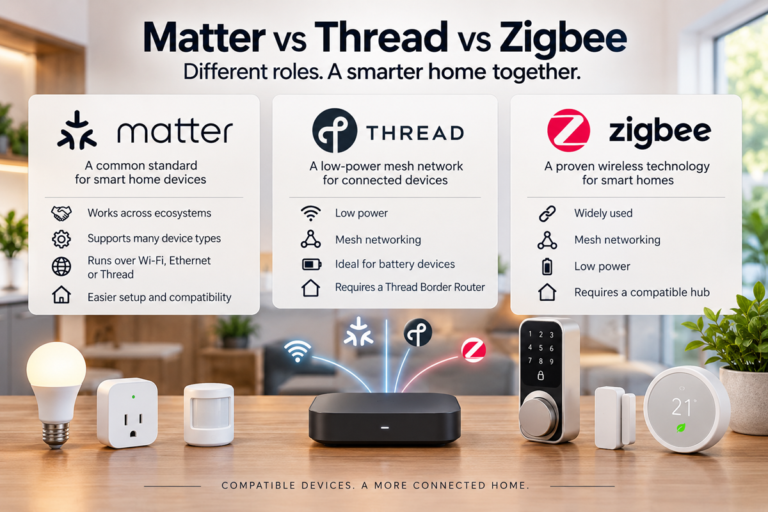
This low-power, IP-based mesh protocol connects compatible devices through a Border Router, which links them to the wider home network.
The Border Router function may already be built into a compatible speaker, display, television, router, or home controller. Check existing equipment before buying a separate device.
Zigbee
Zigbee is used by many lights, sensors, switches, and plugs. Compatible powered products can form a mesh network, while a bridge or coordinator normally connects them to an application or wider automation platform.
Z-Wave
Z-Wave is another low-power mesh technology used for devices such as switches, sensors, locks, and climate controls. Regional frequency differences and controller compatibility should be checked before buying.
Bluetooth
Bluetooth may be used for initial device setup, direct control, or nearby communication. Range and remote-access options depend on the product and platform.
Proprietary systems
Some manufacturers use their own bridges and communication methods. These can provide strong integration within one ecosystem but may limit compatibility with other products.
6. What Matter Means for Home Automation
Matter is an IP-based smart-home standard designed to improve setup and interoperability between certified devices and supported platforms.
Compatible products may communicate using Wi-Fi, Ethernet, or Thread. Bluetooth Low Energy may be used during device setup.
Matter does not replace the smart-home platform
A Matter device still needs a compatible controller or platform. The standard provides a common way for supported devices and ecosystems to communicate.
Matter can support more than one platform
Multi-admin functionality can allow a compatible device to be connected to more than one supported platform.
This may let different household members control the same devices from their preferred ecosystem, although setup and supported functions depend on the products involved.
Not every feature is exposed everywhere
Basic functions may be available through Matter while advanced settings remain in the manufacturer’s application.
Before buying, check:
- Whether the device is Matter certified
- Which device functions are supported
- Which controller is required
- Whether a Border Router is needed
- Which features remain in the manufacturer’s application
- How firmware updates are installed
7. Home Automation Examples
Lighting automation
- Turn hallway lights on at low brightness after dark.
- Switch lights off when a room has been unoccupied.
- Activate a reading or movie scene from a physical button.
- Adjust selected lights according to sunrise and sunset.
For bulbs, switches, sensors, Matter, and room-specific ideas, see our smart home lighting guide.
Climate control
- Use a schedule to adjust heating or cooling.
- Reduce conditioning when the home is unoccupied.
- Send an alert when temperature or humidity leaves a chosen range.
- Coordinate compatible blinds with sunlight and room temperature.
Automated climate control should respect safe temperature limits and the needs of children, older adults, pets, plants, and temperature-sensitive belongings.
Entrance and access
- Turn on entrance lighting when someone arrives after dark.
- Send a notification when a door is left open.
- Provide temporary lock access where supported.
- Check the status of compatible doors and locks remotely.
Always keep a reliable method of entry that does not depend on one phone, cloud service, or discharged battery.
Water-leak monitoring
- Place sensors near washing machines, sinks, water heaters, or other risk areas.
- Send an alert when moisture is detected.
- Close a compatible shutoff valve when the system is specifically designed for that action.
Automation does not replace plumbing maintenance or professional inspection.
Window coverings
- Open selected blinds in the morning.
- Close window coverings during strong direct sunlight.
- Coordinate compatible shades with lighting scenes.
- Close bedroom coverings as part of a bedtime routine.
Entertainment
- Dim lighting when a movie begins.
- Prepare a television, receiver, or soundbar for viewing.
- Control selected devices from one remote or interface.
- Return the room to normal lighting when viewing ends.
Our home theater setup guide covers displays, audio equipment, media sources, connections, and calibration.
Household reminders
- Send a notification when a washing-machine cycle ends.
- Alert users when a freezer or refrigerator door remains open, where supported.
- Provide filter or maintenance reminders.
- Display selected household status information on one dashboard.
8. Potential Benefits of Home Automation
Convenience
Automation can reduce repeated actions, such as switching off several lights, adjusting blinds, or checking whether a door is closed.
Accessibility
Voice controls, wireless buttons, automated lighting, and remote interfaces may help people who find conventional controls difficult to reach or operate.
Accessibility automations should remain dependable and have backup controls.
Energy management
Schedules, occupancy controls, and monitoring can reduce unnecessary device operation. Actual energy and cost savings depend on the equipment, behavior, climate, tariffs, and automation settings.
A connected product does not automatically use less energy than a conventional one.
Awareness
Sensors and dashboards can provide information about temperature, humidity, open doors, leaks, power use, and equipment status.
Sensor accuracy varies, so consumer devices should not replace professional measurement where precision is important.
Consistency
A well-designed routine can perform the same sequence reliably, such as preparing the downstairs area for night or switching off selected devices when the home becomes empty.
Flexible control
Compatible devices can be operated through applications, buttons, voice control, schedules, and automations.
9. Limitations and Tradeoffs
Compatibility
Devices from different manufacturers may not expose the same features through every platform. Bridges and standards can improve interoperability, but checking compatibility remains essential.
Internet and cloud dependence
Some products require an internet connection or manufacturer service for setup, control, alerts, or advanced functions.
If the service becomes unavailable or the product loses support, functionality may change.
Maintenance
Smart-home devices require:
- Firmware updates
- Application updates
- Battery replacement
- Account management
- Network maintenance
- Occasional troubleshooting
Privacy
Cameras, microphones, locks, presence sensors, and location-based automations can collect sensitive information about a household.
Review data practices and permissions before installing devices in private areas.
Cost
The purchase price may not include bridges, controllers, subscriptions, cloud storage, professional installation, replacement batteries, or accessories.
Complexity
Too many applications, automations, device names, and overlapping controls can make the home harder to use.
10. How to Plan a Home Automation System
Step 1: Identify a real problem
Start with a repeated task rather than buying a collection of devices.
Examples include:
- A dark hallway at night
- Lights frequently left on
- Difficulty reaching a switch
- Concern about a water leak
- Too many entertainment remotes
- Inconsistent heating schedules
Step 2: Choose the main platform
Select the primary application or ecosystem before buying devices. Check compatibility with the phones, computers, speakers, and other equipment already used by the household.
Step 3: Check network requirements
Determine whether the devices use Wi-Fi, Ethernet, Thread, Zigbee, Z-Wave, Bluetooth, or a proprietary bridge.
If coverage is weak in parts of the home, see our guide to improving Wi-Fi coverage in large homes.
Step 4: Preserve manual operation
Essential lighting, heating, access, and safety functions should remain understandable when the application, internet connection, or automation is unavailable.
Step 5: Begin with one room or task
Test reliability and everyday usability before expanding. A small successful system is more useful than a large collection of poorly integrated products.
Step 6: Use clear names
Name devices according to room and function, such as “Kitchen Ceiling” or “Bedroom Left Lamp.” Avoid duplicate and ambiguous names.
Step 7: Document the system
Record:
- Device names and locations
- Controllers and bridges
- Required applications
- Reset procedures
- Battery types
- Important automations
- Warranty and support information
Step 8: Plan for removal and replacement
Consider what will happen if a product fails or is discontinued. Avoid making a critical household function dependent on one nonreplaceable device.
11. Home Automation Privacy and Security
Connected devices can create security and privacy risks when accounts, networks, firmware, and permissions are not maintained.
Use unique passwords
Use a unique password for each important smart-home account. A password manager can help create and store them.
Enable stronger account protection
Enable multi-factor authentication when the platform supports it. Protect the email account used for password recovery as well.
Install updates
Keep device firmware, hubs, applications, phones, and network equipment updated. Check periodically whether automatic updates are enabled and functioning.
Review account access
Remove old household members, installers, shared links, and third-party integrations that no longer need access.
Review camera and microphone placement
Avoid placing connected cameras or microphones in sensitive areas unless there is a clear need. Review recording, cloud storage, retention, and sharing settings.
Research support policies
Before buying, check whether the manufacturer explains:
- How security updates are delivered
- How long the product is expected to receive support
- How vulnerabilities are reported
- What data is collected
- How an account and stored data can be deleted
Reset devices before disposal
Remove the product from accounts and perform the manufacturer’s factory-reset process before selling, recycling, or giving it away.
12. Offline Control and System Reliability
Reliability is particularly important for lighting, heating, locks, alarms, and other everyday systems.
Understand what works locally
Some automations run inside the home, while others depend on a cloud service. Find out which actions continue when the internet connection is unavailable.
Keep physical controls
Provide conventional or smart wall switches, buttons, keypads, keys, and manual overrides where appropriate.
Prepare for power outages
Controllers, routers, bridges, locks, and sensors behave differently when power fails. Review backup-power and manual-access requirements for important devices.
Avoid unnecessary automation chains
An automation involving many platforms and cloud services has more potential points of failure than a simple local action.
Use notifications carefully
Too many alerts cause important warnings to be ignored. Reserve urgent notifications for events that require attention.
13. DIY or Professional Installation?
Many plug-in devices, bulbs, sensors, and controllers can be installed by users who follow the product instructions.
Professional help may be appropriate for:
- In-wall switches and relays
- Electrical outlets
- Heating and cooling controls
- Motorized blinds
- Permanent network cabling
- Whole-home audio
- Security and access systems
- Complex integrations
Electrical, heating, access-control, and safety work must comply with local requirements. Use qualified professionals where necessary.
Even professionally installed systems should include clear documentation and controls that the household understands.
14. Common Home Automation Mistakes
- Buying devices before choosing a platform: compatibility problems can appear later.
- Automating without solving a problem: unnecessary routines create complexity.
- Depending entirely on a phone: important functions need physical controls.
- Ignoring offline behavior: cloud-dependent actions may stop during an outage.
- Using unclear device names: voice and application control become confusing.
- Creating conflicting automations: separate routines may repeatedly override each other.
- Ignoring network coverage: weak connectivity causes slow and unreliable responses.
- Skipping security updates: unsupported software can increase risk.
- Sharing one account with everyone: individual access is easier to manage and revoke.
- Installing cameras without considering privacy: placement and recording settings matter.
- Expecting guaranteed energy savings: results depend on settings and behavior.
- Buying too many devices at once: begin with one room or task.
- Failing to document the system: future troubleshooting becomes unnecessarily difficult.
- Making safety functions dependent on a hobby automation: use certified products designed for the intended purpose.
Frequently Asked Questions
What is home automation in simple terms?
Home automation uses connected devices and programmed rules to monitor or control household functions automatically or remotely.
What is an example of home automation?
A motion sensor turning on a hallway light after dark is a simple example. The sensor provides the trigger, the time or light level acts as a condition, and the light switching on is the action.
What is the difference between a smart home and home automation?
A smart home contains connected devices. Home automation coordinates those devices through schedules, sensors, conditions, and programmed actions.
Does home automation require internet access?
Not always. Some devices and automations operate locally, while others require internet access for setup, remote control, alerts, or cloud processing.
Does home automation require a hub?
It depends on the products and protocols. Some Wi-Fi devices connect directly to the network, while Zigbee, Thread, Z-Wave, and other systems require compatible controllers, bridges, or Border Routers.
Is Matter a home automation platform?
No. Matter is a connectivity standard supported by compatible devices and platforms. A controller or smart-home ecosystem is still required.
Can devices from different brands work together?
Sometimes. Compatibility depends on the platforms, protocols, bridges, and functions involved. Matter can improve interoperability for certified products, but advanced features may still require manufacturer applications.
Is home automation difficult to install?
A small system using plug-in devices and sensors can be straightforward. In-wall electrical work, heating controls, security systems, and whole-home integration may require professional installation.
Can home automation reduce energy use?
It can reduce unnecessary operation through schedules, sensors, and monitoring. Actual savings depend on the building, devices, climate, tariffs, settings, and household behavior.
Is home automation secure?
No connected system is risk-free. Choose supported products, use unique passwords and multi-factor authentication, install updates, review permissions, and keep backup controls for important functions.
Where should a beginner start?
Choose one recurring problem in one room. Lighting, leak alerts, or a simple temperature schedule can provide a manageable first project.
Final Home Automation Checklist
- Identify a specific task that automation should improve.
- Choose the primary smart-home platform.
- Check device, protocol, and controller compatibility.
- Confirm hub, bridge, or Border Router requirements.
- Understand which features require internet access.
- Keep physical and manual controls available.
- Use clear device and room names.
- Secure accounts and install updates.
- Review privacy and data-storage settings.
- Begin with one room or function.
- Document devices, automations, and reset procedures.
- Use qualified professionals for regulated installation work.
The best home automation system is not the one with the largest number of connected products. It is a system that solves real household problems, works reliably, remains understandable, and preserves privacy and manual control.