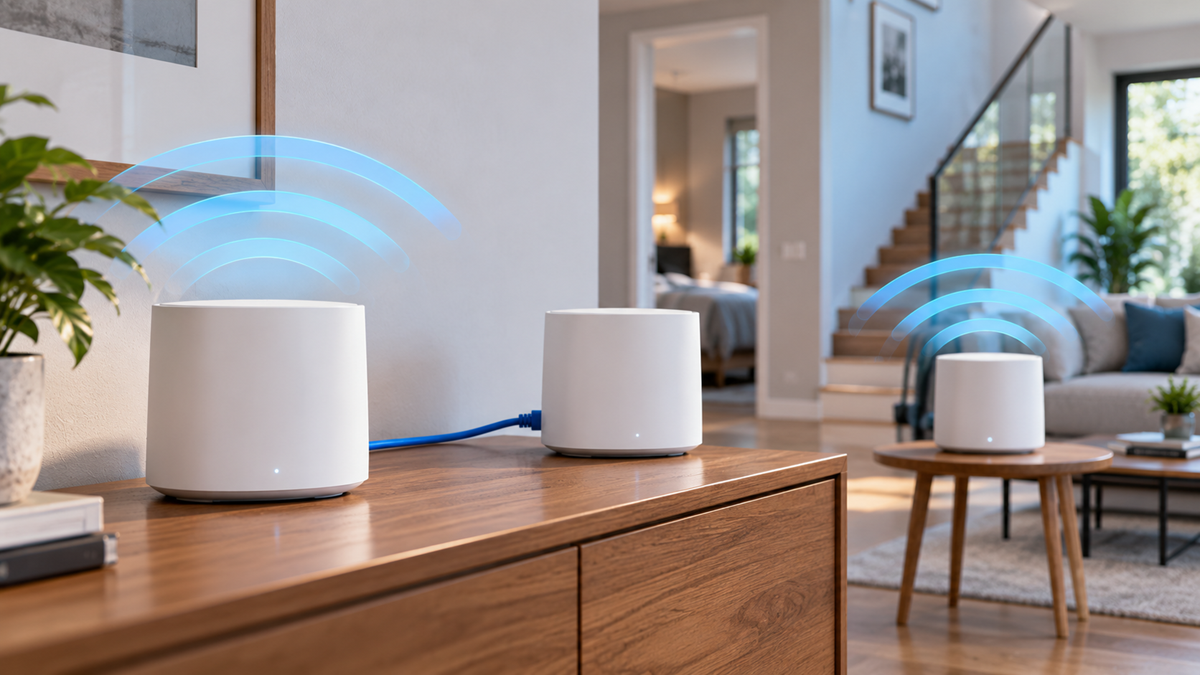
Ethernet Backhaul vs Wireless Backhaul for Mesh Wi-Fi
Both can provide good whole-home coverage, but they differ in speed consistency, latency, installation requirements, and how much wireless capacity remains available for phones, laptops, TVs, and other devices.
Ethernet backhaul connects mesh nodes through network cables. Wireless backhaul sends the same traffic over Wi-Fi. A wired connection is generally more predictable, while wireless backhaul is much easier to install when Ethernet cabling is unavailable.
This guide explains how Ethernet and wireless backhaul work, their advantages and limitations, and how to decide which option makes sense for your home network.
What Is Mesh Wi-Fi Backhaul?
A mesh Wi-Fi system typically consists of a main router and one or more additional nodes placed around the home.
Your phone or laptop connects to a nearby mesh node, but that node still needs a path back to the main router and the rest of the network.
That connection between network nodes is called backhaul.
The two most common options are:
- Ethernet backhaul — traffic between nodes travels through Ethernet cables;
- wireless backhaul — traffic between nodes travels over Wi-Fi.
Backhaul should not be confused with the wireless connection between your phone and the nearest mesh node. The device-to-node connection is often described as fronthaul, while backhaul carries traffic between the network nodes.
If you are new to mesh networking, start with our Mesh Wi-Fi Systems guide.
What Is Ethernet Backhaul?
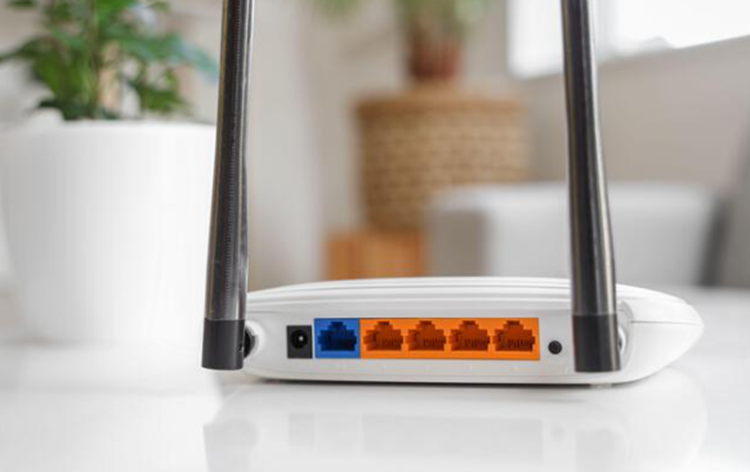
Ethernet backhaul uses physical network cables to connect mesh nodes.
Instead of receiving traffic wirelessly from another mesh unit, a satellite node communicates with the network through Ethernet.
A simple arrangement might look like this:
Internet → Main Mesh Router → Ethernet → Mesh Node
In a larger home, a network switch may be used to connect several wired nodes, provided the mesh manufacturer supports the topology.
Advantages of Ethernet Backhaul
Ethernet backhaul can provide several benefits:
- more consistent throughput between nodes;
- lower and more predictable latency;
- less dependence on walls and distance between nodes;
- no Wi-Fi airtime required for the wired backhaul link;
- better performance under heavy network load;
- greater flexibility when placing access points in difficult locations.
It can be especially useful in large or multi-story homes and buildings with concrete, brick, metal, or other materials that weaken wireless signals.
Disadvantages of Ethernet Backhaul
The main disadvantage is installation.
Ethernet cables may need to be routed through walls, ceilings, conduits, or surface-mounted cable channels.
Existing homes without network cabling can therefore be more difficult or expensive to wire.
You also need compatible Ethernet ports, suitable cables, and potentially a network switch.
What Is Wireless Backhaul?
Wireless backhaul allows mesh nodes to communicate with one another over Wi-Fi.
A typical arrangement looks like this:
Internet → Main Mesh Router ⇄ Wi-Fi ⇄ Mesh Node
No Ethernet cable is required between the units.
This is one of the main reasons consumer mesh systems are so convenient: a satellite usually needs only power and a sufficiently strong connection to another mesh node.
Advantages of Wireless Backhaul
Wireless backhaul offers:
- simple installation;
- no Ethernet cabling between rooms;
- flexible node placement;
- easy expansion of an existing mesh network;
- a practical solution for rentals and finished homes.
For many households, these advantages make wireless backhaul perfectly reasonable.
Disadvantages of Wireless Backhaul
The quality of the connection depends on the wireless environment.
Performance can be affected by:
- distance between nodes;
- walls and floors;
- neighboring Wi-Fi networks;
- channel congestion;
- the frequency band used for backhaul;
- the number of wireless hops;
- whether backhaul capacity is shared with client devices.
A wireless mesh node cannot create a fast connection from a poor backhaul signal.
Ethernet Backhaul vs Wireless Backhaul
The main differences can be summarized as follows:
| Feature | Ethernet Backhaul | Wireless Backhaul |
|---|---|---|
| Connection between nodes | Ethernet cable | Wi-Fi |
| Installation | Requires cabling | Usually simple |
| Speed consistency | Generally very consistent | Depends on signal conditions |
| Latency | Usually lower and steadier | Can vary with wireless conditions |
| Effect of walls | Minimal for the backhaul link | Can be significant |
| Uses Wi-Fi airtime | No | Yes |
| Node placement | Limited mainly by cabling | Requires a good wireless path |
| Best suited for | Maximum consistency and demanding networks | Easy installation and homes without Ethernet |
Neither option changes the speed of your internet plan itself. Backhaul affects how efficiently traffic moves through your home network.
Which Backhaul Is Faster?
Ethernet backhaul generally provides the most predictable connection between mesh nodes because the inter-node traffic does not need to share the wireless medium.
With wireless backhaul, the result depends heavily on the mesh design.
A dual-band mesh system may need to use the same available radios for both client connections and communication between nodes.
More advanced systems may have additional radios or use multiple bands dynamically.
As a result, there is no universal percentage by which wireless backhaul reduces speed.
Internet Speed Is Not the Only Limit
Suppose your internet connection is 500 Mbps.
A Gigabit Ethernet backhaul can provide more than enough capacity for that internet connection under normal conditions, but the actual speed seen by a Wi-Fi device still depends on its wireless connection to the node.
Likewise, upgrading the backhaul will not turn a 100 Mbps internet plan into a faster internet service.
Backhaul mainly removes or reduces a potential bottleneck inside the local network.
Ethernet vs Wireless Backhaul for Latency and Stability
Latency matters for activities such as:
- online gaming;
- video calls;
- remote desktop sessions;
- cloud applications;
- real-time communication.
Ethernet normally provides a more stable inter-node path because it is not affected by Wi-Fi interference, channel congestion, or changing signal strength between mesh units.
Wireless backhaul can also provide good latency when the nodes have a strong connection and the radio environment is clean.
Problems are more likely when a node is too far from the main router or when traffic must cross several wireless hops.
Dual-Band vs Tri-Band Mesh Wi-Fi
The number of radio bands available to a mesh system can influence wireless backhaul performance.
Dual-Band Mesh
A typical dual-band mesh system provides 2.4 GHz and 5 GHz radios.
Depending on the implementation, the system may need to use some of the same wireless capacity for both connected devices and communication between nodes.
This does not mean every dual-band mesh system is slow. Performance depends on hardware, software, signal quality, network load, and node placement.
Tri-Band and Multi-Band Mesh
A tri-band or multi-band system has additional radio resources.
Some systems can use an additional band for communication between mesh units, while others dynamically select how the available bands are used.
Newer mesh systems may also incorporate 6 GHz and technologies designed to use several links more efficiently.
The exact behavior is product-specific, so check the manufacturer’s documentation rather than assuming that every tri-band system uses its third band exclusively for backhaul.
What Is Dedicated Wireless Backhaul?
Dedicated wireless backhaul uses a radio or wireless band primarily for communication between mesh units rather than sharing all of that capacity with client devices.
This can reduce competition between node-to-node traffic and traffic from phones, computers, TVs, and other devices.
It is particularly useful when Ethernet cabling is unavailable.
However, dedicated wireless backhaul is still wireless.
Its performance can still be affected by:
- distance;
- walls and floors;
- interference;
- frequency characteristics;
- node placement.
A dedicated backhaul radio therefore improves the design of a wireless mesh network, but it does not eliminate the basic limitations of radio communication.
Node Placement Matters With Wireless Backhaul
One of the most common mesh Wi-Fi mistakes is placing a satellite directly inside the area where the original Wi-Fi signal is already extremely weak.
The node may provide strong Wi-Fi bars to a nearby phone, but the node itself can still have a poor connection back to the rest of the mesh.
For wireless backhaul, place the satellite where it can maintain a reliable connection while still extending coverage toward the weak area.
For example, if the main router is downstairs and the weak area is an upstairs bedroom, the best location may be near the staircase or hallway rather than inside the farthest corner of the bedroom.
Test several locations before permanently positioning the node.
For more help with coverage planning, see How to Boost Wi-Fi Coverage in Large Homes.
How to Set Up Ethernet Backhaul
The exact procedure depends on the mesh system, so always check the manufacturer’s instructions first.
A typical setup process is:
- install and configure the main mesh router;
- add the satellite nodes to the mesh network;
- confirm that all nodes are working correctly;
- update firmware if necessary;
- connect supported nodes using Ethernet;
- check the mesh app or administration interface;
- confirm that the node reports a wired or Ethernet connection;
- test performance beside each node.
Some systems detect Ethernet backhaul automatically after the cable is connected.
Others may have specific requirements concerning router mode, access point mode, switches, or port configuration.
Check Ethernet Port Speed
A wired backhaul is only as fast as the slowest relevant network component.
Check the capabilities of:
- the main router’s Ethernet ports;
- the satellite’s Ethernet ports;
- network switches;
- wall jacks;
- Ethernet cables.
For example, inserting an older 100 Mbps switch into an otherwise Gigabit network can create an unexpected bottleneck.
Modern multi-gigabit mesh systems may also include 2.5 GbE or faster ports, so users with fast local networks or multi-gigabit internet should check port specifications carefully.
Can You Use an Ethernet Switch With Mesh Wi-Fi?
Many mesh systems can work with an Ethernet switch, making it possible to connect several wired nodes to the network.
A simplified topology may look like:
Internet → Main Mesh Router → Ethernet Switch → Mesh Nodes
However, support and recommended wiring can vary between manufacturers and operating modes.
Before installing the switch:
- confirm that Ethernet backhaul is supported;
- check the recommended topology;
- make sure the switch supports the required speed;
- verify whether any special switch features are required or discouraged;
- check that each node reports the expected backhaul connection afterward.
Do not assume that every possible cable arrangement will work simply because the devices have Ethernet ports.
Can You Mix Ethernet and Wireless Backhaul?
Many mesh systems allow wired and wireless nodes to operate within the same network.
For example:
- the main router may be in the living room;
- an upstairs node may use Ethernet backhaul;
- a garage node may connect wirelessly because no cable is available there.
This type of hybrid setup can be useful when Ethernet exists in only part of the home.
Compatibility depends on the specific mesh platform, so check the manufacturer’s documentation before planning a mixed topology.
Ethernet or Wireless Backhaul: Which Should You Choose?
The right choice depends on your home and how the network is used.
Choose Ethernet Backhaul When:
- Ethernet wiring is already available;
- you want consistent performance at several mesh nodes;
- the home has thick walls or reinforced floors;
- stable latency is important;
- you frequently transfer large files across the local network;
- wireless communication between nodes is unreliable;
- you have a fast internet connection that wireless backhaul cannot consistently deliver to distant nodes.
Choose Wireless Backhaul When:
- running Ethernet is impractical;
- you live in a rental property;
- the nodes can maintain strong wireless connections;
- installation simplicity is a priority;
- your current wireless mesh already provides sufficient speed and stability.
Do not install Ethernet simply because it is theoretically better if your current mesh already meets your needs.
Measure the network first.
Common Mesh Backhaul Mistakes
Placing a Wireless Node Inside a Dead Zone
A satellite needs a good connection to the rest of the mesh. Strong Wi-Fi between your phone and the satellite does not guarantee that the satellite has a strong backhaul connection.
Assuming Tri-Band Always Means Dedicated Backhaul
Different manufacturers use additional radios differently. Check the specifications and documentation for the particular mesh system.
Using a Slow Ethernet Switch
An older Fast Ethernet switch can limit a wired link to around its 100 Mbps class even when the router and nodes support much faster connections.
Ignoring Ethernet Port Speeds
A mesh system advertised with very high wireless speeds may still have Ethernet ports with lower maximum link rates.
Check both the wireless specifications and wired interfaces.
Adding Too Many Wireless Hops
Placing several wireless nodes in a long chain can increase dependence on each upstream connection.
When possible, position nodes so they maintain strong links to the main router or use Ethernet for difficult locations.
Expecting Ethernet Backhaul to Fix the Internet Connection
A wired mesh cannot correct congestion or faults on the ISP side.
Test the connection at the main router before assuming the mesh backhaul is responsible.
Changing the Topology Without Checking Compatibility
Not every mesh platform handles Ethernet switches, mixed backhaul, router mode, and access point mode in the same way.
Follow the documentation for the specific system.
Frequently Asked Questions
Is Ethernet backhaul better than wireless backhaul?
Ethernet generally provides a more consistent connection between mesh nodes and avoids using Wi-Fi airtime for the backhaul link. Wireless backhaul is easier to install and can still provide excellent performance when nodes have strong connections.
Does Ethernet backhaul make mesh Wi-Fi faster?
It can improve performance at satellite nodes when wireless backhaul is the bottleneck. It does not increase the speed of your internet plan or automatically improve the Wi-Fi connection between a device and its nearest node.
Does Ethernet backhaul disable mesh Wi-Fi?
Normally, no. Compatible systems continue to provide their mesh network and wireless coverage while Ethernet carries traffic between wired nodes. Exact behavior depends on the manufacturer.
Do all mesh Wi-Fi systems support Ethernet backhaul?
No. Support varies by model, port configuration, firmware, and mesh platform. Check the manufacturer’s specifications before buying equipment specifically for wired backhaul.
Does Ethernet backhaul require a special cable?
It uses standard Ethernet networking, but the cable category, length, installation, and connected ports need to support the network speed you intend to use.
Can I connect mesh nodes through a switch?
Many systems support this configuration, but the required topology varies. Check the manufacturer’s instructions for your model and operating mode.
Can one mesh node use Ethernet while another uses wireless backhaul?
Many systems support mixed backhaul, but not every product handles hybrid configurations in the same way. Confirm support for your particular mesh system.
Is wireless backhaul bad for gaming?
Not necessarily. A strong, uncongested wireless backhaul can work well. Ethernet is generally preferable when consistently low latency is a priority and cabling is practical.
Do I still need good node placement with Ethernet backhaul?
Yes. Ethernet removes the need for a strong wireless connection between nodes, but each node still needs to be positioned well to provide good Wi-Fi coverage to nearby devices.
Is dedicated wireless backhaul as good as Ethernet?
A dedicated wireless backhaul can significantly reduce competition with client traffic, but it remains a radio connection affected by distance, obstacles, interference, and system design. Ethernet provides a physical link between the nodes.
Final Thoughts
Ethernet and wireless backhaul can both be used to build an effective mesh Wi-Fi network.
Ethernet backhaul is the stronger option when you already have suitable cabling or need predictable performance between nodes. It removes the wireless inter-node link as a potential bottleneck and is particularly useful in large homes, multi-story buildings, and rooms separated by difficult construction materials.
Wireless backhaul offers much easier installation and can work extremely well when mesh nodes are positioned correctly and have strong connections to one another. Modern multi-band mesh systems can also manage wireless backhaul more efficiently than simpler designs.
Before running new cables, test your existing mesh network. If distant nodes already provide the speed, latency, and reliability you need, wireless backhaul may be sufficient.
If performance falls sharply at satellite nodes, Ethernet backhaul is one of the most effective upgrades to consider.
For a broader comparison of whole-home Wi-Fi options, read our Wi-Fi Extender vs Mesh Wi-Fi guide.