Mesh Wi-Fi Systems: How They Work and When You Need One
This guide explains the differences between mesh Wi-Fi, traditional routers and extenders, how backhaul works, where to place mesh nodes and when a mesh system is actually worth buying.
What Is a Mesh Wi-Fi System?
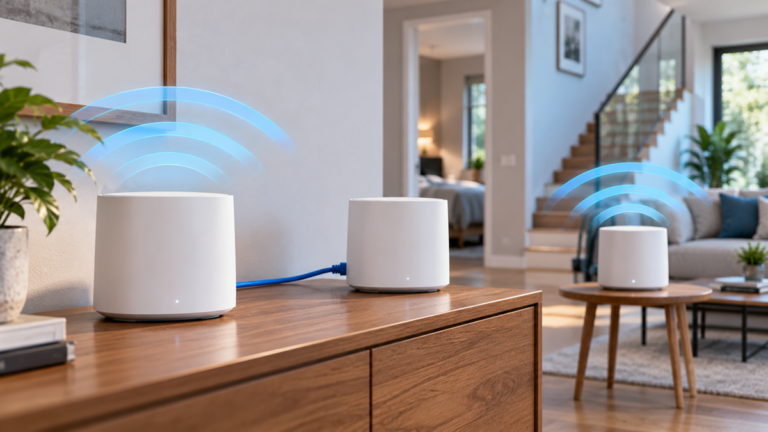
A mesh Wi-Fi system uses several wireless access points, usually called nodes or units, to create one coordinated home network.
Instead of having one router provide the entire Wi-Fi signal, mesh nodes are placed in different areas of the home. The system manages communication between them and allows devices to connect to the node that provides the best connection.
To the user, the network normally appears as a single Wi-Fi network with one name and password.
This makes mesh systems especially useful in:
- large homes;
- multi-floor houses;
- homes with thick walls;
- long or irregular floor plans;
- buildings with persistent Wi-Fi dead zones.
How Mesh Wi-Fi Works
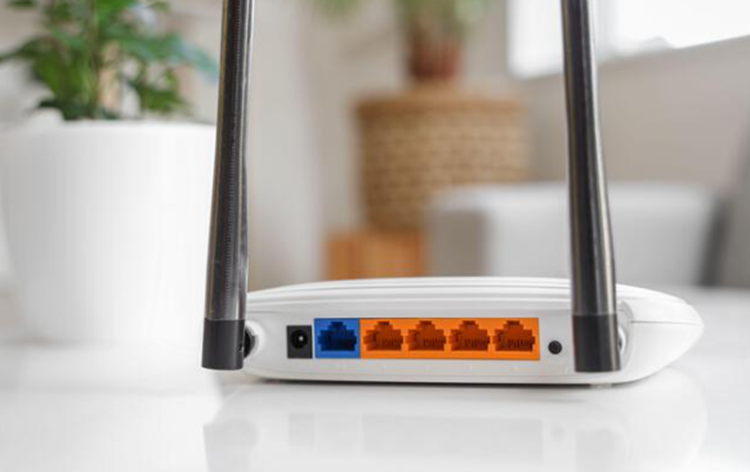
A typical mesh system has one main unit connected to the modem or internet gateway and one or more additional nodes placed around the home. If you are new to home networking, our guide to how Wi-Fi works explains the role of routers, access points, frequency bands and connected devices.
The nodes communicate with each other and exchange network traffic through a connection known as backhaul.
Your phone, laptop, TV or smart home device then connects to the nearest or most suitable mesh node.
The mesh system can automatically manage:
- which node a device connects to;
- which frequency band is used;
- how traffic moves between nodes;
- network roaming as you move through the home.
The goal is not simply to increase maximum speed. It is to provide more consistent coverage across a wider area.
Mesh Wi-Fi vs Traditional Router
A traditional router can work extremely well in a small or medium-size home when placed in a central location.
The main limitation is that all wireless coverage comes from one point.
As the distance from the router increases, signal strength usually decreases. Walls, floors and furniture can weaken the signal further.
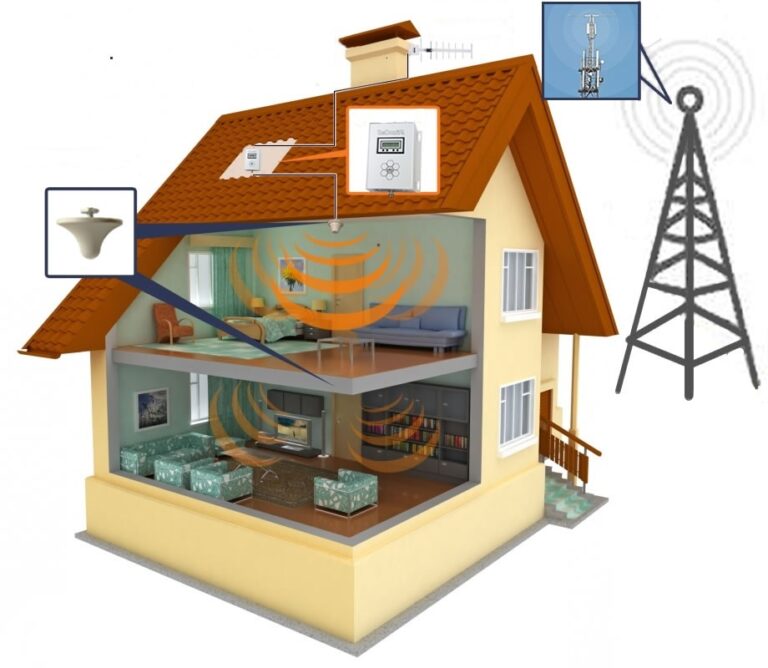
A mesh system distributes several access points around the home, reducing the distance between the user and the nearest Wi-Fi node.
Traditional Router Advantages
- lower cost;
- simpler network design;
- often strong performance near the router;
- fewer devices to configure.
Mesh System Advantages
- better coverage across large spaces;
- easier expansion;
- more seamless roaming;
- centralized management of multiple access points.
If your current router already provides a strong signal throughout the house, switching to mesh may provide little practical benefit.
Mesh Wi-Fi vs Wi-Fi Extender
Wi-Fi extenders and mesh systems both aim to improve coverage, but they work differently.
A traditional extender receives the existing Wi-Fi signal and rebroadcasts it.
This can help in a small dead zone, but some extenders create a separate network name or reduce throughput because they use the same radio to receive and retransmit traffic.
A mesh system is designed from the beginning to operate as one coordinated network.
This usually provides smoother roaming and simpler management.
If weak signal is your main problem, start with our guide on how to boost Wi-Fi coverage in large homes before deciding whether a full mesh system is necessary.
Wireless and Wired Backhaul
Backhaul is the connection used to move data between mesh nodes.
Wireless Backhaul
With wireless backhaul, mesh nodes communicate with each other over Wi-Fi.
This makes installation easy because no Ethernet cable is required between nodes.
However, wireless backhaul shares radio capacity with normal device traffic in some systems.
As a result, speeds may decrease on distant nodes, especially if the signal between nodes is weak.
Dedicated Wireless Backhaul
Some higher-end mesh systems use a dedicated radio band for communication between nodes.
This can improve performance because client devices and backhaul traffic do not compete as heavily for the same wireless capacity.
Wired Ethernet Backhaul
Ethernet backhaul connects mesh nodes with network cable.
This is usually the most stable option because each node can communicate with the main network without relying on a wireless link.
Wired backhaul can be especially useful in:
- large homes;
- concrete buildings;
- multi-floor installations;
- homes with existing Ethernet wiring;
- high-speed internet connections.
If Ethernet is already available, using it for backhaul is often preferable to adding more wireless hops.
For a detailed comparison of both options, see our Ethernet backhaul vs wireless backhaul guide, including differences in speed, latency, reliability, node placement and installation.
Where to Place Mesh Nodes
Mesh nodes should not be placed directly inside the dead zone.
Each node needs a good connection to the previous node or main router.
A useful approach is to place the next node somewhere between the strong-signal area and the weak-signal area.
Good Placement
- open areas;
- hallways;
- central rooms;
- locations away from large metal objects;
- positions with reasonable line-of-sight to another node.
Avoid
- closed metal cabinets;
- placing nodes directly behind televisions;
- large appliances;
- thick concrete walls when possible;
- extreme ends of the home where the previous node is already weak.
Adding more nodes does not always improve performance. Too many access points in a small space can create unnecessary wireless interference.
Wi-Fi 6, Wi-Fi 6E and Wi-Fi 7
Modern mesh systems are available with several generations of Wi-Fi technology.
Standards and certification programs are maintained by the Wi-Fi Alliance, which promotes interoperability between certified Wi-Fi products.
Wi-Fi 6
Wi-Fi 6 operates primarily on the familiar 2.4 GHz and 5 GHz frequency bands.
It is designed to improve efficiency when many devices are connected at the same time.
Wi-Fi 6E
Wi-Fi 6E extends compatible Wi-Fi 6 technology into the 6 GHz band.
The additional spectrum can provide more available channels and less congestion in compatible environments.
However, 6 GHz signals generally have shorter effective range through walls than lower-frequency signals.
Wi-Fi 7
Wi-Fi 7 introduces higher potential throughput and more advanced use of available spectrum.
It can be attractive for high-speed local networking and newer devices, but it is not automatically necessary for every household.
A well-positioned Wi-Fi 6 mesh system can still provide excellent real-world performance for many homes.
Speed, Roaming and Latency
A mesh system does not make your internet connection faster than the speed provided by your internet service.
Its main performance advantage is maintaining a stronger connection in locations where a single router would provide weak coverage.
Roaming
As you move around the home, compatible devices can switch between mesh nodes while remaining on the same network.
This is particularly useful for smartphones, tablets and laptops.
Roaming behavior still depends partly on the client device, so a device may occasionally remain connected to a more distant node longer than expected.
Latency
Every additional wireless hop can potentially add some delay.
For normal web browsing and video streaming, the difference may be small.
For gaming or other latency-sensitive applications, Ethernet remains the preferred option whenever practical.
When Do You Need a Mesh Wi-Fi System?
A mesh Wi-Fi system can be a good choice when a single router cannot provide reliable coverage throughout the home.
Consider mesh if:
- you have several persistent Wi-Fi dead zones;
- your home has multiple floors;
- you frequently lose signal in distant rooms;
- you want easier roaming across a large property;
- your current extender setup is unreliable;
- you want a network that can be expanded with additional nodes.
When Mesh May Not Be Necessary
You may not need mesh if:
- your home is relatively small;
- a single modern router already provides strong coverage;
- the router is simply positioned poorly;
- only one device has connection problems;
- Ethernet can solve the problem more reliably;
- the issue is caused by your internet provider rather than Wi-Fi coverage.
Before buying new hardware, test the existing network in several rooms and identify where the signal actually becomes weak.
Common Mesh Wi-Fi Mistakes
Placing Nodes Too Far Apart
A mesh node cannot provide good performance if its own connection to the network is already weak.
Using Too Many Nodes
More nodes do not automatically mean better Wi-Fi.
Use only as many as the home actually requires.
Ignoring Ethernet Backhaul
If Ethernet wiring is available, it can provide a more stable connection between mesh nodes than wireless backhaul.
Expecting Mesh to Fix Slow Internet
Mesh can improve wireless coverage, but it cannot increase the maximum internet speed delivered by your provider.
Hiding Nodes
Putting a mesh node inside a cabinet may look cleaner, but it can reduce wireless performance.
Replacing Good Equipment Without Testing
Sometimes moving the existing router to a more central position is enough to solve the problem.
Final Thoughts
Mesh Wi-Fi systems can be an effective solution for homes where one router cannot provide reliable coverage in every room.
Their biggest advantage is not necessarily higher maximum speed. It is the ability to distribute Wi-Fi coverage more evenly and make roaming between rooms easier.
For the best results, pay close attention to node placement and backhaul quality. Wired Ethernet backhaul is particularly useful when it is available.
Most importantly, identify the real cause of poor Wi-Fi before purchasing additional hardware. A mesh system is valuable when coverage is the problem, but it cannot fix a slow internet connection, overloaded broadband service or poorly configured devices.
Frequently Asked Questions
Is mesh Wi-Fi faster than a normal router?
Not necessarily. A high-quality router can be faster at close range. Mesh is mainly designed to provide more consistent coverage across a larger area.
Does mesh Wi-Fi reduce speed?
Wireless mesh nodes can lose some throughput when traffic must travel through multiple wireless hops. Dedicated or wired backhaul can reduce this limitation.
How many mesh nodes do I need?
It depends on home size, construction materials, layout and node range. Start with the minimum number required and add another only if coverage remains weak.
Should mesh nodes be placed in Wi-Fi dead zones?
No. A node should be placed where it can still receive a good connection from the main router or another mesh node while extending coverage toward the weak area.
Is Ethernet backhaul better than wireless backhaul?
In most cases, yes. Ethernet provides a stable dedicated connection between mesh nodes and avoids using wireless capacity for backhaul traffic.
Do I need Wi-Fi 7 mesh?
Not necessarily. Wi-Fi 7 can provide higher potential performance, but Wi-Fi 6 or Wi-Fi 6E may already be more than sufficient for many households.