Wi‑Fi 6 vs 5G: Which One Should You Choose ?
Wi-Fi 6 vs 5G is not a comparison between two technologies that perform exactly the same job.
Wi-Fi 6 connects devices within a local network, while 5G connects phones, routers, and other compatible equipment to a mobile operator’s network.
In many homes, the two technologies work together. A 5G router receives internet service from the cellular network and then distributes that connection to phones, computers, televisions, and smart-home devices through Wi-Fi 6 or Ethernet.
This guide compares Wi-Fi 6 and 5G for speed, coverage, latency, gaming, remote work, smart devices, and home internet. It also explains when you may need one technology, the other, or both.
Wi-Fi 6 vs 5G: What Is the Difference?
Although Wi-Fi 6 and 5G are often compared, they usually perform different roles.
Wi-Fi 6, also known as IEEE 802.11ax, is a wireless networking generation used inside homes, offices, and other local environments.
A Wi-Fi 6 access point or router connects nearby devices such as:
- phones
- laptops
- desktop computers
- televisions
- game consoles
- security cameras
- smart speakers
- home automation equipment
5G is a cellular technology. Mobile operators use it to provide network service across larger geographical areas.
A phone can connect directly to 5G. Alternatively, a 5G home router can receive the cellular signal and provide internet access to other devices through Wi-Fi or Ethernet.
The simplest distinction is:
5G can bring internet service to the home, while Wi-Fi 6 distributes a network connection to devices inside the home.
Wi-Fi 6 vs 5G Quick Comparison
| Feature | Wi-Fi 6 | 5G |
|---|---|---|
| Primary role | Local wireless networking | Mobile and fixed wireless connectivity through an operator |
| Network owner | Homeowner, business, or local network administrator | Mobile network operator |
| Internet source | Requires broadband, mobile, satellite, or another upstream connection | Can provide the upstream internet connection |
| Typical range | Inside and immediately around a property | Across the operator’s cellular coverage area |
| Equipment | Wi-Fi router or access point | Compatible phone, modem, or 5G router with a SIM or operator profile |
| Local file transfers | Can transfer data between local devices without using the internet | Not normally used as the home’s local device-to-device network |
| Performance control | Strongly influenced by router placement and local configuration | Strongly influenced by operator coverage, bands, congestion, and signal quality |
| Mobility | Limited to the local Wi-Fi coverage area | Designed to operate across the mobile network’s coverage area |
These differences show why there is no universal winner. Instead, the correct choice depends on whether you are selecting an internet service, a local wireless network, or both.
How Wi-Fi 6 Works
Wi-Fi 6 is designed to provide efficient local wireless communication, particularly in environments where many devices share the same network.
A Wi-Fi 6 router or access point sends and receives data over compatible unlicensed radio frequencies.
Wi-Fi 6 Frequency Bands
Standard Wi-Fi 6 equipment can operate in the 2.4 GHz and 5 GHz Wi-Fi bands.
The two ranges have different practical characteristics:
- 2.4 GHz: generally offers broader reach and better wall penetration, but often has less available capacity and more interference.
- 5 GHz: generally offers more capacity and wider channels, but its effective indoor range may be shorter.
Wi-Fi 6E
Wi-Fi 6E extends compatible Wi-Fi 6 technology into the 6 GHz band where local regulations permit it.
The additional spectrum can provide more channel capacity and less interference from older Wi-Fi equipment.
However, both the router and connected device must support Wi-Fi 6E to use 6 GHz. In addition, higher-frequency signals may have more difficulty passing through walls.
Wi-Fi 6 Does Not Provide Internet by Itself
A Wi-Fi router creates and manages the local network, but it still needs an upstream internet connection.
That connection may come from:
- fiber
- cable
- DSL
- 5G or 4G
- fixed wireless
- satellite
Therefore, replacing an older Wi-Fi router cannot make the internet service itself faster than the connection supplied to it.
How 5G Home Internet Works
5G home internet is a form of fixed wireless access.
A compatible modem or router communicates with the mobile operator’s network. It then shares the internet connection inside the property through Wi-Fi and Ethernet.
The
3rd Generation Partnership Project
develops the technical specifications that define 5G systems.
5G Uses Different Frequency Ranges
5G is not one single frequency.
Operators may deploy it using:
- low-frequency coverage bands
- mid-band spectrum
- higher millimeter-wave frequencies in selected locations
- frequencies previously used for other network generations
Low bands generally provide broader coverage, while mid-band spectrum can provide a useful balance of coverage and capacity.
Millimeter-wave service can provide substantial capacity over short distances, but it is not available in every market and has greater difficulty passing through obstacles.
5G Standalone and Non-Standalone
Some 5G services use LTE as part of the connection. This is known as Non-Standalone 5G.
Other networks use a 5G core and can operate without an LTE anchor. This is known as Standalone 5G.
The difference may affect available features, latency, bands, and router behavior. However, most home users should focus primarily on measured performance and operator compatibility.
Wi-Fi 6 vs 5G Speed and Performance
Both technologies can support high data rates, but advertised maximum speeds rarely represent normal performance.
Wi-Fi 6 Performance
Real Wi-Fi performance depends on:
- router and access-point quality
- device capabilities
- channel width
- distance from the access point
- walls and other obstacles
- interference from nearby networks
- the number of active devices
- the speed of the upstream internet connection
The combined theoretical number printed on a router box is not the speed every device will receive.
In addition, Wi-Fi is a shared medium. Devices must take turns using available airtime.
5G Performance
Real 5G performance depends on:
- distance from the serving site
- frequency band
- indoor signal penetration
- signal quality and interference
- network congestion
- operator configuration
- router or modem capability
- subscription conditions
Two properties on the same street may receive different results because of building materials, antenna position, terrain, serving cells, and local radio conditions.
Test the Complete Connection
When a device connects through Wi-Fi to a 5G router, both links affect the result:
Device → Wi-Fi → 5G router → mobile network → internet
Poor performance at any point in that chain can limit the final speed.
Coverage and Range
Wi-Fi 6 Coverage
Wi-Fi coverage is mainly controlled inside the property.
For better coverage:
- place the router in a central and open position
- avoid hiding it inside a cabinet
- keep it away from large metal objects
- position it above floor level
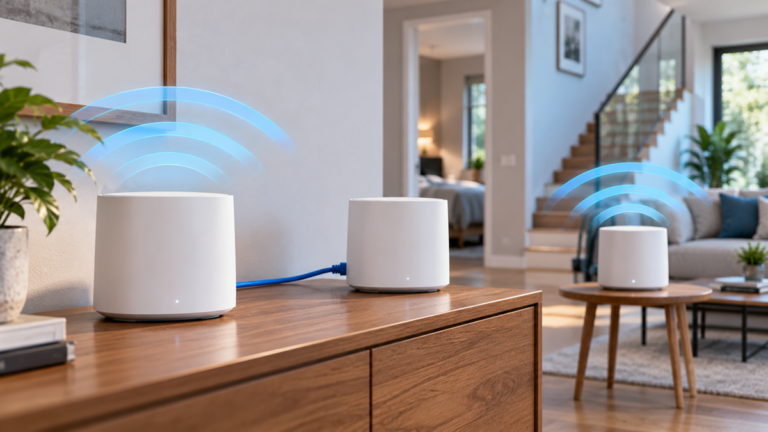
- use wired access points or a suitable mesh system in larger properties
The best position for Wi-Fi coverage may not be the best position for receiving a 5G signal. This creates an important challenge when one device performs both jobs.
5G Coverage
5G coverage is primarily determined by the mobile operator, available spectrum, serving cells, and radio conditions around the property.
A 5G router may work better:
- beside a suitable window
- on an upper floor
- on the side of the building facing the preferred cell
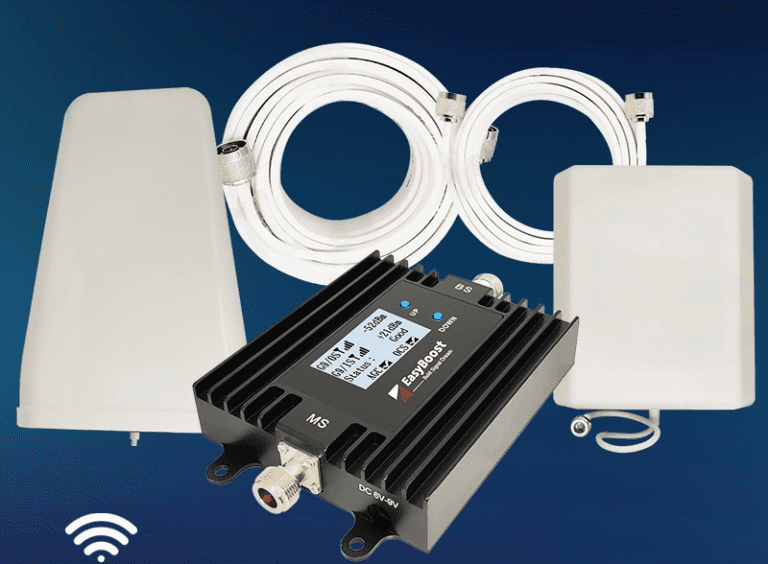
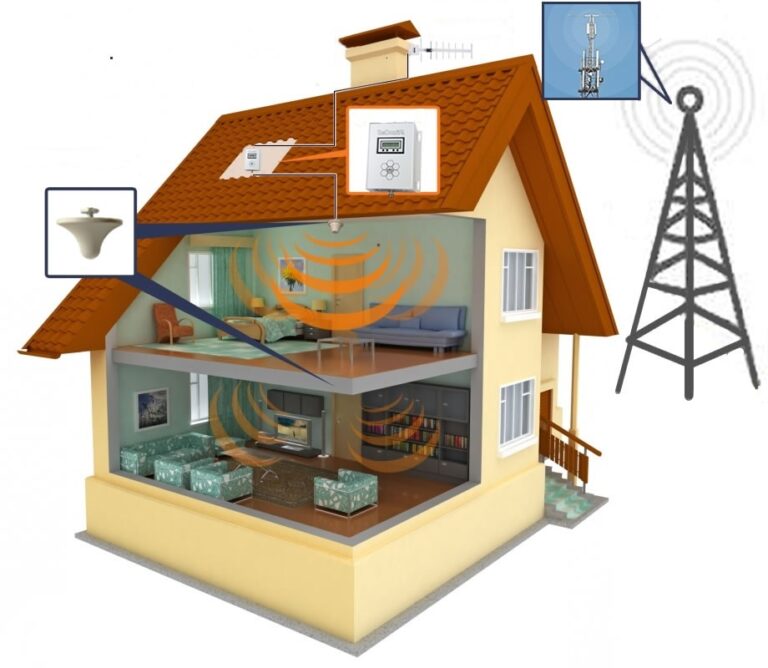
- with a compatible external cellular antenna
- as an outdoor unit connected through Ethernet
Where indoor cellular reception is weak, see our guide to
choosing and installing a 4G or 5G external antenna.
Separate the Modem and Wi-Fi When Necessary
If the 5G router needs to remain beside an exterior window, it may provide poor Wi-Fi coverage at the opposite end of the home.
In that situation, use Ethernet to connect the 5G modem or router to centrally positioned access points or a mesh system.
For additional planning advice, read
how to improve Wi-Fi coverage in a large home.
Latency, Gaming and Video Calls
Download speed is not the only performance measurement that matters.
Gaming, video calls, remote desktops, and cloud applications also depend on:
- latency
- latency variation or jitter
- packet loss
- upload stability
Wi-Fi 6 Latency
A well-designed Wi-Fi 6 network can provide low latency between the device and router.
However, total internet latency also includes the upstream broadband or mobile connection.
A fast local Wi-Fi link cannot correct latency introduced by a congested internet service.
5G Latency
5G can provide responsive performance under favorable conditions. Nevertheless, real latency can vary with network architecture, coverage, radio quality, congestion, routing, and operator configuration.
Ethernet for Stationary Devices
Ethernet remains the most predictable local connection for a stationary gaming computer, console, media server, or work computer when cabling is practical.
Wi-Fi 6 is a strong alternative for devices that need to remain wireless.
Check CGNAT and Inbound Connections
Some mobile internet services use carrier-grade network address translation, commonly known as CGNAT.
CGNAT can complicate:
- inbound connections
- hosting game servers
- remote access to home equipment
- traditional port forwarding
- some VPN configurations
If these features matter, ask the provider about public IP addresses, IPv6, port forwarding, and CGNAT before subscribing.
Reliability, Interference and Congestion
Wi-Fi Reliability
Wi-Fi performance can change because of:
- neighboring networks
- poor channel selection
- distance and walls
- older devices using airtime inefficiently
- incorrect access-point placement
- wireless mesh backhaul limitations
Because you control the local network, many Wi-Fi problems can be improved through better placement, wired access points, appropriate channel settings, or newer equipment.
5G Reliability
5G service can vary with:
- operator maintenance
- network loading
- radio interference
- serving-cell changes
- building penetration
- seasonal foliage or other environmental factors
The user has less control over the operator’s network. Therefore, testing the service at the actual property is essential.
Power Failures
A 5G home router and Wi-Fi network both need electrical power.
Unlike a battery-powered phone, home networking equipment normally stops working during an outage unless it is connected to a suitable backup power source.
Do not assume that emergency calling through a home 5G router will remain available during every power or network failure.
Wi-Fi 6 and 5G Security
Both technologies include security mechanisms, but users still need to configure their equipment responsibly.
Wi-Fi Security
For a home Wi-Fi network:
- use WPA3 when supported by all required devices
- otherwise use a strong supported WPA2 configuration
- choose a unique administrator password
- install router security updates
- disable outdated security modes where practical
- use a separate guest network when appropriate
- review connected devices regularly
Do not leave the router with default administrator credentials.
5G Security
A 5G router connects to the operator through a SIM, eSIM, or another subscriber identity mechanism.
However, the local administration interface and Wi-Fi network still require secure configuration.
In addition, check whether the operator controls router updates automatically and whether advanced settings remain accessible to the customer.
Wi-Fi 6 vs 5G for Smart-Home Devices
Most household smart devices connect to a local network through Wi-Fi, Ethernet, Thread, Zigbee, or another short-range technology.
They do not normally need an individual 5G mobile connection.
Why Wi-Fi 6 Can Help
Wi-Fi 6 is designed to handle busy environments more efficiently. This can be useful when many phones, computers, televisions, cameras, and other devices share the network.
However, many smart-home products still use 2.4 GHz Wi-Fi and may not support every newer Wi-Fi security or roaming feature.
Before replacing the router, check compatibility with older devices.
5G as the Internet Connection
A 5G router can provide the internet connection used by the smart-home system.
Nevertheless, consider what happens if:
- the mobile network becomes congested
- the router loses cellular reception
- the subscription reaches a data limit
- CGNAT prevents required remote access
- the router needs to be restarted
Important automations should not depend entirely on a cloud connection when reliable local control is available.
Can Wi-Fi 6 and 5G Work Together?
Yes. In fact, combining them is a common home internet configuration.
A typical setup may use:
- 5G: connection between the home and mobile network
- Wi-Fi 6: wireless connection between the router and household devices
- Ethernet: stable connections for computers, consoles, televisions, access points, and network storage
- Mesh or access points: additional Wi-Fi coverage in a larger property
Example Network Layout
A 5G modem can be placed beside the window with the strongest cellular reception.
Ethernet can then connect that modem to:
- a central Wi-Fi 6 router
- one or more wired access points
- a mesh system
- a network switch
This arrangement allows the cellular and Wi-Fi parts of the system to be positioned independently.
Router Mode and Bridge Mode
Some 5G gateways can operate in bridge, modem-only, passthrough, or IP-passthrough modes.
These modes may allow a separate Wi-Fi router to manage the home network.
However, support varies by device and operator. If both devices operate as routers, double NAT may occur and complicate gaming, port forwarding, VPNs, and remote access.
When Wi-Fi 6 Makes Sense
Wi-Fi 6 is a useful upgrade when the local wireless network is the main bottleneck.
Consider Wi-Fi 6 if you:
- already have suitable fiber, cable, DSL, or mobile internet
- have many active wireless devices
- transfer large files across the local network
- stream video to several rooms
- use wireless security cameras
- experience congestion on an older Wi-Fi network
- need better wireless performance close to the router
However, replacing the router will not automatically eliminate coverage problems in a large or difficult building.
In such cases, several well-positioned access points may provide a better result than one expensive router.
When 5G Home Internet Makes Sense
5G home internet can be a useful alternative or backup when:
- fast fixed broadband is unavailable
- installation of a fixed line is impractical
- the property receives strong and stable 5G service
- the connection needs to be relocated
- a secondary internet connection is required
- the operator offers suitable pricing and data conditions
Before replacing a reliable fixed connection, test 5G performance during busy periods and in the exact router location.
Also confirm:
- monthly data policy
- speed management
- router availability
- external antenna support
- CGNAT or public IP options
- contract terms
- expected indoor coverage
For more detail, read
our guide to choosing a 5G home router.
What to Check Before Buying New Equipment
Identify the Actual Bottleneck
Test a computer through Ethernet where possible.
If Ethernet is fast but Wi-Fi is slow, improve the local wireless network.
If both Ethernet and Wi-Fi are slow through a 5G router, investigate the cellular connection, subscription, congestion, or router.
Check Device Compatibility
Older phones, laptops, and smart-home products cannot use Wi-Fi 6 features unless they contain compatible hardware.
Similarly, a 5G router must support the operator’s bands, SIM, and network configuration.
Compare Total Cost
Include:
- router or gateway price
- monthly service cost
- mesh nodes or access points
- Ethernet cabling
- external cellular antenna
- installation work
- backup power where required
Review Return and Trial Options
Cellular performance is highly location-dependent.
Therefore, a trial period or suitable return policy can be valuable when testing 5G home internet equipment.
Which Setup Should You Choose?
Apartment With Fast Fixed Broadband
Use the existing broadband connection with a well-positioned Wi-Fi 6 router.
If the apartment is small, one correctly placed access point may be sufficient.
Large Home With Fast Broadband
Use Wi-Fi 6 access points connected through Ethernet where practical.
A suitable mesh system can help where cabling is unavailable, although wireless backhaul may reduce available performance.
Home Without Fast Fixed Broadband
Test 5G home internet at several indoor locations and during different times of day.
If reception is weak but usable outdoors, a compatible external antenna or outdoor cellular router may help.
Gaming and Remote Work
Use Ethernet for stationary devices where practical.
If using 5G home internet, test latency, jitter, packet loss, upload stability, VPN compatibility, and CGNAT behavior.
Smart Home With Many Devices
Use Wi-Fi 6 for compatible high-bandwidth devices and retain a suitable 2.4 GHz configuration for smart products that require it.
Consider separate networks or VLANs only if your equipment and technical experience support them correctly.
Backup Internet Connection
A 5G connection can provide redundancy when the primary fixed service fails.
However, automatic failover requires a router or firewall designed to manage multiple internet connections.
For complete network-planning guidance, see
how to build a fast and stable home network.
Common Wi-Fi 6 vs 5G Comparison Mistakes
Treating Them as Direct Replacements
Wi-Fi 6 is normally a local network technology, while 5G is normally an operator-provided cellular connection.
Comparing Theoretical Maximum Speeds
Advertised maximum numbers do not represent typical performance in a real home.
Assuming a New Wi-Fi Router Improves 5G Reception
Wi-Fi router placement and cellular modem placement involve different radio connections.
Assuming Better 5G Fixes Wi-Fi Dead Zones
A faster upstream connection will not improve weak local Wi-Fi coverage at the opposite end of the property.
Ignoring Ethernet
Ethernet remains useful for stationary devices, access-point backhaul, and diagnosing whether Wi-Fi is the bottleneck.
Forgetting Data Policies
A 5G home internet plan may include data limits, traffic management, or restrictions that do not apply to an existing fixed service.
Ignoring CGNAT
Some mobile services make inbound access and traditional port forwarding difficult.
Placing a Combined Router in the Wrong Location
The best window for 5G reception may not be the best central location for Wi-Fi coverage.
Replacing Equipment Without Testing
Measure wired speed, Wi-Fi performance, cellular signal, and performance at different times before spending money.
Frequently Asked Questions
Is Wi-Fi 6 faster than 5G?
They cannot be compared with one universal number because they perform different roles.
Wi-Fi 6 speed depends on the local wireless link, while 5G speed depends on the cellular network and operator service.
Can Wi-Fi 6 work without 5G?
Yes. Wi-Fi 6 can distribute fiber, cable, DSL, satellite, 4G, 5G, or another internet connection.
It can also support local communication between devices without active internet access.
Can 5G replace Wi-Fi?
Individual phones and tablets can connect directly to 5G, but most homes still use Wi-Fi or Ethernet to connect televisions, computers, printers, cameras, and smart devices.
Does a 5G router include Wi-Fi?
Most home 5G gateways include Wi-Fi, but the supported Wi-Fi generation and features vary.
Check whether the device supports Wi-Fi 5, Wi-Fi 6, Wi-Fi 6E, or another standard.
Is Wi-Fi 6 good for gaming?
Yes, when the network is configured well and the signal is strong.
However, Ethernet normally provides the most predictable local connection for stationary gaming devices.
Is 5G home internet good for gaming?
It can be suitable when latency, jitter, packet loss, and stability are consistently good.
Nevertheless, performance may vary with signal quality and network congestion. CGNAT may also affect some gaming and hosting scenarios.
Do I need Wi-Fi 6 if my devices are older?
Older Wi-Fi devices can normally connect to a backward-compatible Wi-Fi 6 router, but they will not gain every Wi-Fi 6 capability.
What is the difference between Wi-Fi 6 and Wi-Fi 6E?
Wi-Fi 6 operates in the traditional 2.4 GHz and 5 GHz Wi-Fi bands.
Wi-Fi 6E extends compatible equipment into the 6 GHz band where permitted.
Can I use a separate Wi-Fi router with a 5G gateway?
Often yes. The 5G gateway may support bridge mode, passthrough, or a similar configuration.
However, support varies by operator and device. Incorrect configuration can result in double NAT.
Which is better for a large home?
Use Wi-Fi 6 access points or a suitable mesh system to distribute the local network throughout the property.
The upstream internet connection can be fiber, cable, 5G, or another service.
Final Thoughts
The Wi-Fi 6 vs 5G comparison does not produce one universal winner because the two technologies solve different networking problems.
Wi-Fi 6 connects devices within the local network. By contrast, 5G connects compatible equipment to a mobile operator and can provide the home’s internet service.
If you already have fast fixed broadband but experience wireless dead zones or congestion, improving the Wi-Fi network may provide the greatest benefit.
If fixed broadband is unavailable or unsuitable but the property receives strong and stable cellular service, 5G home internet may be a practical alternative.
For many households, the best solution uses 5G for the upstream internet connection, Wi-Fi 6 for mobile devices, and Ethernet for stationary equipment that benefits from maximum stability.