5 Golden Tips for Choosing a Home Theater System
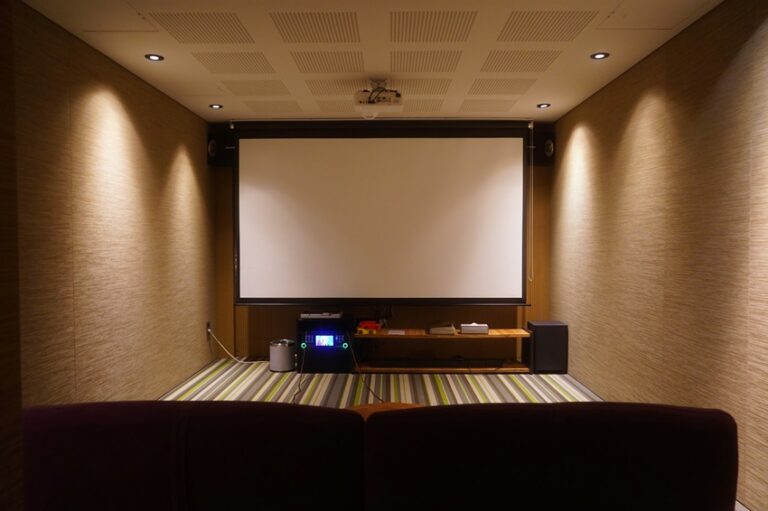
Choosing a home theater system becomes easier when you begin with the room and your viewing habits.
The most expensive package is not automatically the best choice.
Your television, seating position, available speaker locations, and connected devices all affect the result. Upgrade options and daily usability matter too.
The following five tips will help you compare soundbars, AV receivers, speakers, and complete systems. They will also help you avoid paying for features that your room cannot use.

Tip 1: Start with the Room
Do not choose the speaker package first. Begin by measuring the room and planning the seating position.
Record:
- Room width, length, and height
- Distance between the seats and screen
- Available space beside and behind the seats
- Doors and windows
- Shared walls and floors
- Possible speaker positions
- Available cable routes
- Electrical outlet locations
A room does not need to be large to support good sound. However, the speaker layout must fit the available space.
Choose the Main Seating Position
The main seat should face the screen directly when possible. It also acts as the reference position for speaker setup.
Avoid pressing every seat against the rear wall. This can restrict surround placement and produce uneven bass.
The room’s geometric center is not always ideal either. Test the proposed seating location before fixing furniture permanently.
Plan Every Speaker Position
Do not buy seven or nine speakers without knowing where they will go. More channels are useful only when they can be positioned correctly.
Common configurations include:
- 2.0: left and right speakers
- 2.1: stereo speakers and a subwoofer
- 3.1: left, center, right, and subwoofer
- 5.1: five conventional channels and one bass channel
- 7.1: seven conventional channels and one bass channel
- 5.1.2: five conventional channels, one subwoofer, and two height channels
A carefully installed 3.1 or 5.1 system can outperform a crowded layout with more channels.
Check the Display Position
The television or screen affects the center speaker location. Make sure there is enough space above or below the image.
The display should also suit the viewing distance. Our
home theater TV guide
explains screen size, placement, room light, and important display features.
Think About the Neighbors
Low-frequency sound can travel through walls and floors. This is important in apartments and attached homes.
A smaller system with good level control may be more practical. Night mode and dynamic-range settings can also help.
Tip 2: Choose the Right Type of Home Theater System
A home theater does not need one specific type of audio system. The main choices are a soundbar, powered speakers, or a receiver-based system.
Soundbar
A soundbar combines several speaker drivers inside one enclosure. Many models include a separate subwoofer or optional rear speakers.
A soundbar may suit you when:
- You want a simple installation.
- Speaker cable routes are impractical.
- The room has limited floor space.
- You prefer fewer visible components.
- Extensive future upgrades are not important.
Check whether optional rear speakers and subwoofers are proprietary. Many soundbars accept only accessories from the same product family.
AV Receiver and Passive Speakers
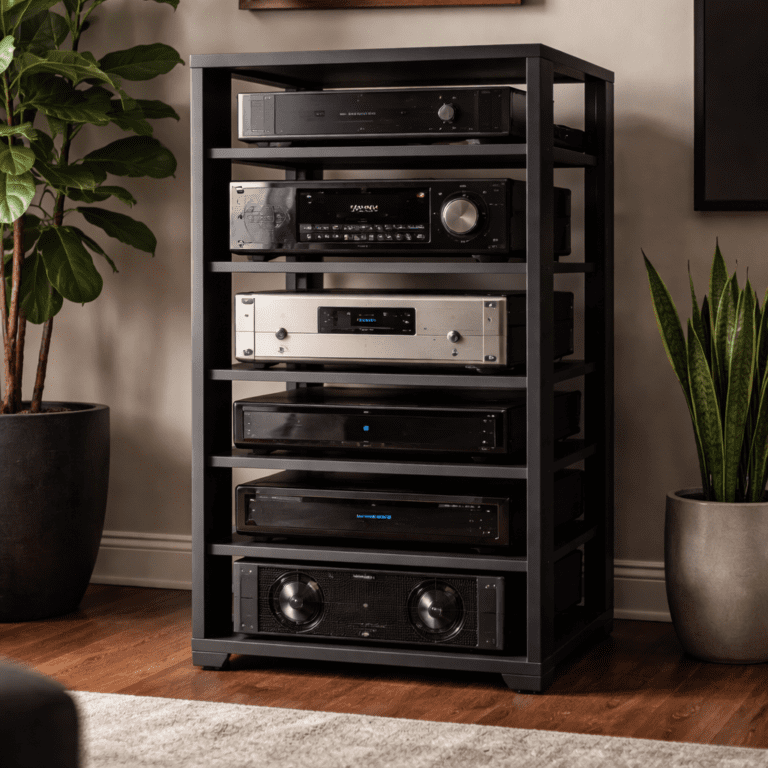
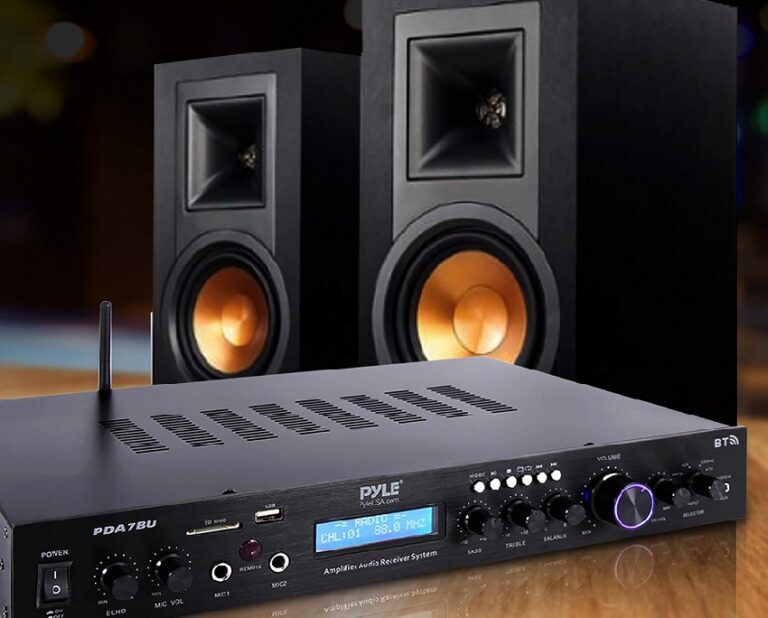
An AV receiver powers passive speakers and processes audio. It can also switch compatible video sources.
A receiver-based system may suit you when:
- You want separate speakers around the room.
- You need several HDMI inputs.
- You want to replace components individually.
- You may add more channels later.
- You can install speaker cables.
This format offers flexibility, but it requires more planning. Speaker compatibility, ventilation, and receiver features must all be checked.
Powered Speaker System
Powered speakers contain their own amplification. Some stereo and multichannel packages can connect directly to a television.
They may reduce the need for a separate receiver. Upgrade and connection options vary greatly between systems.
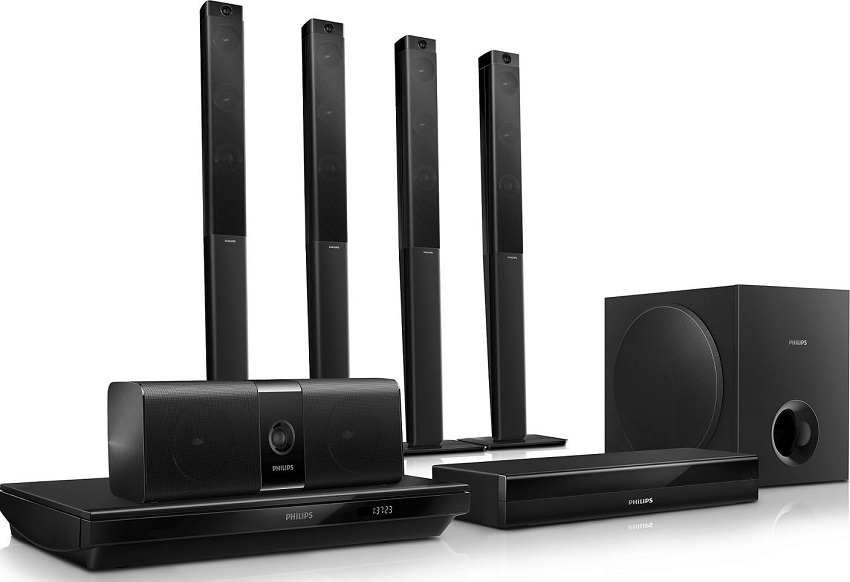
Home-Theater-in-a-Box Package
A complete package may include speakers, amplification, and a subwoofer. It can simplify component matching.
Check whether the speakers use standard connections. Proprietary connectors can limit repairs and future upgrades.
Our
soundbar versus home theater system comparison
examines these choices in more detail.
Tip 3: Check Every Connection Before Buying
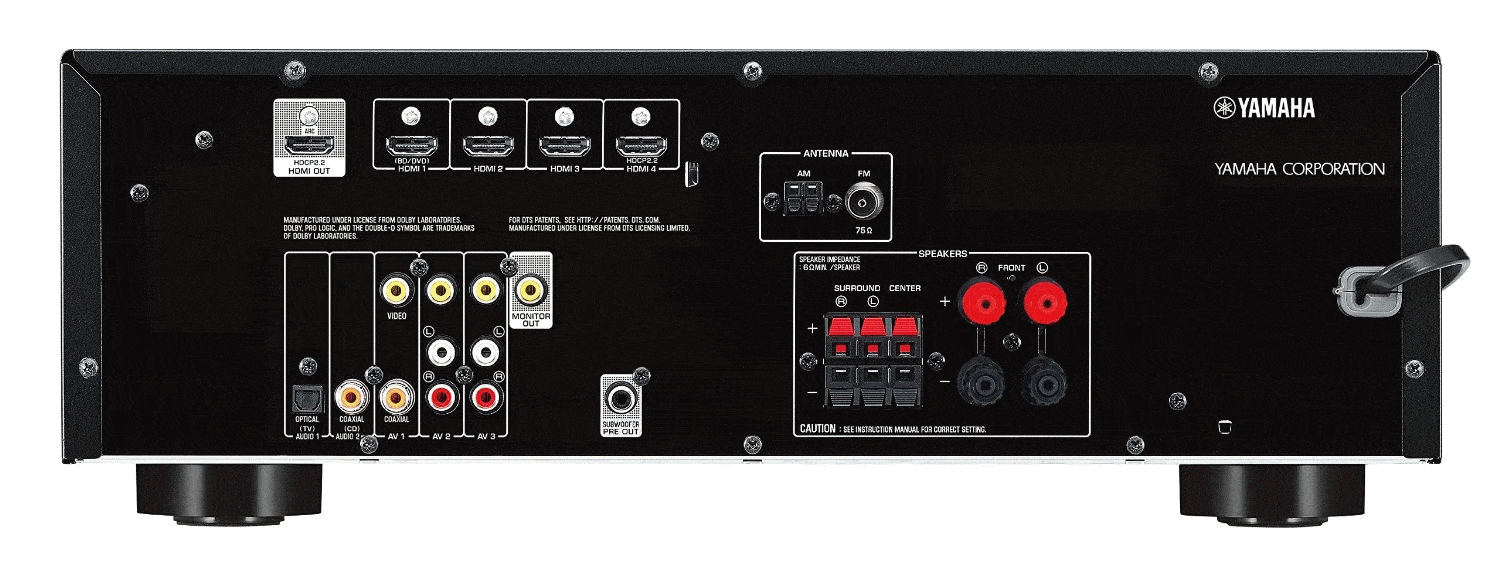
List every device that will connect to the system. Do not assume that all HDMI ports support the same features.
Possible sources include:
- Game consoles
- Streaming players
- Disc players
- A home theater computer
- Cable or satellite equipment
- A turntable
- Network storage
Count the HDMI Inputs
The receiver or soundbar needs enough inputs for current equipment. One or two spare ports can simplify future expansion.
Check the actual capability of each port. Resolution, refresh rate, HDR, and gaming support may differ.
HDMI ARC and eARC
ARC allows compatible televisions to send audio to a receiver or soundbar. eARC supports a wider range of audio formats.
Both devices must use their labeled ARC or eARC ports. The television must also pass the desired audio format.
Do not choose a receiver from the word “eARC” alone. Check the television, source, content, and complete audio chain.
Video Passthrough
A receiver placed between a source and television must support the required video signal. Otherwise, it may limit the display.
Gamers should check:
- Required resolution
- Maximum refresh rate
- Variable refresh rate support
- Automatic low-latency features
- HDR compatibility
Only the features used by your television and console need to be prioritized.
Optical and Analog Connections
Optical audio remains useful for older equipment. Its format support is more limited than eARC.
Older sources may need analog RCA inputs. A turntable may require a phono input or separate phono preamplifier.
Network and Wireless Connections
Wi-Fi, Ethernet, Bluetooth, and multiroom audio can improve convenience. They do not replace every physical connection.
Wireless speakers usually still need electrical power. Confirm the complete installation requirements.
Tip 4: Match the System to Your Main Uses
Different activities place different demands on a home theater. Identify your priorities before comparing optional features.
Movies and Television
For films and television, focus on:
- Clear dialogue
- A suitable center channel
- Correct surround placement
- Controlled bass
- Compatible audio formats
- Simple daily operation
The center speaker should fit near the screen. A large speaker is not useful when furniture blocks it.
Music
Music listeners should pay close attention to the front left and right speakers. Listen to them before buying when possible.
More surround channels do not automatically improve stereo playback. Speaker placement remains important.
Gaming
Gaming systems need compatible video passthrough and acceptable delay. Check the source, display, and receiver together.
Also consider where consoles will receive ventilation. Wireless controllers need reliable communication with the equipment.
Sports
A wide listening area may be important for group viewing. Dialogue clarity and even coverage can matter more than precise effects.
Casual Viewing
A soundbar or compact 3.1 system may provide everything needed for everyday television. A complex receiver is unnecessary when its flexibility will not be used.
Mixed Use
A mixed-use system should perform reliably rather than specialize in one demonstration. Test films, speech, music, and games before making a final decision.
Tip 5: Consider Long-Term Ownership
Specifications describe new equipment. They do not reveal how convenient it will be after several years.
Read the Complete Warranty
Check:
- Warranty duration
- Parts and labor coverage
- Local service availability
- Return shipping responsibilities
- Coverage for included speakers
A long warranty on one component does not necessarily cover the complete system.
Check Replacement and Upgrade Options
Standard speaker connections make individual replacement easier. Proprietary wireless or wired systems may require matching components.
Ask whether:
- Additional speakers can be added.
- The subwoofer can be replaced separately.
- Accessories remain available.
- The receiver supports the planned layout.
- Speakers can work with another amplifier.
Review Software Dependence
Applications and online services can improve setup. They can also create long-term dependence on manufacturer support.
Core functions should remain accessible without an application when possible.
Look for Patterns in Reviews
One complaint does not establish a product fault. Look for repeated reports across several reliable sources.
Common issues may involve:
- HDMI connection stability
- Wireless interruptions
- Fan noise
- Application usability
- Remote-control design
- Firmware problems
- Customer support
Consider Setup Complexity
A flexible system requires correct installation. Make sure you are comfortable with speaker wiring, menus, calibration, and troubleshooting.
A simpler system that everyone can operate may provide more everyday value.
How to Divide a Home Theater Budget
Do not spend the entire budget on the receiver or the number of channels. The system must work as a whole.
Allow for:
- Display or projector
- Front and center speakers
- Surround speakers
- Subwoofer
- Receiver or soundbar
- Speaker stands or mounts
- Cables
- Furniture or equipment storage
- Installation when required
Keep some budget available for practical accessories. Poor stands or missing cables can delay the entire installation.
Build in Stages
A receiver-based system does not need every speaker on the first day. You can begin with the front channels and expand later.
Confirm that the receiver supports the intended final layout. Also plan cable routes before finishing walls or ceilings.
Do Not Buy Features Without a Use
Extra channels, advanced processing, and network functions can add cost. They provide little value when the room cannot support them.
Prioritize confirmed compatibility and correct placement.
Common Home Theater Buying Mistakes
Buying Before Measuring
Speakers, receivers, and subwoofers can be larger than expected. Measure the room and furniture first.
Choosing Too Many Channels
A channel is useful only when its speaker can be positioned properly. Do not force a large layout into a small room.
Ignoring the Center Speaker
The center channel carries much of the dialogue in conventional movie mixes. Make sure it fits near the screen.
Comparing Only Wattage
Amplifier wattage does not describe the complete listening result. Speaker sensitivity, distance, load, and room conditions also matter.
Assuming Wireless Means Cable-Free
Wireless speakers often require power cables. Some also connect through a separate receiver module.
Ignoring Ventilation
Receivers, amplifiers, consoles, and computers produce heat. Closed furniture needs a suitable airflow path.
Choosing from Format Logos Alone
A Dolby Atmos logo does not reveal the physical speaker layout. Check whether the system uses virtualization, upward-firing drivers, or separate height speakers.
Forgetting Everyday Control
A system can sound good but remain frustrating to use. Test input switching, volume control, and power behavior.
Skipping Calibration
Correct levels, distances, and crossover settings affect the result. Run the supplied calibration process after installation.
Home Theater System Buying Checklist
- Measure the room and furniture.
- Choose the main seating position.
- Plan every speaker location.
- Decide between a soundbar and separate speakers.
- List all source devices.
- Count the required HDMI inputs.
- Check ARC or eARC compatibility.
- Verify required gaming and video features.
- Plan receiver and console ventilation.
- Check standard and proprietary connections.
- Review warranty and service availability.
- Include mounts, stands, and cables in the budget.
- Confirm future upgrade options.
- Listen to the system when possible.
- Run calibration after installation.
When the equipment arrives, use our
home theater setup guide
to position, connect, and calibrate the system.
Frequently Asked Questions
How do I choose a home theater system?
Begin with room measurements and speaker locations. Then compare system type, connections, listening priorities, and upgrade options.
Is a 5.1 system enough for home theater?
A properly placed 5.1 system can provide convincing surround sound. More channels are useful only when the room supports them.
Is a soundbar better than separate speakers?
A soundbar is simpler and more compact. Separate speakers provide more placement flexibility and usually offer easier component upgrades.
Do I need an AV receiver?
Passive surround speakers normally require an AV receiver or suitable amplifier. Soundbars and powered systems include amplification.
How many HDMI inputs do I need?
Count every current HDMI source. Add one or two spare inputs when future equipment is likely.
Do I need HDMI eARC?
eARC is useful for passing supported audio from a television to an audio system. Every device in the chain must remain compatible.
Does a home theater need a subwoofer?
It is not technically mandatory. However, a suitable subwoofer provides deeper bass and handles low-frequency effects more effectively.
Are floorstanding speakers better than bookshelf speakers?
Not automatically. Compare the complete speaker design, listening distance, placement, and planned subwoofer use.
Can I build a home theater in stages?
Yes. A receiver-based system can begin with fewer speakers. Confirm that the receiver supports your intended final configuration.
Should I buy a complete package?
A package can simplify matching and setup. Check its connections, replacement options, and use of proprietary components.
Final Thoughts
Choosing a home theater system should begin with the room. Determine where the seats, screen, and speakers can go.
Next, choose the system type and check every required connection. Match the equipment to movies, music, gaming, and daily television use.
Finally, review warranty coverage and upgrade restrictions. A simpler, well-matched system can outperform a larger setup with poor placement.