How to Boost Wi‑Fi Coverage in Large Homes
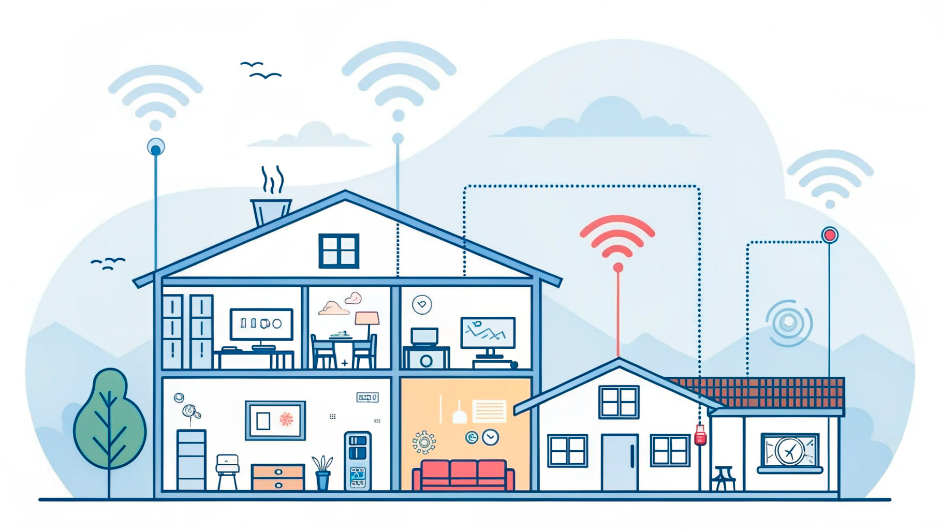
Struggling with dead zones, weak signals, or unstable Wi‑Fi in a large home? You’re not alone. In 2026, more devices than ever depend on a strong wireless connection — but big houses, thick walls, and multiple floors can make coverage a real challenge. This guide explains how to extend and stabilize your Wi‑Fi signal throughout your entire home.
Table of Contents
- 1. Common Wi‑Fi Problems in Large Homes
- 2. When You Should Use a Mesh Wi‑Fi System
- 3. Wi‑Fi Extenders vs Mesh: What’s the Difference?
- 4. Upgrading Your Router for Better Coverage
- 5. Smart Router and Node Placement
- 6. When to Use Wired Connections
- 7. Simple Troubleshooting Checklist
- 8. Related Wi‑Fi & Networking Guides
1. Common Wi‑Fi Problems in Large Homes
Large homes often suffer from:
- Dead zones in bedrooms, basements, or outdoor areas
- Weak signal far from the router
- Slow speeds when multiple people are online
- Unstable connections during video calls or streaming
These issues are usually caused by distance, walls, interference, or outdated hardware — not just your internet provider.
2. When You Should Use a Mesh Wi‑Fi System
A mesh Wi‑Fi system is one of the best solutions for large homes. Instead of relying on a single router, you use multiple nodes that work together as one network.
Mesh is ideal if:
- Your home has more than one floor
- You have thick walls or long hallways
- You want seamless roaming between rooms
- You use many smart home devices
Each node extends coverage, so your devices always connect to the strongest signal automatically.
3. Wi‑Fi Extenders vs Mesh: What’s the Difference?
Wi‑Fi extenders and mesh systems both increase coverage, but they work differently.
Wi‑Fi Extenders
- Repeat the signal from your main router
- Often create a separate network name (SSID)
- Can reduce speed on extended networks
- Best for small coverage gaps (garage, attic, garden)
Mesh Systems
- Create one unified network
- Automatically manage device connections
- More stable and scalable
- Best for full‑home coverage
Tip: If you’re starting from scratch in a large home, a mesh system is usually the better long‑term solution.
4. Upgrading Your Router for Better Coverage
Sometimes the simplest fix is to replace an old router. Modern routers with Wi‑Fi 6 or 5G support offer:
- Stronger signal strength
- Better performance with many devices
- Improved range and stability
If you’re interested in next‑generation performance, consider a 5G home router combined with a mesh system.
For a deeper look at modern router options, read:
How to Build a Fast, Stable Home Network in 2026.
5. Smart Router and Node Placement
Even the best hardware fails if placed incorrectly. Follow these placement rules:
- Place the main router in a central, open location
- Keep it off the floor and away from thick walls
- Distribute mesh nodes evenly across floors
- Avoid placing nodes near microwaves, TVs, or large metal objects
Good placement can dramatically improve coverage without any extra hardware.
6. When to Use Wired Connections
For the most demanding devices, a wired Ethernet connection is still the gold standard.
Use Ethernet for:
- Gaming consoles
- Desktop PCs
- Smart TVs and streaming boxes
- Home office setups
This frees up wireless bandwidth for mobile devices and smart home gadgets.
7. Simple Troubleshooting Checklist
If your Wi‑Fi is still weak, try this quick checklist:
- Restart your router and modem
- Update router firmware
- Change Wi‑Fi channel to a less crowded one
- Switch devices to the 5 GHz band when possible
- Check if your internet plan matches your usage