Guide to Universal Air Conditioner Remotes

A universal air conditioner remote is the easiest way to replace a lost or broken controller — and modern 2026 models offer even more features, from extended range to energy‑saving modes. This guide explains how universal AC remotes work, how to set them up, provides an expanded code list, and includes troubleshooting tips to help you get the most out of your device.
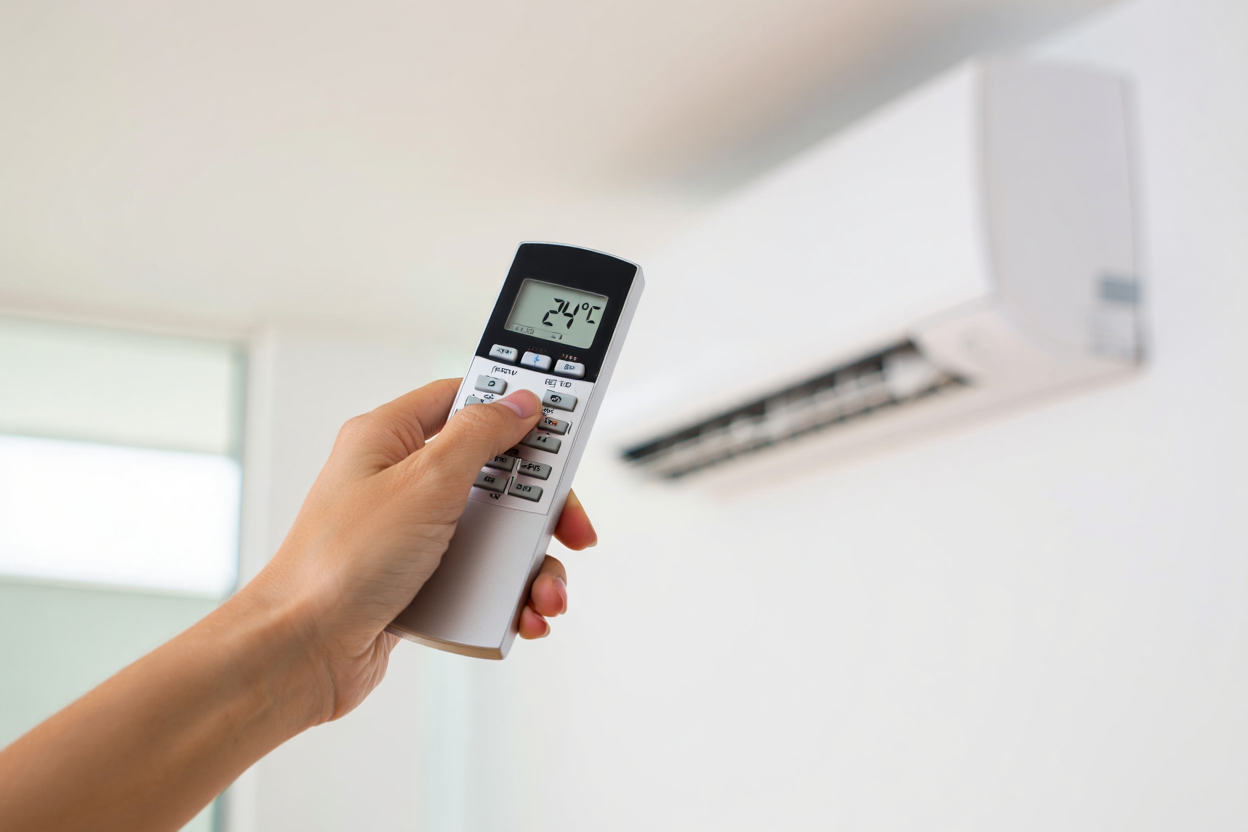
What Is a Universal Air Conditioner Remote?
A universal AC remote is a programmable controller designed to work with hundreds of air conditioner brands. Instead of buying an expensive original remote, you can pair a universal one using a brand‑specific code or auto‑scan mode.
Most models use infrared (IR) technology and support split systems, window units, portable ACs, and some cassette units. Newer 2026 remotes include digital timers, energy‑saving presets, temperature calibration, and memory for multiple AC units.
Top Benefits of Universal AC Remotes in 2026
- Wide compatibility: Works with 1,000+ AC models.
- Fast setup: Auto‑scan pairing finds the right code in seconds.
- Energy savings: Eco and sleep modes reduce electricity use.
- Improved comfort: Temperature calibration and precise fan control.
- Affordable: Much cheaper than OEM remotes.
- Extended range: IR transmitters reach up to 10–12 meters.
- Multi‑device memory: Control several AC units with one remote.
Compatible AC Brands
Most universal remotes support major global and regional brands, including:
Daikin, Mitsubishi Electric, LG, Samsung, Panasonic, Toshiba, Hitachi, Haier, Hisense, Sharp, Fujitsu, Carrier, Whirlpool, Gree, Midea, TCL, Electrolux, York, Voltas, Aux, Kelvinator, Sanyo, Pioneer, Trane, Lennox
Even if your exact model isn’t listed, it often works with one of the codes for the same brand or OEM manufacturer.
How to Set Up a Universal AC Remote
- Insert fresh batteries — weak batteries can cause pairing failures.
- Turn on the AC unit — ensure the IR receiver is unobstructed.
- Choose setup mode
Manual: enter the code for your brand.
Auto‑scan: hold SET/CODE until scanning begins. - Test all functions — power, temperature, mode, fan, swing.
- Save the working code — usually automatic after confirmation.
Universal AC Remote Codes (2026 Expanded List)
Below is an expanded code list commonly used by KT‑2026, Chunghop, Gree multi‑brand, and similar remotes. If the first code doesn’t work, continue through the range.
| Brand | Popular Codes |
|---|---|
| LG | 6000–6006, 6717, 6730, 6754, 0201, 0466–0469 |
| Samsung | 6100–6107, 6165, 6170, 0721, 0978–0980 |
| Daikin | 6300–6315, 6330, 6345, 0171–0183, 0566–0567 |
| Panasonic | 6600–6608, 6650, 6675, 0216–0220 |
| Mitsubishi | 6700–6712, 6725, 6738, 0171, 0515 |
| Toshiba | 6500–6510, 6522, 6535, 0301–0308 |
| Hitachi | 6400–6412, 6425, 6438, 0118–0126 |
| Haier | 6800–6815, 6820, 6833, 0266–0272 |
| Hisense | 7000–7012, 7025, 0332–0335 |
| Sharp | 7200–7210, 7225, 0371–0372 |
| Fujitsu | 7300–7315, 7328, 0127–0137 |
| Carrier | 7500–7515, 7528, 0203–0209 |
| Whirlpool | 7600–7612, 0203, 0482 |
| Gree | 7700–7715, 7728, 0309–0316 |
| Midea | 7800–7815, 7822, 0301–0308 |
| TCL | 7900–7912, 0300, 0453 |
| Electrolux | 8000–8015, 0216–0220 |
| York | 8100–8112, 0203–0209 |
| Voltas | 8200–8215, 0187, 0206 |
| Aux | 8300–8312, 0297–0300 |
| Kelvinator | 8400–8410, 0203–0209 |
| Sanyo | 8500–8512, 0379–0382 |
| Pioneer | 8600–8615, 0301–0308 |
| Trane | 8700–8710, 0203–0209 |
| Lennox | 8800–8815, 0203, 0482 |
If your brand isn’t listed, try auto‑scan mode or codes from related OEM brands like Gree, Midea, or Aux.
Troubleshooting & Reset Tips
- No response: replace batteries and point directly at the AC sensor.
- Some buttons don’t work: try the next code for your brand.
- Weak signal: clean the AC’s IR receiver window.
- Remote glitching: reset by holding SET + POWER for 5–10 seconds.
- Old models: use slow auto‑scan and wait for a beep or LED change.
Smart Hacks to Boost Performance
- Use Eco mode to reduce energy consumption.
- Set sleep timers to avoid overcooling at night.
- Calibrate temperature if the room feels warmer than displayed.
- Avoid sunlight hitting the AC’s IR sensor.
- Choose backlit remotes for easier nighttime use.
Best Universal AC Remotes in 2026
- Gree Multi‑Brand Smart Remote — excellent compatibility and long‑range IR.
- KT‑2026 Pro — huge code library and fast auto‑scan.
- One‑For‑All AC Master 2026 — premium build and energy‑saving presets.
- TCL SmartSync Remote — hybrid IR/Bluetooth for newer smart ACs.
FAQ
Does a universal AC remote work with any air conditioner
Not every model, but most split, window, and portable ACs are supported. Very old units may only support basic functions.
Can one universal remote control multiple ACs
Yes — many 2026 models support multi‑device memory.
Do universal remotes support Wi‑Fi features
They control core functions, but app‑based Wi‑Fi features usually require the original remote.
What if none of the codes work
Use slow auto‑scan mode or check for updated code lists from the manufacturer.